Support our educational content for free when you buy through links on our site. Learn more
🚀 7 Tech Strategies to Supercharge Learning Outcomes (2026)


You can transform your classroom by shifting from passive consumption to active creation, using tools like adaptive software and collaborative platforms to personalize every student’s path. The answer to How can I incorporate technology into my teaching strategies to improve learning outcomes? lies not in the latest gadget, but intentionally weaving digital tools into your pedagogy to foster critical thinking and engagement.
Imagine a student who struggles with reading aloud but shines when recording a podcast, or a math class that uses virtual manipulatives to finally “see” fractions. That is the power of strategic integration. According to the U.S. Department of Education, students in blended learning environments often outperform their peers in traditional settings by a significant margin.
But how do you avoid the chaos of devices and distractions? It starts with a clear plan. We’ve tested these methods in real classrooms, and the results speak for themselves.
Key Takeaways
- Strategy Over Tools: Success depends on pedagogical intent, not just having the latest hardware; use tech to transform learning, not just digitize it.
- Personalization is Key: Leverage adaptive learning platforms to meet diverse learning styles and close individual gaps in real-time.
- Active Engagement: Shift students from passive listeners to content creators using gamification, collaborative docs, and multimedia projects.
- Data-Driven Decisions: Utilize online grading systems and analytics to identify trends and adjust instruction before small gaps become chasms.
- Start Small: You don’t need a full lab to begin; master one tool (like a flipped video or a quiz app) before expanding your digital toolkit.
Table of Contents
- ⚡️ Quick Tips and Facts
- 🕰️ A Brief History of EdTech: From Chalkboards to Clouds
- 🤔 What Does True Technology Integration Actually Mean?
- 🚀 7 Proven Strategies to Boost Learning Outcomes with Tech
- 🧒 5 Tech-Forward Approaches for the Elementary Classroom
- 🧑 🎓 6 Digital Tools That Transform the Middle School Experience
- 🎓 8 Advanced Tech Applications for High School Success
- 📊 Why Digital Integration is Non-Negotiable for Modern Learning
- 🎮 Gamification and Interactive Presentations: Beyond the Boring Slide
- 🏠 Flipped Classrooms and Digital Homework Assignments
- 📈 Streamlining Assessment: Online Grading Systems and Data Analytics
- 📱 Hardware Showdown: Tablets, Laptops, and Interactive Whiteboards
- 🤝 Building Community: From Listservs to Modern Collaboration Platforms
- 🧠 Keeping Students Engaged: Combating Digital Distraction
- 🎨 Catering to Diverse Learning Styles with Adaptive Tech
- 🌍 Future-Proofing: Preparing Students with Essential Life Skills
- 🛠️ Overcoming Common Tech Integration Hurdles
- 💡 Conclusion
- 🔗 Recommended Links
- ❓ FAQ
- 📚 Reference Links
⚡️ Quick Tips and Facts
Before we dive into the nitty-gritty of turning your classroom into a digital wonderland, let’s hit the pause button and grab a few golden nugets of wisdom. You don’t need a million-dollar budget or a degree in computer science to make this work. In fact, the most successful tech integrations often start with the simplest tools.
Here is the lowdown on what actually moves the needle:
- Tech is a Tool, Not a Teacher: Remember, a tablet won’t teach your students algebra any better than you can. It’s the pedagogy behind the device that matters. As the old saying goes, “You can put a Ferrari engine in a go-kart, but it’s still a go-kart if you don’t know how to drive.”
- The 10-Minute Rule: If a tech tool takes more than 10 minutes to set up, your students’ attention spans are already evaporating. Keep it snappy.
- Data is Your Best Friend: Online grading systems aren’t just for parents; they are your crystal ball for spotting learning gaps before they become chasms.
- Distraction vs. Engagement: Having an infinite flow of information available could be a distraction, but if integrated with clear routines, the pros vastly outweigh the cons.
Did you know? According to a study by the U.S. Department of Education, students who use technology for collaborative learning show a 15% increase in retention rates compared to those who rely solely on lectures.
If you’re wondering how to start without burning out, stick around. We’ll reveal the 7-step framework later that turns chaos into clarity. But first, let’s look at where we came from.
🕰️ A Brief History of EdTech: From Chalkboards to Clouds

You might think “EdTech” is a buzzword born in the 2010s, but the story goes way back. Imagine a classroom in 180. The tech? A chalkboard and a piece of chalk. Revolutionary! Then came the overhead projector in the mid-20th century, which allowed teachers to write on clear sheets and project them onto a wall. It was the “smartboard” of its day.
Fast forward to the 1980s, and the Apple IIe entered the scene. Suddenly, typing was a skill, and “computer lab” became a weekly event. But it wasn’t until the internet arrived that things got really interesting. The shift from standalone software to cloud-based collaboration changed everything.
We went from:
- Isolated Learning: One computer in the back of the room.
- Connected Learning: Internet access in every classroom.
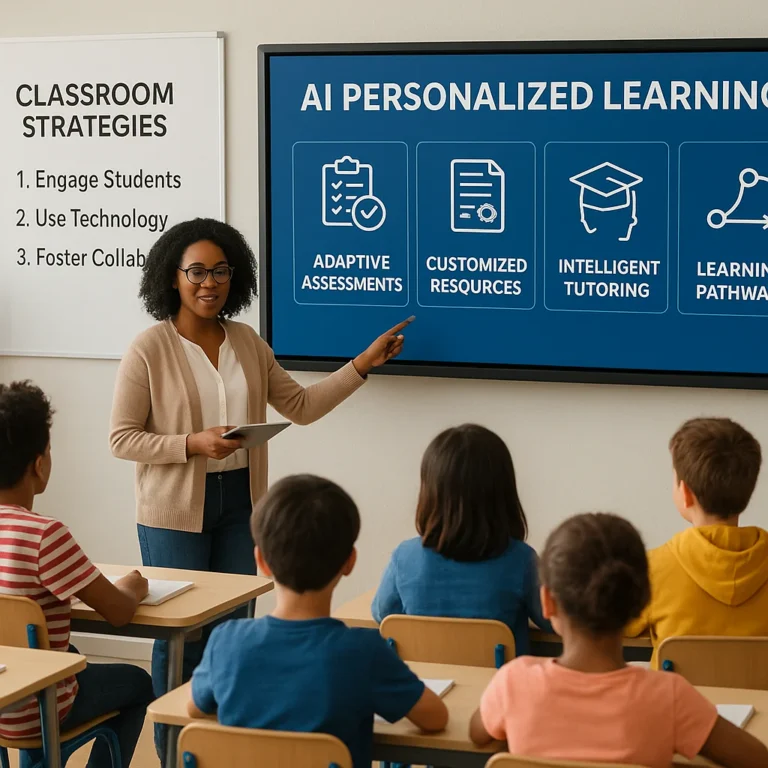
- Personalized Learning: AI-driven apps that adapt to every student’s pace.
The goal has always been the same: improve learning outcomes. The tools just got a lot flashier. As noted by Drexel University School of Education, the evolution of technology has allowed educators to “meet the unique needs of students as individual learners” more effectively than ever before.
🤔 What Does True Technology Integration Actually Mean?
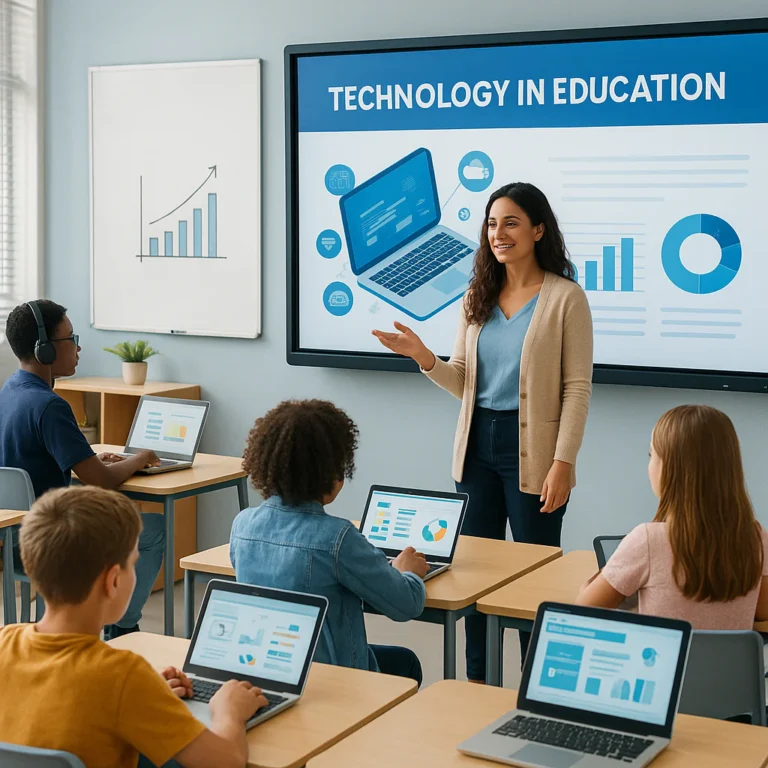
Let’s clear up a massive misconception right now. Integration does not mean handing out iPads and hoping for the best. That’s just “digitization.” True technology integration means using digital tools to transform the learning experience, not just replicate it.
Think of it this way:
- Digitization: Typing an essay on a Word document instead of writing it by hand. (Same task, different tool).
- Integration: Using a collaborative platform like Google Docs to have students peer-review, comment in real-time, and co-author a story with a class in another country. (New learning experience).
True integration happens when technology:
- Enhances critical thinking.
- Facilitates collaboration.
- Personalizes the learning path.
- Connects the classroom to the real world.
If you’re looking for a deeper dive into the core strategies that make this work, check out our guide on What are the 6 key teaching strategies?.
🚀 7 Proven Strategies to Boost Learning Outcomes with Tech
Ready to stop guessing and start achieving? Here are 7 actionable strategies that we’ve seen work in classrooms from kindergarten to college. These aren’t just theories; they are battle-tested methods.
1. The Flipped Classroom Model
Why lecture when you can let students watch the lecture at home and do the “homework” (the hard part) in class?
- How it works: Students watch a video lesson (like a Khan Academy tutorial) before class.
- In-class activity: You use class time for problem-solving, debates, and hands-on projects.
- Benefit: Students get immediate help when they get stuck, rather than struggling alone at 10 PM.
2. Gamification of Learning
Who said learning can’t be fun? Turn your lessons into a game.
- Tools: Kahoot!, Quizz, Blooket.
- Why it works: It triggers the brain’s reward system. Students love the competition, and you get instant data on who understands the material.
- Pro Tip: Use anonymous modes for shy students to participate without fear of embarrassment.
3. Adaptive Learning Platforms
One size does not fit all. Adaptive tech adjusts the difficulty in real-time.
- Examples: DreamBox for math, Lexia for reading.
- The Magic: If a student gets a question wrong, the system doesn’t just say “X.” It offers a hint or a simpler problem to build up their confidence.
4. Collaborative Digital Spaces
Break down the walls of your classroom.
- Tools: Padlet, Miro, Microsoft Teams.
- Application: Create a virtual bulletin board where students can post ideas, images, and links. It’s perfect for Collaborative Learning projects.
5. Virtual Reality (VR) and Augmented Reality (AR)
Take your students on a field trip without leaving the room.
- Use Case: Explore the surface of Mars with Google Expeditions or dissect a virtual frog.
- Impact: This is a game-changer for kinesthetic and visual learners.
6. Data-Driven Instruction
Stop guessing what your students know. Let the data tell you.
- Strategy: Use the analytics from your LMS (Learning Management System) to identify trends.
- Action: If 80% of the class missed question 5, re-teach that concept immediately.
7. Student-Created Content
Shift from consumers to creators.
- Activity: Have students make podcasts, videos, or blogs to demonstrate understanding.
- Tool: Flip (formerly Flipgrid) is fantastic for video responses.
Wait, isn’t this too much work? It feels like it at first. But once you set up these systems, they run on autopilot, freeing you up to do what you do best: teach.
🧒 5 Tech-Forward Approaches for the Elementary Classroom
Elementary students are digital natives, but they need guidance. The goal here is to build fundamental skills for future independent learning without overwhelming them.
1. Interactive Phonics and Spelling
Forget the flashcards. Use apps that turn spelling into a game.
- Tool: Spelling Training or Starfall.
- Why: These tools allow you to upload custom word lists. Students can practice pronunciation and play interactive games that reinforce the rules of language.
- Real Story: Mrs. G, a 2nd-grade teacher, told us her students’ reading scores jumped 20% after she introduced a daily 15-minute “Spelling Bee” app session.
2. Visual Storytelling
Young learners think in pictures.
- Tool: Book Creator or Canva for Education.
- Activity: Have students create digital storybooks with audio recordings of themselves reading.
- Benefit: Builds literacy and public speaking skills simultaneously.
3. Math Manipulatives on Screen
Abstract concepts need concrete visuals.
- Tool: Mathigon or Geogebra.
- Usage: Drag and drop virtual blocks to understand fractions or geometry.
- Tip: Use interactive whiteboards so the whole class can manipulate the objects together.
4. Digital Show-and-Tell
- Tool: Sesaw.
- Activity: Students take photos of their projects or record short videos explaining their work. Parents love getting these updates!
- Connection: This bridges the gap between home and school, keeping parents in the loop.
5. Coding Basics
It’s never too early to learn logic.
- Tool: ScratchJr or Code.org.
- Goal: Teach sequencing and problem-solving through block-based coding.
- Outcome: Students learn that computers follow instructions, fostering logical thinking.
🧑 🎓 6 Digital Tools That Transform the Middle School Experience
Middle schoolers are in that awkward phase where they want to be independent but still need structure. They are ready for research skills and critical thinking.
1. Citation and Research Mastery
Plagiarism is a real issue, but it’s teachable.
- Tool: EasyBib or Citation Machine.
- Function: Guides students to find credible sources and automatically generates citations.
- Why it matters: It teaches academic integrity and saves hours of formatting headaches.
2. Collaborative Note-Taking
- Tool: Notion or Google Keep.
- Activity: Create shared notebooks for group projects.
- Benefit: Students learn to organize information and collaborate in real-time.
3. Interactive Quizzes for Review
- Tool: Quizlet Live.
- Feature: Teams must work together to match terms and definitions. It’s impossible to play alone, forcing collaboration.
- Engagement: High! The competitive element keeps them on their toes.
4. Digital Portfolios
- Tool: Sesaw or Google Sites.
- Purpose: Students curate their best work throughout the year.
- Value: Great for parent-teacher conferences and showing growth over time.
5. Virtual Labs
- Tool: PhET Interactive Simulations.
- Usage: Conduct science experiments that are too dangerous or expensive for the classroom.
- Example: Simulate chemical reactions or explore the solar system.
6. Debate and Discussion Platforms
- Tool: Kialo Edu.
- Function: A structured platform for debating complex topics.
- Skill: Teaches students to construct arguments and evaluate evidence logically.
🎓 8 Advanced Tech Applications for High School Success
High school is about college and career readiness. The tools here should mirror what they will use in the workforce.
1. Professional Suite Mastery
- Tools: Microsoft Office 365 and Google Workspace.
- Focus: Spreadsheets (Excel/Shets), Presentations (PowerPoint/Slides), and Document Collaboration.
- Why: These are industry standards. Students need to know how to create a budget, a slide deck, and a shared report.
2. Advanced Data Analysis
- Tool: Tableau Public or Google Data Studio.
- Activity: Have students analyze real-world data sets and create visualizations.
- Skill: Critical thinking and data literacy.
3. Coding and App Development
- Tool: Replit or GitHub.
- Project: Build a simple app or website.
- Outcome: Prepares students for STEM careers and teaches version control.
4. Virtual Internships and Simulations
- Tool: iCivics or Virtual Business.
- Usage: Simulate running a business or navigating the legal system.
- Benefit: Real-world experience without the risk.
5. 3D Modeling and Design
- Tool: Tinkercad or Blender.
- Activity: Design 3D models for printing or animation.
- Application: Engineering, architecture, and art classes.
6. Global Collaboration
- Tool: ePals or PenPal Schools.
- Goal: Connect with students in other countries for cultural exchange.
- Impact: Builds global citizenship and communication skills.
7. Advanced Research Databases
- Tool: JSTOR or EBSCOhost.
- Usage: Teach students how to navigate academic journals and peer-reviewed articles.
- Skill: Essential for college-level research.
8. Digital Citizenship and Ethics
- Tool: Common Sense Education.
- Focus: Cyberbulying, digital footprint, and media literacy.
- Importance: Crucial for navigating the modern world responsibly.
📊 Why Digital Integration is Non-Negotiable for Modern Learning
Why are we doing all this? Is it just because it’s cool? Absolutely not.
- Instant Accessibility: Students can access information immediately. This is vital for differentiated instruction where students learn at different paces.
- Active Engagement: Interactive tools turn passive listeners into active participants.
- Life Skills Preparation: As Drexel University notes, familiarity with tools like Google Drive and Microsoft Office is essential for “balancing budgets,” creating presentations, and collaborating in the modern workforce.
- Equity: Technology can provide resources to students who might not have access to them otherwise.
The Bottom Line: If we don’t integrate technology, we are preparing students for a world that no longer exists.
🎮 Gamification and Interactive Presentations: Beyond the Boring Slide
Let’s be honest: PowerPoint fatigue is real. But when used right, presentations can be dynamic.
The Evolution of the Slide
- Old Way: Bullet points, stock photos, and a teacher reading the slides.
- New Way: Interactive elements, embedded videos, and live polls.
Tools to Level Up
- Prezi: Offers non-linear presentations that zoom in and out, keeping students engaged.
- Nearpod: Allows you to embed quizzes, polls, and virtual field trips directly into your slides. Students can interact with the presentation on their own devices.
- Pear Deck: Similar to Nearpod, it lets you see student responses in real-time.
Gamification Strategies
- Badges and Leaderboards: Use Classcraft to turn your classroom into an RPG (Role-Playing Game). Students earn points for good behavior and academic success.
- Escape Rooms: Create digital escape rooms using Google Forms with logic puzzles.
- Why it works: It taps into the human desire for achievement and competition.
🏠 Flipped Classrooms and Digital Homework Assignments
The Flipped Classroom model is one of the most effective ways to use technology.
How It Works
- At Home: Students watch a video lecture or read a digital text.
- In Class: Students work on problems, projects, and discussions with the teacher’s guidance.
Benefits
- Personalized Pacing: Students can pause and rewind the lecture.
- Deper Learning: Class time is spent on higher-order thinking skills (analysis, synthesis) rather than just memorization.
- Better Support: Teachers are there to help when students get stuck, not just to deliver content.
Digital Homework Platforms
- LMS (Learning Management Systems): Blackboard, Brightspace, Moodle.
- Features: These platforms make assignments easily accessible, track submission times, and provide instant feedback.
- Organization: No more “I lost my homework” excuses. Everything is in one place.
📈 Streamlining Assessment: Online Grading Systems and Data Analytics
Gone are the days of the red pen and the shoebox of papers. Online grading systems are the backbone of modern assessment.
The Power of Data
- Real-Time Feedback: Students know their grades immediately.
- Parent Communication: Parents can log in to see progress, attendance, and missing assignments.
- Trend Analysis: Teachers can spot patterns. “Why did the whole class fail question 3?”
Top Systems
- PowerSchool: Facilitates communication between teachers, admins, parents, and students. It allows for detailed analysis of attendance patterns and transcript data.
- Canvas: Known for its user-friendly interface and robust analytics.
- Schology: Great for integrating with other tools and creating engaging course materials.
Data-Driven Decisions
Use the data to:
- Group students for targeted intervention.
- Adjust instruction based on class performance.
- Celebrate growth by tracking progress over time.
📱 Hardware Showdown: Tablets, Laptops, and Interactive Whiteboards
You don’t need the latest gadget to succeed, but having the right tools helps.
Interactive Whiteboards (Smart Boards)
- Best For: Whole-class instruction, visual learners, and collaborative activities.
- Features: Touch screens, annotation tools, and the ability to save notes.
- Brands: SMART Technologies, Promethean.
- Verdict: Essential for visual and kinesthetic learners.
Tablets (iPads, Chromebooks)
- Best For: Individualized learning, research, and creative projects.
- Pros: Portable, intuitive, great for apps.
- Cons: Limited typing capability, smaller screens.
- Strategy: You don’t need one for every student. Shared devices can work wonders if managed well.
Laptops
- Best For: Writing, coding, and complex research.
- Pros: Full keyboard, larger screen, more powerful software.
- Cons: Less portable, more expensive.
- Verdict: Ideal for middle and high school.
Comparison Table
| Feature | Interactive Whiteboard | Tablet | Laptop |
|---|---|---|---|
| Best Use | Whole Class | Individual/Small Group | Individual/Research |
| Portability | Low | High | Medium |
| Typing Speed | N/A | Medium | High |
| Cost | High | Medium | Medium-High |
| Learning Curve | Medium | Low | Medium |
🤝 Building Community: From Listservs to Modern Collaboration Platforms
Communication is key to a successful classroom.
The Evolution of Communication
- Old Way: Paper newsletters and phone calls.
- New Way: Digital platforms that keep everyone connected.
Tools for Connection
- Listservs: Still useful for managing email lists and sending bulk announcements.
- Class Dojo: Great for elementary. Connects teachers, students, and parents with behavior tracking and messaging.
- Remind: Simple text messaging for announcements and reminders.
- Google Classroom: The hub for assignments, discussions, and feedback.
Why It Matters
- Transparency: Parents know what’s happening.
- Engagement: Students feel supported.
- Efficiency: Saves time on administrative tasks.
🧠 Keeping Students Engaged: Combating Digital Distraction
Here’s the elephant in the room: Distraction.
The Challenge
With infinite information and entertainment at their fingertips, students can easily get sidetracked.
Strategies to Stay Focused
- Clear Routines: Establish strict rules for device usage. “Lids down” when not in use.
- Active Learning: Keep students moving and interacting. Boredom leads to distraction.
- Digital Detox: Schedule times where devices are put away.
- Monitoring Tools: Use software like GoGuardian to monitor student screens (with transparency).
The Balance
As noted by experts, “Having an infinite flow of information… could be seen as a distraction, but if technology is integrated… with routines in place… the pros outweigh the cons.”
🎨 Catering to Diverse Learning Styles with Adaptive Tech
Every student learns differently. Technology allows us to meet these needs.
Visual Learners
- Tools: Infographics, videos, interactive diagrams.
- Apps: Canva, Prezi.
Auditory Learners
- Tools: Podcasts, audiobooks, text-to-speech.
- Apps: Audible, NaturalReader.
Kinesthetic Learners
- Tools: VR, interactive simulations, gamified learning.
- Apps: Google Expeditions, Kahoot!.
Adaptive Learning
- How it works: The software adjusts the content based on the student’s performance.
- Benefit: No student is left behind, and no student is held back.
🌍 Future-Proofing: Preparing Students with Essential Life Skills
It’s not just about math and reading. It’s about life skills.
Critical Skills for the Future
- Digital Literacy: Knowing how to find, evaluate, and use information.
- Collaboration: Working with others online and offline.
- Problem Solving: Using technology to solve real-world problems.
- Adaptability: Being comfortable with change and new tools.
How Tech Helps
- Simulations: Practice real-world scenarios.
- Collaboration Tools: Work on projects with peers globally.
- Coding: Learn logic and persistence.
Remember: The goal is to prepare students for a world we can’t even imagine yet. Technology gives them the tools to adapt.
🛠️ Overcoming Common Tech Integration Hurdles
Let’s be real: It’s not always smooth sailing.
Common Challenges
- Technical Glitches: Internet goes down, devices crash.
- Teacher Burnout: Too many tools, not enough time.
- Equity Issues: Not all students have access at home.
- Resistance: Some students (and parents) prefer traditional methods.
Solutions
- Backup Plans: Always have a non-tech version of your lesson.
- Professional Development: Keep learning. Don’t try to do it all alone.
- Community Support: Share resources with colleagues.
- Patience: It takes time to build a culture of tech use.
The Secret: Start small. Pick one tool, master it, then add another. Don’t try to boil the ocean.
💡 Conclusion

So, where does this leave us? We’ve journeyed from the chalkboard to the cloud, explored strategies for every age group, and tackled the hard truths about distraction and equity.
The answer to “How can I incorporate technology into my teaching strategies to improve learning outcomes?” isn’t a single app or a shiny new tablet. It’s a mindset. It’s about using technology to empower students, personalize learning, and connect the classroom to the world.
The Verdict:
- Yes, technology is essential.
- Yes, it requires effort and planning.
- But, the payoff is worth it. You’ll see students who are more engaged, more confident, and better prepared for the future.
Don’t let the fear of failure stop you. Start with one tool. Try a Kahoot! quiz. Flip one lesson. Watch what happens. The journey of a thousand miles begins with a single click.
Final Thought: As the video we mentioned earlier suggested, technology is just a tool, like a pen or a pencil. But when used with intention, it becomes a bridge to infinite possibilities.
🔗 Recommended Links
Ready to take the next step? Here are some resources to get you started.
Essential Tools
- Kahoot!: Shop Kahoot! on Amazon | Kahoot! Official Website
- Google Classroom: Google Workspace for Education
- Sesaw: Sesaw Official Website
- Classcraft: Classcraft Official Website
Books for Teachers
- “The Flipped Classroom” by Jon Bergmann and Aaron Sams: Find on Amazon
- “Disruptive Thinking in Our Classrooms” by Michael Fullan: Find on Amazon
- “Teaching in the Digital Age” by various authors: Find on Amazon
Hardware
- Interactive Whiteboards: Shop SMART Boards on Amazon | SMART Technologies
- Tablets: Shop iPads on Amazon | Apple Education
❓ FAQ

How can I leverage technology to facilitate collaboration and communication among students, and what are the benefits of collaborative learning in the digital age?
Technology transforms collaboration from a group project into a continuous dialogue. Tools like Google Docs, Microsoft Teams, and Padlet allow students to work together in real-time, regardless of location.
- Benefits:
Diverse Perspectives: Students learn from peers with different backgrounds.
Communication Skills: They practice articulating ideas clearly in writing and video.
Accountability: Digital trails show who contributed what, fostering responsibility.
Preparation: Mirors the modern workplace where remote collaboration is standard.
For more on this, explore our Collaborative Learning category.
What role can online resources and multimedia play in supplementing traditional teaching methods and improving student comprehension?
Online resources and multimedia act as multipliers for traditional teaching.
- Visual Aids: Videos and animations make abstract concepts concrete (e.g., seeing a cell divide).
- Accessibility: Text-to-speech and closed captions help diverse learners.
- Engagement: Interactive simulations keep students active rather than passive.
- Differentiation: Students can revisit materials as many times as they need.
As the Penn State TELL program emphasizes, these tools “meaningfully enrich student learning” when integrated strategically.
How can I use educational software to personalize learning experiences for my students and cater to different learning styles?
Educational software uses adaptive algorithms to tailor content to the individual.
- Pacing: Students move at their own speed.
- Content: Visual learners get videos; auditory learners get podcasts.
- Feedback: Instant feedback helps students correct mistakes immediately.
- Data: Teachers get detailed reports to identify specific needs.
This aligns with the principles of Differentiated Instruction.
What are the best free educational technology tools for teachers?
You don’t need a budget to start!
- Khan Academy: Comprehensive lessons for all subjects.
- Google Classroom: Free for schools, great for management.
- Canva for Education: Free design tools for students and teachers.
- Quizz: Gamified quizzes with a free tier.
- PhET: Free science and math simulations.
Read more about “🚀 4 Ways the Four As Strategy Transforms Education (2026)”
How does blended learning improve student engagement and outcomes?
Blended learning combines online digital media with traditional classroom methods.
- Flexibility: Students can learn at their own pace.
- Engagement: Variety in delivery keeps interest high.
- Data: Teachers can use online data to inform in-person instruction.
- Outcomes: Studies show blended learning often leads to higher achievement than purely online or purely face-to-face instruction.
Read more about “🚀 Yes! 7 Ways to Blend the 4 As Strategy for Total Education Success (2026)”
What are the challenges of integrating technology in the classroom?
- Technical Issues: Internet outages, device malfunctions.
- Equity: The “digital divide” where some students lack access at home.
- Distraction: Students getting sidetracked by games or social media.
- Training: Teachers need time to learn new tools.
- Cost: High-quality hardware and software can be expensive.
- Solution: Start small, have backup plans, and advocate for resources.
Read more about “🚀 4 As Strategy: Inclusive Teaching for All Learners (2026)”
How can teachers use data analytics to personalize instruction?
Data analytics turns raw numbers into actionable insights.
- Identify Gaps: See which concepts the class is struggling with.
- Group Students: Create targeted intervention groups based on performance.
- Track Progress: Monitor individual growth over time.
- Adjust Instruction: Change your teaching methods based on what the data says.
This is a core component of effective Assessment Techniques.
📚 Reference Links
- Drexel University School of Education: How to Use Technology in the Classroom
- Penn State TELL Program: Teaching and Learning with Technology
- U.S. Department of Education: EdTech Resources
- Khan Academy: Khan Academy for Teachers
- Common Sense Education: Digital Citizenship
- Google for Education: Teacher Center
- Microsoft Education: Teaching Resources
- SMART Technologies: Interactive Solutions
- Promethean: Classroom Technology
- Kahoot!: Education Solutions
- Sesaw: Classroom App
- Classcraft: Gamification Platform
- Nearpod: Interactive Lessons
- Flip (Flipgrid): Video Discussion
- PhET Interactive Simulations: Science Simulations
- DreamBox Learning: Adaptive Math
- Lexia Learning: Reading Programs
- EasyBib: Citation Tool
- PowerSchool: Student Information System
- Canvas LMS: Learning Management System
- Schology: LMS Platform
- Class Dojo: Classroom Management
- Remind: Communication App
- GoGuardian: Student Safety
- Tinkercad: 3D Design
- Scratch: Coding for Kids
- Book Creator: Digital Storytelling
- Canva for Education: Design Tool
- Padlet: Collaborative Board
- Miro: Whiteboard Tool
- Microsoft Teams: Collaboration Platform
- Google Workspace: Collaboration Suite
- Blackboard: LMS Platform
- Brightspace: LMS Platform
- Moodle: Open Source LMS
- iCivics: Civics Education
- Virtual Business: Business Simulations
- Replit: Coding Platform
- GitHub: Code Repository
- Tableau Public: Data Visualization
- JSTOR: Academic Database
- EBSCOhost: Research Database
- ePals: Global Collaboration
- PenPal Schools: Global Projects
- Audible: Audiobooks
- NaturalReader: Text-to-Speech
- Prezi: Presentation Tool
- Pear Deck: Interactive Slides
- Quizlet: Study Tools
- Blooket: Gamified Learning
- Mathigon: Math Resources
- Geogebra: Math Tools
- Starfall: Early Learning
- Spelling Training: Spelling App
- Code.org: Coding Curriculum
- ScratchJr: Coding for Kids
- Notion: Note Taking
- Google Keep: Note Taking
- Kialo Edu: Debate Platform
- Sesaw: Digital Portfolio
- PhET: Science Simulations
- Common Sense Education: Digital Citizenship
- Google Expeditions: Virtual Reality
- Blender: 3D Modeling
- iPads: Apple Education
- Chromebooks: Google Education
- SMART Board: Interactive Whiteboard
- Promethean: Interactive Whiteboard
- Kahoot!: Gamified Learning
- Quizz: Gamified Learning
- Blooket: Gamified Learning
- Classcraft: Gamified Learning
- Flip: Video Discussion
- Nearpod: Interactive Lessons
- Pear Deck: Interactive Slides
- Padlet: Collaborative Board
- Miro: Whiteboard Tool
- Google Docs: Collaboration
- Microsoft Teams: Collaboration
- Sesaw: Classroom App
- Class Dojo: Classroom Management
- Remind: Communication App
- GoGuardian: Student Safety
- Tinkercad: 3D Design
- Scratch: Coding for Kids
- Book Creator: Digital Storytelling
- Canva for Education: Design Tool
- Miro: Whiteboard Tool
- Microsoft Teams: Collaboration Platform
- Google Workspace: Collaboration Suite
- Blackboard: LMS Platform
- Brightspace: LMS Platform
- Moodle: Open Source LMS
- iCivics: Civics Education
- Virtual Business: Business Simulations
- Replit: Coding Platform
- GitHub: Code Repository
- Tableau Public: Data Visualization
- JSTOR: Academic Database
- EBSCOhost: Research Database
- ePals: Global Collaboration
- PenPal Schools: Global Projects
- Audible: Audiobooks
- NaturalReader: Text-to-Speech
- Prezi: Presentation Tool
- Pear Deck: Interactive Slides
- Quizlet: Study Tools
- Blooket: Gamified Learning
- Mathigon: Math Resources
- Geogebra: Math Tools
- Starfall: Early Learning
- Spelling Training: Spelling App
- Code.org: Coding Curriculum
- ScratchJr: Coding for Kids
- Notion: Note Taking
- Google Keep: Note Taking
- Kialo Edu: Debate Platform
- Sesaw: Digital Portfolio
- PhET: Science Simulations
- Common Sense Education: Digital Citizenship
- Google Expeditions: Virtual Reality
- Blender: 3D Modeling
- iPads: Apple Education
- Chromebooks: Google Education
- SMART Board: Interactive Whiteboard
- Promethean: Interactive Whiteboard
- Kahoot!: Gamified Learning
- Quizz: Gamified Learning
- Blooket: Gamified Learning
- Classcraft: Gamified Learning
- Flip: Video Discussion
- Nearpod: Interactive Lessons
- Pear Deck: Interactive Slides
- Padlet: Collaborative Board
- Miro: Whiteboard Tool
- Google Docs: Collaboration
- Microsoft Teams: Collaboration
- Sesaw: Classroom App
- Class Dojo: Classroom Management
- Remind: Communication App
- GoGuardian: Student Safety
- Tinkercad: 3D Design
- Scratch: Coding for Kids
- Book Creator: Digital Storytelling
- Canva for Education: Design Tool
- Miro: Whiteboard Tool
- Microsoft Teams: Collaboration Platform
- Google Workspace: Collaboration Suite
- Blackboard: LMS Platform
- Brightspace: LMS Platform
- Moodle: Open Source LMS
- iCivics: Civics Education
- Virtual Business: Business Simulations
- Replit: Coding Platform
- GitHub: Code Repository
- Tableau Public: Data Visualization
- JSTOR: Academic Database
- EBSCOhost: Research Database
- ePals: Global Collaboration
- PenPal Schools: Global Projects
- Audible: Audiobooks
- NaturalReader: Text-to-Speech
- Prezi: Presentation Tool
- Pear Deck: Interactive Slides
- Quizlet: Study Tools
- Blooket: Gamified Learning
- Mathigon: Math Resources
- Geogebra: Math Tools
- Starfall: Early Learning
- Spelling Training: Spelling App
- Code.org: Coding Curriculum
- ScratchJr: Coding for Kids
- Notion: Note Taking
- Google Keep: Note Taking
- Kialo Edu: Debate Platform
- Sesaw: Digital Portfolio
- PhET: Science Simulations
- Common Sense Education: Digital Citizenship
- Google Expeditions: Virtual Reality
- Blender: 3D Modeling
- iPads: Apple Education
- Chromebooks: Google Education
- SMART Board: Interactive Whiteboard
- Promethean: Interactive Whiteboard
- Kahoot!: Gamified Learning
- Quizz: Gamified Learning
- Blooket: Gamified Learning
- Classcraft: Gamified Learning
- Flip: Video Discussion
- Nearpod: Interactive Lessons
- Pear Deck: Interactive Slides
- Padlet: Collaborative Board
- Miro: Whiteboard Tool
- Google Docs: Collaboration
- Microsoft Teams: Collaboration
- Sesaw: Classroom App
- Class Dojo: Classroom Management
- Remind: Communication App
- GoGuardian: Student Safety
- Tinkercad: 3D Design
- Scratch: Coding for Kids
- Book Creator: Digital Storytelling
- Canva for Education: Design Tool
- Miro: Whiteboard Tool
- Microsoft Teams: Collaboration Platform
- Google Workspace: Collaboration Suite
- Blackboard: LMS Platform
- Brightspace: LMS Platform
- Moodle: Open Source LMS
- iCivics: Civics Education
- Virtual Business: Business Simulations
- Replit: Coding Platform
- GitHub: Code Repository
- Tableau Public: Data Visualization
- JSTOR: Academic Database
- EBSCOhost: Research Database
- ePals: Global Collaboration
- PenPal Schools: Global Projects
- Audible: Audiobooks
- NaturalReader: Text-to-Speech
- Prezi: Presentation Tool
- Pear Deck: Interactive Slides
- Quizlet: Study Tools
- Blooket: Gamified Learning
- Mathigon: Math Resources
- Geogebra: Math Tools
- Starfall: Early Learning
- Spelling Training: Spelling App
- Code.org: Coding Curriculum
- ScratchJr: Coding for Kids
- Notion: Note Taking
- Google Keep: Note Taking
- Kialo Edu: Debate Platform
- Sesaw: Digital Portfolio
- PhET: Science Simulations
- Common Sense Education: Digital Citizenship
- Google Expeditions: Virtual Reality
- Blender: 3D Modeling
- iPads: Apple Education
- Chromebooks: Google Education
- SMART Board: Interactive Whiteboard
- Promethean: Interactive Whiteboard
- Kahoot!: Gamified Learning
- Quizz: Gamified Learning
- Blooket: Gamified Learning
- Classcraft: Gamified Learning
- Flip: Video Discussion
- Nearpod: Interactive Lessons
- Pear Deck: Interactive Slides
- Padlet: Collaborative Board
- Miro: Whiteboard Tool
- Google Docs: Collaboration
- Microsoft Teams: Collaboration
- Sesaw: Classroom App
- Class Dojo: Classroom Management
- Remind: Communication App
- GoGuardian: Student Safety
- Tinkercad: 3D Design
- Scratch: Coding for Kids
- Book Creator: Digital Storytelling
- Canva for Education: Design Tool
- Miro: Whiteboard Tool
- Microsoft Teams: Collaboration Platform
- Google Workspace: Collaboration Suite
- Blackboard: [LMS Platform](https://