Support our educational content for free when you buy through links on our site. Learn more
AI-Powered Lesson Plan Personalization: Teach Smarter 🤖

AI-powered lesson plan personalization works best as a teacher-led shortcut: let AI draft options and materials, then use your expertise to make them accurate, inclusive, and right for your students. It can help you create scaffolds, extensions, activities, and quick assessments without asking a chatbot to make the teaching decisions for you.
We’ve seen a familiar planning puzzle: one student needs a worked example, another is ready for a harder challenge, and the rest of the class is waiting for tomorrow’s lesson to make sense. AI can help generate different routes toward the same learning goal—but a polished draft still needs a teacher’s careful eye.
The practical question isn’t whether AI can write a lesson plan. It’s how to use it to save time and personalize learning without sacrificing accuracy, student privacy, or meaningful instruction. Here’s how to do that, step by step.
Key Takeaways
- Start with the learning objective. AI gives more useful lesson drafts when you specify what students should learn and how they’ll show it.
- Personalize the route, not necessarily the goal. Add scaffolds, extensions, accessible formats, and relevant examples while keeping expectations meaningful.
- Treat AI output as a draft. Verify facts, standards, answer keys, translations, and cultural references before using materials.
- Protect student privacy. Use school-approved tools and avoid entering identifiable student information unless your school has explicitly authorized it.
- Use evidence to guide next steps. Combine student work, formative checks, and teacher observation; don’t rely on AI suggestions alone.
- Keep teachers in control. AI can speed up planning, but professional judgment and student relationships remain central.
Table of Contents
- ⚡️ Quick Tips and Facts
- 🧭 What Is AI-Powered Lesson Plan Personalization?
- 📚 How Personalized Lesson Planning Has Evolved
- 🤖 AI and the Changing Landscape of Education
- ✨ Benefits of AI-Powered Lesson Planning
- ⏱️ Save Planning Time and Automate Routine Tasks
- 🎯 Personalize Learning for Student Needs
- 📈 Use Student Data to Guide Instruction
- 🌱 Spot Learning Gaps and Support Early Intervention
- 🙌 Improve Student Engagement and Accessibility
- 📝 Generate Classroom-Ready Teaching Materials
- 🧰 Key Features of AI Lesson Planning Tools
- 📋 Standards-Aligned Lesson and Unit Planning
- 🧩 Differentiation, Scaffolding, and Acommodations
- 🎨 Content, Activities, and Multimedia Generation
- 📊 Formative and Summative Assessment Creation
- 🔄 Feedback, Revision, and Progress Monitoring
- 🪜 How to Personalize a Lesson Plan with AI: Step by Step
- 1. Define Learning Goals and Standards
- 2. Identify Learner Needs and Starting Points
- 3. Choose an AI Tool and Write a Clear Prompt
- 4. Generate Differentiated Activities and Materials
- 5. Review, Adapt, and Teach the Plan
- 6. Use Evidence to Refine the Next Lesson
- 💡 12 Practical Strategies for AI-Personalized Lessons
- 1. Create Multiple Reading Levels
- 2. Adapt Examples to Student Interests
- 3. Build Choice Boards and Learning Paths
- 4. Scaffold Complex Tasks
- 5. Extend Learning for Advanced Students
- 6. Support Multilingual Learners
- 7. Offer Accessible Formats and Acommodations
- 8. Generate Culturally Responsive Examples
- 9. Create Quick Checks for Understanding
- 10. Turn Student Questions into Activities
- 11. Add Gamification and Collaborative Challenges
- 12. Plan Reteaching and Enrichment
- 🏫 Classroom Examples by Grade Level and Subject
- 🌱 Elementary School Lesson Personalization
- 🔬 Middle and High School Lesson Personalization
- 📖 English Language Arts and Literacy
- ➗ Math and STEM
- 🌍 Social Studies, Languages, and the Arts
- 🧑 🏫 AI Lesson Plan Personalization for Diverse Learners
- 🧠 Individualized Education Programs and Learning Acommodations
- 🌐 English Learners and Multilingual Classrooms
- 🚀 Gifted Learners and Advanced Learning
- 💛 Social-Emotional Learning and Student Well-Being
- 🛠️ Choosing the Right AI Lesson Planning Tools
- 🔍 Essential Features to Compare
- 🛡️ Privacy, Security, and Student Data
- 📱 Accessibility, Integrations, and Ease of Use
- 🧪 Questions to Ask Before Adopting a Tool
- ✍️ Prompting AI for Better Personalized Lesson Plans
- 🧱 A Reusable Lesson Planning Prompt Framework
- ✅ Prompt Examples for Differentiation and Assessment
- ❌ Common Prompting Mistakes to Avoid
- ⚖️ Risks, Limitations, and Responsible AI Use
- 🎭 Bias, Accuracy, and Culturally Responsive Teaching
- 🔒 Student Privacy and Data Protection
- 🤝 Keeping Teachers in the Decision-Making Loop
- 🧑 🎓 Academic Integrity and Student AI Literacy
- 📏 How to Evaluate the Impact of AI-Personalized Lessons
- 📊 Learning Outcomes and Formative Assessment
- 💬 Student Voice, Belonging, and Engagement
- 🔁 Improving Lessons Through Reflection
- 🚀 Getting Started: A Practical AI Lesson Planning Workflow
- 🔮 The Future of Adaptive and Personalized Learning
- 🏁 Conclusion
- 🔗 Recommended Links
- ❓ FAQ
- Can AI create a complete personalized lesson plan?
- How does AI personalize lessons for different learning needs?
- Can AI lesson plans align with curriculum standards?
- How can teachers protect student data when using AI?
- What are the best AI tools for personalized lesson planning?
- Will AI replace teachers in lesson planning?
- 📚 Reference Links
Quick Tips and Facts
AI-powered lesson plan personalization means using artificial intelligence to help adapt a lesson’s content, scaffolds, activities, and assessments to students’ needs. It can give you a useful first draft; you remain responsible for checking accuracy, accessibility, curriculum fit, and student privacy.
For a classroom-ready foundation, start with our lesson planning guide, then use AI to refine—not replace—your professional judgment.
| Quick fact | What it means for your classroom |
|---|---|
| AI can draft plans and teaching materials | Give it a topic, grade, learning objective, duration, and student context; then review what it produces. |
| Personalization is more than changing reading level | Adjust the support, pace, examples, ways students participate, and opportunities to show learning. |
| Differentiation still needs teacher judgment | AI can suggest options, but it cannot reliably know a student’s strengths, accommodations, or classroom relationships without responsible, accurate context. |
| Assessment data can help guide next steps | Use short checks for understanding and teacher observations, not AI predictions alone, to decide whether to reteach or extend. |
| Student privacy matters | Don’t enter identifiable student information into an AI tool unless your school has approved it and its data practices meet policy requirements. The U.S. Department of Education’s AI guidance emphasizes human oversight and responsible use. |
| AI can produce confident errors | Verify facts, answer keys, standards references, and culturally specific examples before using them with students. |
A practical five-minute check before teaching
- ✅ Objective: Does every activity support the stated learning goal?
- ✅ Level: Is the language and cognitive demand right for your students?
- ✅ Access: Are there useful options for students who need scaffolds or accommodations?
- ✅ Evidence: Does the plan show how you’ll know students learned?
- ✅ Trust: Have you checked accuracy, bias, and privacy?
Teacher Strategies™ takeaway: Let AI handle some drafting and formatting. Keep the decisions about learning, relationships, and student needs in human hands.
What Is AI-Powered Lesson Plan Personalization?
AI-powered lesson plan personalization uses tools such as generative AI to help teachers create or adapt instructional materials for a particular class, learning goal, or student need. You might ask an AI tool to produce a vocabulary scaffold, a more challenging extension, a multilingual family-friendly explanation, or two versions of a formative quiz.
The key distinction: personalized planning is not the same as handing each student a completely separate curriculum. Often, it means keeping a shared learning goal while offering different routes to it.
| Planning element | What AI might help adapt | What the teacher should check |
|---|---|---|
| Content | Text complexity, examples, vocabulary, background knowledge | Accuracy, age appropriateness, relevance |
| Process | Modeling, guided practice, collaborative tasks, independent work | Whether the sequence fits students’ readiness and classroom time |
| Product | Written response, oral explanation, diagram, demonstration | Whether each option measures the same learning goal |
| Support | Sentence frames, worked examples, chunked directions, word banks | Whether support aligns with student plans and does not lower expectations unnecessarily |
| Assessment | Exit tickets, quiz versions, rubrics, feedback prompts | Validity, fairness, accessibility, and alignment |
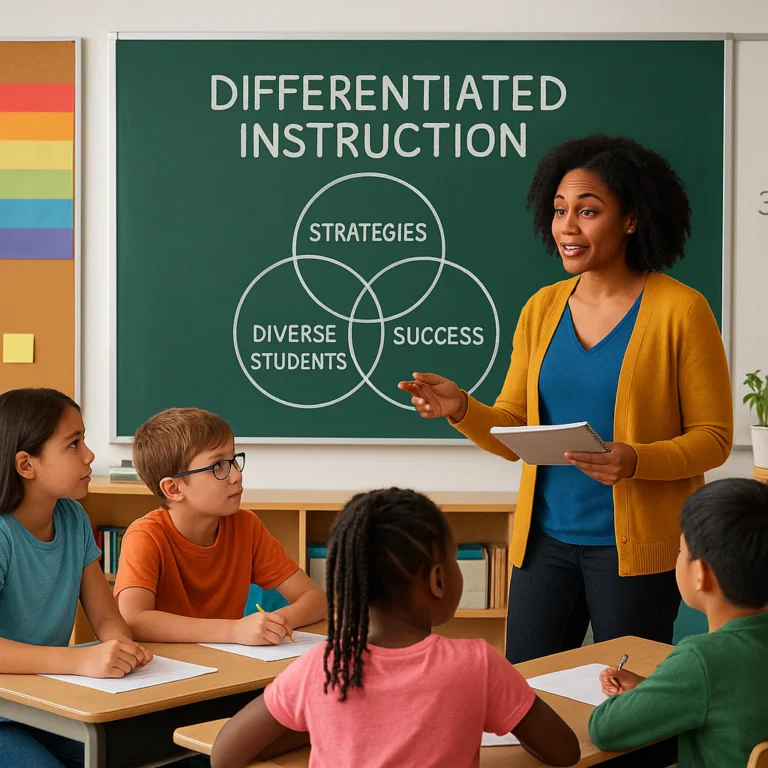
This approach connects closely with differentiated instruction: respond to varied readiness, interests, and learning needs while maintaining meaningful goals.
Personalization, differentiation, and adaptive learning
These terms overlap, but they are not identical:
- Differentiation describes how a teacher varies instruction or support for learners.
- Personalization emphasizes tailoring elements of learning to individual or group needs, interests, or goals.
- Adaptive learning usually refers to a system that adjusts a learner’s digital pathway based ongoing responses or performance.
An AI-generated lesson plan can support differentiation and personalization. It is not automatically an adaptive learning system just because it includes multiple activity choices.
A useful example
Suppose your class is learning to identify the main claim and supporting evidence in an argument. You might keep that shared objective while offering:
- A short, clearly structured text with vocabulary support
- A grade-level text with a claim-and-evidence organizer
- A more nuanced text with conflicting evidence for students ready for extension
- A choice of written, oral, or visual explanation—provided each option demonstrates the same skill
That is purposeful personalization. “Make this lesson fun for everyone” is a prompt, not a plan.
How Personalized Lesson Planning Has Evolved
Teachers have long adjusted instruction using observation, conversation, student work, and assessment results. AI changes the speed and scale of drafting, not the basic purpose of responsive teaching.
A teacher once might spend an evening adapting a reading passage, writing three levels of questions, and building an exit ticket. An AI tool may generate drafts of those materials quickly. That can be a relief—but it also means teachers need a reliable review routine. Faster drafts are not automatically better lessons.
The U.S. Department of Education’s report on AI and the future of teaching and learning recommends keeping educators central to decisions about AI use. That principle helps reconcile the excitement around efficiency with a simple classroom truth: a lesson must work for actual students, not just look polished on a screen.
From one-size-fits-all to responsive planning
| Planning approach | Strength | Common limitation |
|---|---|---|
| One shared lesson, one shared task | Clear, manageable, and easy to coordinate | May not offer enough entry points or challenge for all learners |
| Teacher-created differentiation | Draws on knowledge of students and classroom context | Can require substantial planning time |
| AI-assisted personalization | Can quickly draft variations, scaffolds, and assessment options | Output can be inaccurate, generic, biased, or disconnected from student context |
| Teacher-led, AI-supported planning | Combines teacher knowledge with faster drafting | Requires time for review and clear school guidance |
Our educators have found that AI is most useful when the teaching decision is already clear. If you know the learning goal and the obstacle students are encountering, AI can help you brainstorm responses. If you ask it to “plan everything” without a clear goal, you may get a beautifully formatted plan that is mostly decorative.
AI and the Changing Landscape of Education
AI is changing how teachers draft instructional materials, but it should not decide what matters in a classroom. The TeachHub overview of AI-powered lesson planning frames the technology as a way to “enhance your job, not replace your job.” That is a useful starting point, especially when paired with careful attention to privacy, accuracy, and teacher autonomy.
The first video highlighted alongside this article describes lesson planning as a former “time sink,” and AI as a way to create an “instant blueprint” for teachers to develop. Its central message is that AI can take on repetitive drafting and structuring while educators focus on curiosity, relationships, and emotional connection. We agree with the direction, with one important qualifier: a blueprint still needs an architect who knows the people using the building. Watch the featured video.
What AI can do—and what it cannot reliably do
| AI can help with | AI should not be trusted to do alone |
|---|---|
| Draft lesson outlines and activity variations | Decide what an individual student needs without teacher input |
| Suggest leveled texts, vocabulary supports, or question stems | Diagnose a disability or learning difficulty |
| Generate practice questions and rubrics for review | Guarantee alignment to a standard without verification |
| Reformat teacher-provided content | Confirm that every fact, source, or answer key is correct |
| Brainstorm engagement strategies | Replace student relationships, professional judgment, or school policy |
A promising tool still needs a thoughtful prompt, a curriculum connection, and a teacher review. Keep that three-part test in mind as we examine what personalization can genuinely improve—and where the hype needs a leash.
Benefits of AI-Powered Lesson Planning
AI-assisted planning can help teachers generate options, reduce repetitive drafting, and respond more quickly to classroom evidence. The benefit is not simply “less work.” It is the possibility of spending saved time on decisions that require your expertise: talking with students, reviewing their work, and planning what to do next.
A 2023 RAND report on teachers’ working conditions documents the substantial demands educators face. AI cannot fix staffing, workload, or curriculum issues by itself. Still, targeted support with routine planning tasks may help teachers redirect some effort toward instruction and student connection.
Save Planning Time and Automate Routine Tasks
AI can draft lesson structures, question sets, directions, rubrics, and communications. It can also rework a teacher-created resource into a different format, such as turning notes into a guided worksheet or a short review quiz.
TeachHub says AI tools may help teachers “focus more on your students than on the mundane tasks.” That is a potential benefit—not a guarantee. You may save time on the first draft, then spend some of it checking and editing. The right comparison is not “AI output versus no work”; it is AI-supported drafting versus the time and quality of your usual workflow.
Try this: Ask an AI tool to create three versions of an exit ticket for the same learning objective. Review whether the questions assess the same skill at appropriately different levels of support.
Personalize Learning for Student Needs
AI can propose different supports around a common goal: shorter directions, worked examples, sentence starters, optional vocabulary previews, or extension questions. Teachers can also request multiple contexts or examples that better connect with students’ interests and prior knowledge.
But personalization should be responsive, not presumptive. A tool may generate a “visual learner” activity because you asked for one, yet the idea that every student has one fixed learning style is not a sound basis for assigning instruction. A better prompt describes the task and the support needed: “Add a labeled diagram and a spoken explanation option so students can access the science vocabulary in more than one way.”
Use Student Data to Guide Instruction
Student work and formative assessment can help teachers decide whether to reteach, adjust support, or move forward. AI may assist with sorting responses, summarizing patterns, or proposing next steps—if the data is handled safely and the summary is checked.
Use evidence you can explain:
- Identify the learning objective.
- Gather a short check for understanding.
- Look for patterns in responses, not just a class average.
- Verify AI-generated summaries against student work.
- Choose a teaching response and monitor what happens next.
For practical assessment ideas, visit our assessment techniques resources. Do not upload identifiable student work into an unapproved tool. A useful summary is not worth compromising student privacy.
Spot Learning Gaps and Support Early Intervention
An incorrect answer can reveal a misconception. A pattern of incomplete work may signal that students need a clearer model, a vocabulary preview, more practice, or a conversation with the teacher. AI can help brainstorm possibilities, but it cannot diagnose why a student is struggling.
Treat alerts or suggestions as prompts for inquiry, not verdicts. Check the work, speak with the student, consider language access and accommodations, and follow school procedures when a concern requires further support. Early help should come from informed adults working with the student—not from an algorithm labeling them.
Improve Student Engagement and Accessibility
Interest-based examples, meaningful choices, clear directions, and accessible materials can make a lesson easier to enter. AI can draft options such as a sports-based math context, a short glossary, a text-to-speech-friendly handout, or multiple ways to share understanding.
The teacher’s job is to ensure those options serve the learning goal and students’ actual needs. For accessibility guidance, consult the CAST Universal Design for Learning Guidelines, which emphasize planning flexible ways for learners to engage, access information, and demonstrate learning.
Generate Classroom-Ready Teaching Materials
AI can help draft:
- Lesson hooks and discussion prompts
- Vocabulary lists and student-friendly definitions
- Worked examples and practice problems
- Exit tickets and question banks
- Rubric language and feedback stems
- Family communications and lesson summaries
Think of these as materials ready for teacher review, not necessarily ready for students. A generated worksheet can have answer error, unfamiliar cultural references, confusing wording, or a reading level that misses the mark. A two-minute review may prevent a ten-minute classroom detour.
Key Features of AI Lesson Planning Tools
AI lesson planning tools vary considerably. Some generate a plan from a topic and grade; others help adapt existing documents, create differentiated resources, or build quizzes. Before choosing a platform, decide what your workflow actually needs.
| Feature | Useful for | Questions to ask |
|---|---|---|
| Lesson and unit drafting | Building a first-pass sequence | Can you specify objective, grade, duration, and standards? |
| Differentiation suggestions | Creating scaffolded or extended options | Does it distinguish support from lowering the learning goal? |
| Content generation | Creating readings, prompts, or examples | Can you verify or edit every output? |
| Assessment creation | Drafting checks for understanding | Do questions assess the target skill, not just recall? |
| Language support | Adapting explanations or materials | Are translations reviewed for accuracy and nuance? |
| Document integration | Working with familiar files or platforms | Does your school approve the connection and data handling? |
| Privacy and administration | Protecting school information | Is there an education account or a clear data policy? |
Standards-Aligned Lesson and Unit Planning
Tools may ask for a grade, subject, topic, duration, and standard. That can create a more focused plan, but the standard should be checked in its original source. For example, use the Common Core State Standards for relevant math and English language arts standards, and the Next Generation Science Standards for science.
Prompt for the learning evidence, too: “Students will compare two explanations using evidence” is more actionable than “teach ecosystems.” Ask the tool to identify the objective, activity, and assessment that correspond to the standard, then check that the connection is genuine.
Differentiation, Scaffolding, and Acommodations
A tool might propose a word bank, sentence frame, chunked directions, extension task, or alternative text. Those ideas can support differentiation, but they do not automatically meet an individual student’s plan or legal accommodations.
Use school-approved information and consult the people responsible for a student’s services. Do not enter identifiable student details into a public AI tool. For schoolwide planning, ask for general access strategies rather than uploading sensitive records.
Content, Activities, and Multimedia Generation
Generative tools can create brief readings, role-play scenarios, discussion questions, diagrams described in text, or activity choices. Keep the task tied to a learning objective, and review for factual accuracy and age appropriateness.
For example, an AI-generated history scenario should not invent a quotation and present it as a primary source. An AI-generated science explanation should not simplify a concept so aggressively that it becomes inaccurate. If students need to evaluate claims or evidence, our critical thinking resources offer complementary classroom strategies.
Formative and Summative Assessment Creation
AI can generate draft questions, rubrics, and quizzes. A good assessment measures what the lesson intends to teach. If the objective is to explain a student’s reasoning, a set of multiple-choice recall questions alone may not be enough.
- Formative assessment helps you adjust instruction while learning is underway.
- Summative assessment evaluates learning at a particular endpoint.
Review generated items for ambiguity, accessibility, answer accuracy, and fairness. For more ideas, see assessment techniques.
Feedback, Revision, and Progress Monitoring
AI may help draft feedback language, organize common errors, or suggest a follow-up activity. Teachers should still confirm that feedback is specific, respectful, and actionable. “Good job” is pleasant but not very instructive; “Your response identifies the claim—now add one piece of evidence and explain how it supports it” gives the student a next step.
If a tool analyzes student work, establish what information it processes, where it is stored, who can access it, and whether the school has approved that use.
How to Personalize a Lesson Plan with AI: Step by Step
The most reliable workflow starts with teaching—not technology. Name the learning goal first, then choose where AI might help.
1. Define Learning Goals and Standards
Write one clear, observable objective. A strong objective describes what students will be able to do and what evidence will show it.
Less useful: “Students will understand persuasive writing.”
More useful: “Students will identify a claim and support it with two relevant pieces of evidence.”
If a relevant standard applies, check the exact wording in the official standards source. Avoid asking AI to guess what “the standard probably means.”
2. Identify Learner Needs and Starting Points
Use existing classroom evidence: recent work, formative checks, student questions, and your observations. Describe needs in general, non-identifying terms when working with an external tool.
For example:
- “Some students need a vocabulary preview.”
- “Several students can identify the claim but need practice explaining evidence.”
- “A group is ready for competing claims and counterarguments.”
- “Provide options for students to respond orally or in writing.”
This is more useful—and safer—than entering names, grades, disability details, or private records.
3. Choose an AI Tool and Write a Clear Prompt
Choose a school-approved tool that fits the task. State:
- Subject and grade
- Learning objective
- Lesson duration
- Materials or curriculum limits
- Learner supports and extensions
- What evidence students should produce
- Format you want in the response
Example prompt:
Draft a 45-minute Grade 6 science lesson on explaining how matter is conserved during a physical change. Include a short teacher model, a hands-on or low-resource activity, two formative checks, a vocabulary scaffold, and one extension question. Keep the core objective the same for all students. Flag any facts I should verify, and do not invent standards.
4. Generate Differentiated Activities and Materials
Ask for a small number of purposeful options rather than a pile of unrelated activities.
- A scaffold for students who need more modeling
- A core task aligned to the objective
- An extension that deepens the same concept
- A choice of ways to communicate learning, where appropriate
If students need to collaborate, connect the plan to our collaborative learning strategies. Ask the tool to clarify group roles and individual evidence of learning so teamwork does not hide who understands the material.
5. Review, Adapt, and Teach the Plan
Before class, check:
- Accuracy: Are the facts, examples, and answers correct?
- Alignment: Do activities and assessments match the objective?
- Feasibility: Can you teach it in the allotted time with available materials?
- Access: Are directions, texts, and participation options usable?
- Respect: Are examples culturally responsive and free from stereotypes?
- Privacy: Did you avoid sharing unapproved student information?
Then edit the plan to sound like you and fit your students. A plan that has your voice is easier to teach—and easier to adjust when the class takes an unexpected turn.
6. Use Evidence to Refine the Next Lesson
After teaching, review student responses and note what happened. Did the scaffold help? Did students confuse a key term? Was the extension too easy? Use that evidence to make the next prompt more specific.
Keep a simple reflection:
| Reflection question | What to record |
|---|---|
| What did most students demonstrate? | Evidence from responses or work |
| What misconception appeared? | A specific error or pattern |
| Which support helped? | Observation, not guesswork |
| What needs to change next time? | Reteach, scaffold, extend, or revise the task |
That final step is where planning becomes a loop rather than a one-time AI transaction.
12 Practical Strategies for AI-Personalized Lessons
Use these strategies to create purposeful variations without writing a separate lesson for every student. Keep the goal consistent; vary the route, support, or challenge.
1. Create Multiple Reading Levels
Ask AI to draft or adapt versions of a teacher-provided passage at different levels of complexity. Then compare each version with the original to ensure the central ideas and evidence remain accurate. If the material is copyrighted, follow your school’s and publisher’s rules before uploading or transforming it.
2. Adapt Examples to Student Interests
Ask for several examples connected to different interests—music, local environments, sports, cooking, or design. Do not assume that every student in a group shares the same interest. Offer examples as choices, not labels.
3. Build Choice Boards and Learning Paths
Ask AI to create several ways to practice the same skill: a short written response, a diagram, a discussion, or a worked problem. Check that every option requires comparable evidence of learning.
4. Scaffold Complex Tasks
Request a sequence that moves from model to guided practice to independent application. Useful supports include chunked directions, sentence frames, vocabulary previews, and worked examples. Remove or fade scaffolds when students are ready.
5. Extend Learning for Advanced Students
Ask for a deeper task rather than “more of the same.” Students might compare competing explanations, evaluate evidence, design a solution, or apply a concept in a new context. You can specify Bloom’s Taxonomy or Depth of Knowledge as planning lenses, but verify that the task genuinely requires the intended thinking.
6. Support Multilingual Learners
Use AI to draft vocabulary previews, simplified directions, discussion frames, or bilingual glossaries. Have a qualified person review translations when accuracy matters, especially for assessment, family communication, or technical vocabulary. Preserve the rigor of the learning goal while improving access to the language of instruction.
7. Offer Accessible Formats and Acommodations
Ask for clear headings, plain-language directions, a text-only version, alt text descriptions, or ways to break a task into steps. Follow each student’s established accommodations and school procedures; AI suggestions do not replace an IEP, 504 plan, or specialist guidance.
8. Generate Culturally Responsive Examples
Ask AI for a range of settings, voices, and experiences, then review the output for stereotypes and inaccurate representation. Invite students to connect learning to their communities without asking anyone to speak for a whole culture.
9. Create Quick Checks for Understanding
Generate a few short questions that target the objective at different points in the lesson. Include a question that reveals reasoning, not only recall. Use results to decide whether to pause, model again, or extend.
10. Turn Student Questions into Activities
Use anonymized student questions to draft a class discussion, investigation, or research prompt. Keep student ownership intact: students should help shape the inquiry rather than have their curiosity quietly replaced by a polished AI response.
11. Add Gamification and Collaborative Challenges
AI can suggest a classroom mystery, challenge, or team task. Use badges or points carefully; competition can energize some learners while discouraging others. Make collaboration meaningful by assigning roles and asking each student to show individual understanding. See our collaborative learning strategies.
12. Plan Reteaching and Enrichment
Ask AI for two next steps based on common assessment patterns: a short reteaching approach for a misconception and an extension for students who have met the goal. Confirm that the suggested response matches the evidence, then teach responsively.
Classroom Examples by Grade Level and Subject
AI prompts work best when they include subject-specific learning goals and realistic classroom constraints. Here are examples you can adapt—not plug in blindly.
Elementary School Lesson Personalization
Goal: Students explain how a character changes across a story.
An AI-assisted plan could include:
- A teacher think-aloud using a short excerpt
- A character-change organizer with sentence starters
- A partner discussion with evidence cards
- An extension asking students to compare two characters
- An exit ticket requiring one claim and one text detail
For younger students, check reading level, directions, and visual clarity. Keep technology use simple; students still need time to read, talk, draw, write, and think.
Middle and High School Lesson Personalization
Goal: Students evaluate the strength of evidence in competing explanations.
An AI draft might offer:
- A common evidence set for everyone
- A scaffolded organizer for sorting claims and evidence
- A discussion protocol for comparing explanations
- An extension requiring students to identify missing evidence
- A short written assessment aligned to the same goal
Use AI to draft options, then apply your classroom management routines and expectations. Our classroom management resources can help make group work and transitions more predictable.
English Language Arts and Literacy
AI can propose comprehension questions, vocabulary previews, writing prompts, and feedback stems. Check that generated text is accurate and that questions require the intended reading or writing skill.
Example prompt: “Create three discussion questions about how a narrator’s perspective shapes a reader’s understanding. Include one question that asks students to cite evidence, and avoid assuming background knowledge not present in the passage.”
Math and STEM
AI can generate worked examples, error-analysis tasks, practice sets, and application problems. Check calculations and ensure that variations change the context or support without accidentally changing the learning target.
Example prompt: “Create four equivalent ratio problems using different contexts. Include one worked example, one common misconception to discuss, and an exit ticket that asks students to explain their reasoning.”
Social Studies, Languages, and the Arts
AI can help draft role-play prompts, source-analysis questions, vocabulary supports, creative briefs, and discussion scenarios. In history and social studies, verify sources and quotations; generated material is not automatically a primary source. In language and arts classes, ensure the activity respects cultural context and gives students meaningful room for original work.
AI Lesson Plan Personalization for Diverse Learners
A personalized lesson should help students access worthwhile learning—not sort them into fixed categories. Start with the objective, then identify barriers that might be reduced through clearer instructions, varied resources, thoughtful scaffolding, or flexible ways to participate.
Individualized Education Programs and Learning Acommodations
AI can suggest general strategies such as chunked directions, vocabulary previews, or alternate response formats. It cannot determine whether those strategies satisfy a student’s IEP or 504 plan. Follow the student’s documented accommodations and school procedures, and consult the relevant educators.
Never paste identifiable education records into a tool unless the district has explicitly approved the platform and its use. The U.S. Department of Education’s AI guidance is a useful reference for keeping human oversight central.
English Learners and Multilingual Classrooms
AI may help draft bilingual glossaries, sentence frames, simplified directions, and conversation starters. Review translations for nuance and accuracy, particularly for specialized vocabulary or family-facing communication.
A strong approach preserves the core learning target while making language demands visible. For example, students might rehearse a scientific explanation using a sentence frame before writing independently.
Gifted Learners and Advanced Learning
Extension should deepen learning, not merely increase the workload. Ask AI for tasks that involve synthesis, evaluating evidence, designing a solution, or applying a concept in an unfamiliar context. Check whether the proposed challenge genuinely adds intellectual demand.
Social-Emotional Learning and Student Well-Being
AI can brainstorm reflection prompts, cooperative structures, or low-pressure ways to participate. It should not infer a student’s emotional state from limited data or replace a trusted adult’s response. Keep student dignity and choice in view: a reflection activity should not force personal disclosure.
Choosing the Right AI Lesson Planning Tools
There is no single best tool for every teacher. Choose based on the task, approved school systems, privacy requirements, ease of editing, and how much control you retain over the final plan.
| Tool | Potential fit | Points to verify |
|---|---|---|
| Brisk Teaching | Lesson drafts, classroom resources, and educator workflows | Current features, account terms, school approval, and data handling |
| AutoClassmate | Lesson planning with cognitive-demand prompts such as Bloom’s and DOK | Output quality, editing process, privacy terms, and fit with your curriculum |
| Google Gemini for Education | Educator AI tools within Google’s education ecosystem | School account availability, product terms, administrative controls, and local policy |
| Microsoft Copilot | Educator support within Microsoft’s education ecosystem | Which version your organization provides and applicable data protections |
| ChatGPT for Education | General drafting, brainstorming, and instructional planning | Account terms, school authorization, privacy controls, and verification workflow |
Important: Product features, access, and data policies can change. Check each official page and your district’s current guidance before using a tool with school content.
Essential Features to Compare
Look for:
- Clear controls for grade, subject, objective, duration, and output format
- Easy editing and export tools your school already uses
- Useful options for scaffolding, enrichment, and assessment
- Transparent privacy terms and appropriate administrative controls
- Support for accessible, multilingual materials
- A workflow that makes teacher review simple
A flashy generator is less helpful than a dependable one that fits how you actually plan.
Privacy, Security, and Student Data
Before entering information, determine:
- Whether the tool stores prompts or uploaded content
- How data may be used and who can access it
- Whether an education-specific agreement or account is available
- Whether your district or school has approved the tool
- What the tool’s deletion and retention practices are
The U.S. Department of Education’s AI guidance and FERPA resources can help schools think through privacy responsibilities. When in doubt, use fictional or generalized examples and ask your administrator.
Accessibility, Integrations, and Ease of Use
A tool should not create extra barriers. Check whether generated materials work with assistive technology, can be edited in familiar formats, and use clear accessible structure. If a platform integrates with Google Docs or Microsoft Word, confirm which features are available under your school’s account and policies.
Questions to Ask Before Adopting a Tool
- Is the tool approved by our school or district?
- What student or school data does it collect?
- Can teachers review and edit generated material before use?
- Does it make standards and source claims easy to verify?
- Can we export content in accessible formats?
- How will staff learn responsible use?
- Who should we contact if a generated response is harmful or inaccurate?
Prompting AI for Better Personalized Lesson Plans
A good prompt is a concise teaching brief. It tells the tool what students should learn, what conditions matter, and what kind of draft would actually help.
A Reusable Lesson Planning Prompt Framework
Include these details:
- Subject and grade
- Learning objective
- Class duration and available materials
- What students already know
- General support needs—without identifying students
- Desired activity sequence
- Assessment evidence
- Format and tone
- Instruction to flag claims or standards that need verification
Reusable example:
Draft a 50-minute Grade 8 social studies lesson on evaluating the reliability of historical sources. Students can identify an author and date but need practice comparing evidence. Include a brief model, a source-analysis task, scaffolded question stems, an extension that examines conflicting evidence, and a formative exit ticket. Keep the learning objective consistent. Do not invent historical quotations or standards; flag any factual claims I should verify.
Prompt Examples for Differentiation and Assessment
For a scaffold:
Create a vocabulary preview and a three-step organizer to support students in explaining how evidence supports a claim. Keep the same learning goal and use plain, student-friendly language.
For an extension:
Suggest a challenge task that asks students who have met the objective to evaluate two competing explanations. Increase the reasoning demand rather than adding repetitive practice.
For a formative check:
Write three short exit-ticket questions for the objective below: one question to check basic understanding, one to reveal a common misconception, and one to assess explanation. Include answer key and flag any ambiguous wording.
For accessibility:
Rewrite these directions using short sentences and numbered steps. Preserve the task’s meaning. Suggest a text-only version and explain any changes that might affect the assessment.
Common Prompting Mistakes to Avoid
❌ Too broad: “Make a lesson on climate change.”
✅ More useful: Specify grade, objective, class time, prior knowledge, and the evidence students should produce.
❌ Treating student labels as teaching guidance: “Plan for visual learners.”
✅ Describe an access need or task barrier: “Add a labeled diagram, verbal explanation, and concise text.”
❌ Requesting unsupported data use: “Analyze my students’ names and grades.”
✅ Use anonymized, approved summaries and follow school policy.
❌ Trusting unsupported alignment claims: “Make it standards-based.”
✅ Provide the exact standard and verify that activities and assessments address it.
❌ Expecting a perfect first draft: AI is a drafting partner, not a curriculum authority.
Risks, Limitations, and Responsible AI Use
AI can save drafting time and generate useful options, but it can also produce errors, bias, privacy risks, or materials that look polished while missing the learning goal. A realistic approach recognizes both sides: useful assistance is possible, but human review is essential.
Bias, Accuracy, and Culturally Responsive Teaching
AI output may reflect stereotypes, omit perspectives, or present inaccurate facts with confidence. Check names, examples, historical claims, answer keys, translations, and source references. Ask: Whose experiences are represented? Who is missing? Does this example make assumptions about students?
TeachHub emphasizes personalization and efficiency; the U.S. Department of Education emphasizes human oversight. These perspectives are compatible: AI can offer drafts, while educators verify whether those drafts are accurate and appropriate for their students.
Student Privacy and Data Protection
Do not enter student names, contact details, grades, disability information, behavior records, or identifiable work into a tool unless your school has approved the platform and use. Use anonymized or hypothetical scenarios when drafting.
The Family Educational Rights and Privacy Act (FERPA) protects education records in applicable contexts. Consult your district’s privacy guidance rather than assuming a public tool is suitable for student data.
Keeping Teachers in the Decision-Making Loop
Teachers understand classroom context that a tool may not: peer dynamics, recent events, family communication, access to materials, and the reason behind a student’s response. Treat AI recommendations as options to consider, not instructions to follow.
One way to keep responsibility clear is to label AI output as a draft in your planning workflow and record the teacher’s final edits. That supports reflection and makes it easier to see which suggestions actually helped.
Academic Integrity and Student AI Literacy
Students may encounter AI-generated content in assignments, research, or writing. Teach them how to verify claims, cite sources, protect personal information, and explain their own reasoning. Set clear expectations for when AI assistance is permitted and what students must disclose.
Use AI literacy as a chance to strengthen judgment, not simply as a detection exercise. Students should learn that fluent wording is not proof of accuracy.
How to Evaluate the Impact of AI-Personalized Lessons
A tool is only useful if it improves the work of teaching and learning. Evaluate the lesson—not just how quickly the AI produced it.
Learning Outcomes and Formative Assessment
Compare student evidence with the objective. Look at the kinds of mistakes students make, which scaffolds helped, and whether students can apply the skill independently. Use more than a single score when making decisions.
| Indicator | What to look for |
|---|---|
| Objective mastery | Can students demonstrate the target skill? |
| Misconceptions | Are the same errors recurring? |
| Independence | Can students work with less support over time? |
| Access | Are students able to participate and show learning? |
| Teacher workload | Did AI reduce drafting time after review and editing? |
Student Voice, Belonging, and Engagement
Ask students whether directions were clear, examples felt relevant, and they had a meaningful way to participate. Pair feedback with observation and student work. Enjoyment matters, but it is not a substitute for learning evidence.
Improving Lessons Through Reflection
After a lesson, record one thing to keep, one thing to change, and one question to investigate. If students struggled, consider whether the issue was prior knowledge, language, task design, pacing, or the explanation itself. AI can suggest possible revisions; classroom evidence should determine which revision you try.
Getting Started: A Practical AI Lesson Planning Workflow
Begin small. Pick a task that is repetitive, low risk, and easy to review—such as drafting exit-ticket questions or creating a vocabulary preview. Avoid starting with sensitive student information or an assignment where an AI error could have serious consequences.
- Check school policy. Use only tools approved for your context.
- Choose one planning bottleneck. For example, adapting directions or drafting quiz variants.
- Write the objective first. Keep the learning target clear.
- Prompt for a draft. Include grade, duration, materials, and general supports.
- Review the output. Verify accuracy, alignment, accessibility, and bias.
- Teach and collect evidence. Use student work and observation.
- Reflect on value. Did the tool save time after editing? Did it improve access or clarity?
- Adjust or stop. Keep using it only if the benefits justify the review and privacy responsibilities.
The featured video asks a question worth carrying into that first trial: “What will you do with the time you get back?” Our answer is not “give teachers one more task.” It is to spend that time where it matters most: noticing student thinking, responding with care, and making the next lesson better.
The Future of Adaptive and Personalized Learning
AI tools may become better at helping teachers adapt materials, summarize classroom evidence, and connect planning with assessment. That future is promising only if schools keep important safeguards in view: privacy, accessibility, fairness, transparency, and teacher control.
The most responsible direction is AI-powered, teacher-led. TeachHub’s emphasis on relieving routine work and the U.S. Department of Education’s focus on human oversight point to the same practical balance: technology can assist with drafts and options, while educators decide what is accurate, appropriate, and worth teaching.
The best next step is not to automate every lesson. It is to try one carefully chosen use, measure what happens, and keep the teacher—and the student—at the center.