Support our educational content for free when you buy through links on our site. Learn more
12 Innovative Teaching Strategies for Remote Learning (2026) 🚀

Remember the chaotic spring of 2020, when “remote learning” meant frantically trying to unmute your microphone while your cat walked across the keyboard? That was Emergency Remote Teaching, a triage effort that left many educators feeling like they were drowning in digital noise. But fast forward today, and the landscape has shifted dramatically. We aren’t just surviving anymore; we are thriving with innovative teaching strategies for remote learning that turn screens into portals of discovery.
In this comprehensive guide, we’ve moved beyond the basic “use Zoom” advice to uncover 12 game-changing strategies that redefine the virtual classroom. From AI-driven personalized learning paths that adapt to every student’s pace, to immersive VR field trips that transport kids to the surface of Mars, we explore how to make distance learning feel anything but distant. We’ll also reveal why keeping cameras off might actually boost engagement and how to bridge the digital divide with the “Stone Soup” approach. Whether you are a seasoned pro or a rookie navigating the virtual waters, these tactics will help you transform isolation into connection.
Key Takeaways
- Shift from Survival to Innovation: Move beyond emergency pivots to student-centered, competency-based models that prioritize engagement over compliance.
- Leverage Technology Wisely: Utilize gamification, micro-learning, and AI tools to create dynamic, personalized learning experiences that combat digital fatigue.
- Prioritize Equity and SEL: Address the digital divide with flexible, low-tech options and make Social-Emotional Learning (SEL) the foundation of your remote curriculum.
- Embrace the Hybrid Future: The future of education is HyFlex, blending the best of synchronous and asynchronous modes to support diverse learning needs.
- Protect Teacher Wellness: Sustainable remote teaching requires setting boundaries and celebrating small wins to prevent burnout.
Table of Contents
- ⚡️ Quick Tips and Facts
- 📜 The Evolution of Remote Learning: From Emergency Pivot to Digital Mastery
- 🚀 Top 12 Innovative Teaching Strategies for Remote Learning Success
- 1. Gamified Learning Adventures with Badges and Leaderboards
- 2. Flipped Classroom Models for Asynchronous Engagement
- 3. Virtual Breakout Rooms for Collaborative Problem Solving
- 4. Micro-Learning Modules to Combat Digital Fatigue
- 5. AI-Driven Personalized Learning Paths
- 6. Immersive VR and AR Field Trips
- 7. Social-Emotional Learning (SEL) Check-Ins via Digital Journals
- 8. Peer-to-Peer Teaching and Student-Led Webinars
- 9. Interactive Storytelling with Digital Tools
- 10. Real-World Project-Based Learning (PBL) with Global Connections
- 1. Adaptive Assessment Techniques Beyond Multiple Choice
- 12. The “HyFlex” Approach: Blending Synchronous and Asynchronous Modes
- 🛠️ Essential Tech Stack: Tools That Actually Work for Remote Educators
- 🧠 Overcoming the “Zoom Fatigue” Barrier: Strategies for Sustained Attention
- 🌍 Bridging the Digital Divide: Equity in Remote Education
- 📊 Measuring Success: Analytics and Feedback Lops for Remote Instruction
- 👩 🏫 Teacher Wellness: Avoiding Burnout in the Virtual Classroom
- 🏆 Case Studies: Real Schools Crushing It with Remote Innovation
- 🎓 Conclusion: The Future of Teaching is Hybrid and Human
- 🔗 Recommended Links
- ❓ FAQ: Your Burning Questions About Remote Teaching Strategies Answered
- 📚 Reference Links
⚡️ Quick Tips and Facts
Before we dive into the deep end of the digital ocean, let’s splash around with some rapid-fire truths that every remote educator needs to know. We’ve seen it all, from the “Zoom-bombing” disasters to the magical moments where a shy student finally lights up on camera. Here is the lowdown:
- The “Camera Off” Dilemma: Did you know that up to 70% of students may keep their cameras off during synchronous sessions? It’s not always disengagement; often, it’s about bandwidth, privacy, or “Zoom fatigue.” The trick isn’t forcing them on, but creating low-stakes ways to participate without video.
- Micro-Learning is King: Attention spans in a virtual setting are roughly 8 to 10 minutes before a reset is needed. If your lesson plan is a 45-minute monologue, you’ve already lost half the class. Break it down!
- The Equity Gap is Real: According to the Learning Policy Institute, an estimated 7 million families nationwide lack reliable internet access. Innovative strategies must account for the “offline” student, too.
- SEL First, Content Second: In a remote environment, Social-Emotional Learning (SEL) isn’t a “nice-to-have”; it’s the foundation. If a student feels isolated, they cannot learn algebra.
- Tech is a Tool, Not a Teacher: No amount of fancy software replaces the human connection. The most successful remote teachers are those who prioritize relationship-building over app-hopping.
Pro Tip: Don’t try to replicate the physical classroom online. Instead, reimagine what learning can look like in a digital space. As the experts at Teacher Strategies often say, “Don’t just digitize the worksheet; transform the experience.”
📜 The Evolution of Remote Learning: From Emergency Pivot to Digital Mastery
Remember March 2020? The panic, the scramble, the “can you hear me now?” chaos? That was Emergency Remote Teaching (ERT). It was a triage situation, not a pedagogical strategy. We were all just trying to keep the ship afloat.
Fast forward today, and the narrative has shifted. We are no longer in survival mode; we are in innovation mode. The “Stone Soup” metaphor, popularized by the Learning Policy Institute, perfectly captures this evolution. Just as villagers contributed ingredients to a communal pot, educators worldwide have pooled their insights to create a rich, nutritious educational experience that goes far beyond the “stone” of basic connectivity.
The Shift from “Sage on the Stage” to “Guide on the Side”
In the traditional classroom, the teacher was the primary source of information. In the remote era, information is ubiquitous. The teacher’s role has evolved into a curator of experiences and a facilitator of inquiry.
- Then: “Here is the lecture, take notes.”
- Now: “Here is the resource, let’s solve this problem together in the breakout room.”
This shift requires a fundamental change in mindset. It’s about student agency. As noted in the Silver Lining for Learning initiative, the most difficult aspect of this evolution is “unlearning” the psychological assumptions that we must control every minute of the day.
Why “One-Size-Fits-All” Failed Online
The industrial-era model of education assumed all students learn at the same pace, in the same way, at the same time. Remote learning exposed the cracks in this foundation immediately.
- The Reality: A student in a quiet bedroom learns differently than a student sharing a device with three siblings in a noisy living room.
- The Solution: Flexible, competency-based models that allow students to progress when they are ready, not when the bell rings.
Curiosity Check: We mentioned earlier that 70% of students might keep their cameras off. But what if that’s actually a good thing for certain types of learning? We’ll uncover the surprising benefits of “audio-only” engagement in the Gamified Learning section later. Stay tuned!
🚀 Top 12 Innovative Teaching Strategies for Remote Learning Success
Okay, let’s get to the good stuff. You asked for innovative teaching strategies for remote learning, and we’ve got a list that goes way beyond the standard “use Zoom.” These aren’t just theories; these are battle-tested tactics from classrooms that are crushing it.
We’ve compiled 12 distinct strategies that cover everything from engagement to assessment. Whether you are teaching kindergarteners or high school seniors, there’s something here for you.
1. Gamified Learning Adventures with Badges and Leaderboards
Who says learning can’t be a game? Gamification leverages the human love for competition and achievement to boost engagement.
- How it Works: Turn your curriculum into a quest. Students earn badges for completing modules, points for participation, and climb a leaderboard (use with caution to avoid discouraging struggling learners).
- The Tech: Tools like Classcraft or Kahoot! transform mundane quizzes into epic battles.
- The “Why”: It triggers dopamine releases, making the learning process addictive in a healthy way.
- Teacher Story: One of our educators, Mr. Henderson, turned history unit into a “Time Traveler’s Guild.” Students earned “Chrono-Badges” for mastering eras. The result? His reluctant readers were suddenly devouring primary sources to “unlock” the next level.
👉 CHECK PRICE on:
- Classcraft: Amazon | Classcraft Official
- Kahoot!: Amazon | Kahoot! Official
2. Flipped Classroom Models for Asynchronous Engagement
The Flipped Classroom is the ultimate time-saver. Instead of lecturing live, students watch pre-recorded videos at home and use live class time for active problem-solving.
- Step-by-Step:
- Record a 10-minute mini-lesson (using Loom or Screncastify).
- Assign it as homework with a quick quiz to check comprehension.
- Use the live session for deep dives, debates, and group work.
- Benefit: Students can pause, rewind, and re-watch at their own pace.
- Drawback: Requires students to have reliable internet for the video portion.
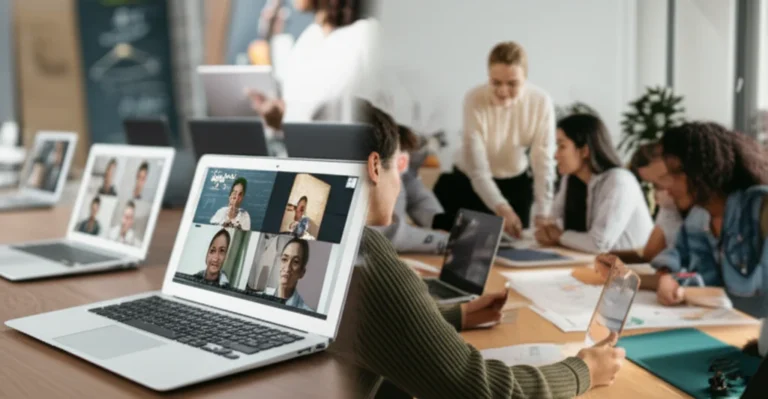
3. Virtual Breakout Rooms for Collaborative Problem Solving
Breakout rooms are the digital equivalent of moving desks into groups. But they often fail because students just sit there awkwardly. The secret? Structured roles.
- The Strategy: Assign roles like “Timekeeper,” “Scribe,” “Presenter,” and “Devil’s Advocate.”
- The Tool: Zoom, Google Meet, or Microsoft Teams.
- Pro Tip: Give them a shared document (like Google Docs or Padlet) to work on simultaneously. This creates a tangible record of their collaboration.
4. Micro-Learning Modules to Combat Digital Fatigue
If you’ve ever tried to watch a 45-minute lecture on a phone while commuting, you know the struggle. Micro-learning breaks content into bite-sized chunks of 3-5 minutes.
- Why it Works: It respects the cognitive load of the learner.
- Implementation: Create a series of short videos, infographics, or interactive slides.
- Tool: Edpuzzle allows you to embed questions directly into videos, ensuring students are actually watching.
5. AI-Driven Personalized Learning Paths
Artificial Intelligence isn’t just for sci-fi movies; it’s a powerful tool for differentiated instruction.
- How it Helps: AI platforms analyze student performance in real-time and adjust the difficulty of subsequent tasks.
- Real-World Example: DreamBox for math or IXL for language arts adapts to the student’s level instantly.
- The Benefit: No more “one-size-fits-all” worksheets. Every student gets a path tailored to their needs.
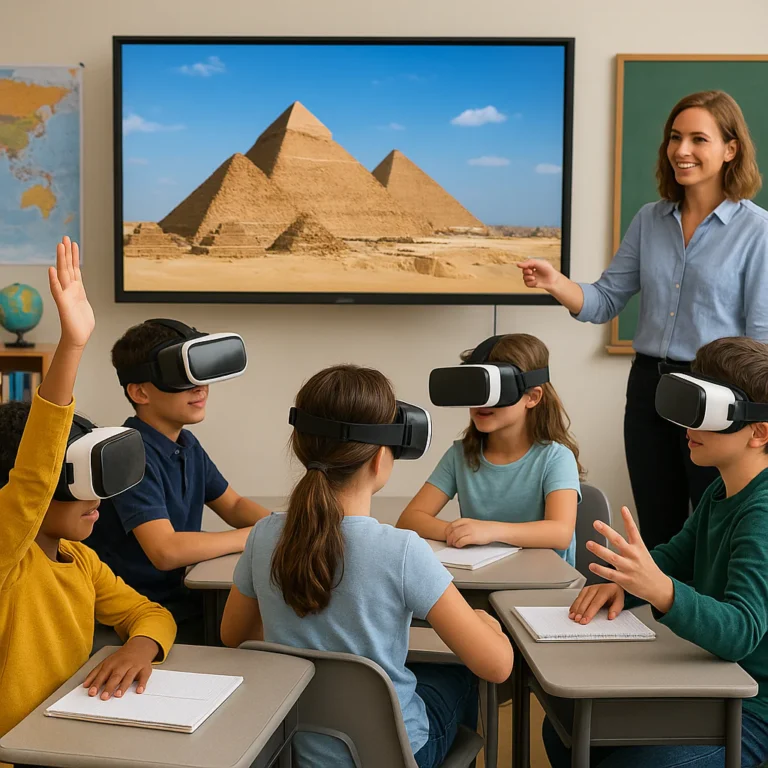
6. Immersive VR and AR Field Trips
Who needs a bus when you can teleport? Virtual Reality (VR) and Augmented Reality (AR) bring the world into the classroom.
- The Experience: Students can walk through the Louvre, explore the human circulatory system, or visit Mars.
- Accessibility: You don’t need expensive headsets. Many tools work on standard tablets or even smartphones.
- Top Tools: Google Expeditions (now part of Google Arts & Culture), Merge Cube, and Nearpod.
👉 CHECK PRICE on:
- Merge Cube: Amazon | Merge Official
- Nearpod: Amazon | Nearpod Official
7. Social-Emotional Learning (SEL) Check-Ins via Digital Journals
Remote learning can be isolating. SEL must be intentional.
- The Strategy: Start every class with a “Mood Meter” or a digital journal prompt.
- Tools: Sesaw is fantastic for younger students to record video or audio check-ins. Flip (formerly Flipgrid) allows for video discussions where students can see each other’s faces in a low-pressure format.
- Impact: This builds a sense of community and helps teachers identify students who are struggling emotionally before it becomes an academic issue.
8. Peer-to-Peer Teaching and Student-Led Webinars
Flip the script! Let the students be the teachers.
- The Method: Assign students to teach a concept to the class via a short presentation.
- Why it Works: The Protégé Effect suggests that teaching a concept reinforces the teacher’s own understanding.
- Tech: Use Zoom or Microsoft Teams for the webinars.
9. Interactive Storytelling with Digital Tools
Turn your lessons into interactive stories where students make choices that affect the outcome.
- Tools: Twine (for text-based adventures), Genially (for interactive presentations), or StoryJumper.
- Example: In a history class, students choose the path of a historical figure and see the consequences of their decisions.
10. Real-World Project-Based Learning (PBL) with Global Connections
Connect your classroom to the world.
- The Strategy: Partner with a class in another country or a local organization to solve a real problem.
- Example: Designing Personal Protective Equipment (PE) for local hospitals, as seen in the Miami-Dade case studies.
- Benefit: Students see the relevance of their learning immediately.
1. Adaptive Assessment Techniques Beyond Multiple Choice
Ditch the bubble sheets. Use formative assessments that provide immediate feedback.
- Tools: Quizz, Socrative, or Google Forms with branching logic.
- Inovation: Use audio or video responses instead of text. This allows students to demonstrate understanding in ways that suit their strengths.
12. The “HyFlex” Approach: Blending Synchronous and Asynchronous Modes
The HyFlex model allows students to choose how they attend: live online, live in-person, or asynchronously later.
- The Challenge: Requires robust planning and technology.
- The Reward: Maximum flexibility for students with varying schedules and needs.
- Key Insight: As noted by the Learning Policy Institute, this model is essential for equity, ensuring that no student is left behind due to scheduling conflicts or connectivity issues.
🛠️ Essential Tech Stack: Tools That Actually Work for Remote Educators
You can have the best strategy in the world, but if your tech stack is a mess, you’re doomed. We’ve tested dozens of platforms, and here are the ones that actually work without driving you (or your students) crazy.
The “Must-Haves” Table
| Category | Top Recommendation | Why We Love It | Best For |
|---|---|---|---|
| Video Conferencing | Zoom | Reliable, great breakout rooms, easy to use. | Synchronous lessons, meetings. |
| LMS (Learning Mgmt) | Google Classroom | Seamless integration with Docs/Slides, free. | Assignment distribution, grading. |
| Interactive Lessons | Nearpod | Embeds quizzes, polls, and VR right into slides. | Keeping students engaged live. |
| Collaboration | Padlet | Digital bulletin board, easy to use. | Brainstorming, sharing ideas. |
| Video Creation | Loom | Quick screen recording with face cam. | Flipped classroom lessons. |
| Assessment | Kahoot! | High-energy, game-based quizzes. | Formative checks, fun reviews. |
| Communication | Remind | Safe, SMS-based messaging for parents. | Quick updates, reminders. |
Deep Dive: Why We Choose These Tools
- Zoom: Despite the “Zoom fatigue” stigma, it remains the gold standard for stability. Its breakout room feature is unmatched for group work.
- Google Classroom: It’s the backbone of many schools. The integration with the Google Workspace ecosystem makes it a no-brainer for document sharing.
- Nearpod: This is the secret weapon for engagement. You can see exactly who is answering questions in real-time, so you know who needs help immediately.
Note: Don’t try to use all of these at once. Pick one from each category and master it. As the saying goes, “Jack of all trades, master of none.”
👉 CHECK PRICE on:
- Zoom: Amazon | Zoom Official
- Nearpod: Amazon | Nearpod Official
- Loom: Amazon | Loom Official
🧠 Overcoming the “Zoom Fatigue” Barrier: Strategies for Sustained Attention
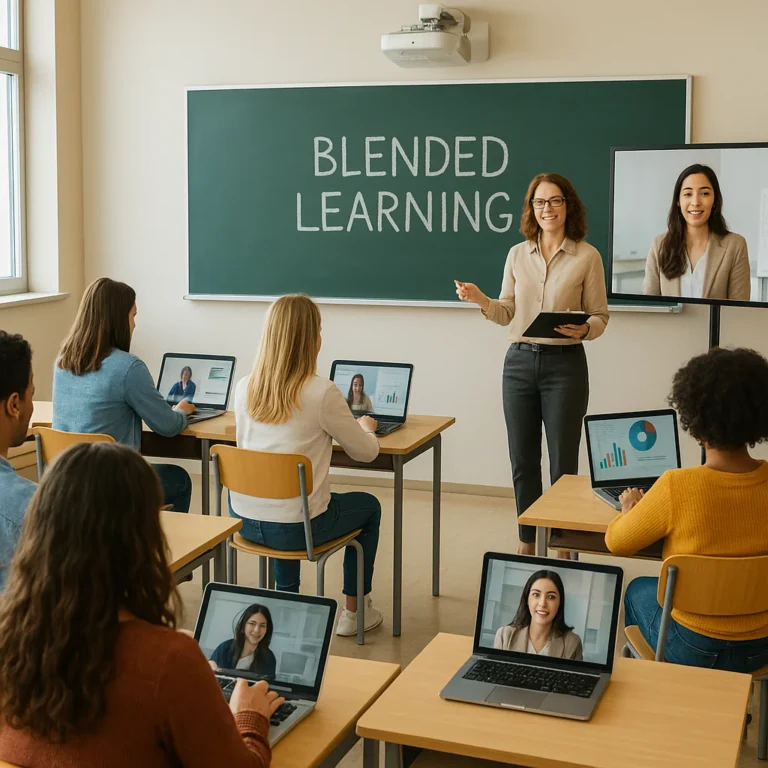
Let’s be honest: staring at a grid of faces for an hour is exhausting. Zoom fatigue is real, and it affects both teachers and students. But how do we keep engagement high without burning everyone out?
The Science of Attention
Research suggests that the human brain can only focus intensely for about 10-15 minutes before needing a break. In a physical classroom, we naturally have transitions, movement, and non-verbal cues that reset attention. Online, these cues are missing.
Strategies to Recharge
- The “Camera Off” Rule: Encourage students to turn off their cameras during independent work or listening segments. This reduces the cognitive load of constantly seeing faces.
- Movement Breaks: Every 15 minutes, do a 2-minute stretch or a “stand up and sit down” challenge.
- Asynchronous Options: Not everything needs to be live. Record your lectures and let students watch them on their own time.
- Variety is Key: Mix up the media. Don’t just talk. Use polls, whiteboards, and breakout rooms.
The “Ms. Kenzie” Effect
Remember the first YouTube video we mentioned? It featured Ms. Kenzie, a kindergarten teacher who mastered the art of engagement. She didn’t just talk; she used hand gestures, visual aids, and interactive prompts to keep her 5-year-olds glued to the screen.
Key Takeaway: If you want to hold attention, you must be dynamic. Use your voice, your hands, and your props. As Ms. Kenzie demonstrated, “Show me your hands!” is more effective than “Please unmute.”
🌍 Bridging the Digital Divide: Equity in Remote Education
We cannot talk about remote learning without addressing the elephant in the room: the digital divide. According to the Learning Policy Institute, millions of students lack reliable internet or devices.
The “Stone Soup” Solution
The “Stone Soup” metaphor is powerful here. Just as the villagers contributed what they had, schools and communities must pool resources.
- Mobile Hotspots: Some districts have converted school buses into mobile hotspots that park in neighborhoods.
- Offline Resources: Distributing physical packets, USB drives with pre-loaded content, and even using public television for instruction.
- Device Lending: Creating a robust lending library for tablets and laptops.
Strategies for the “Offline” Student
- Low-Tech Alternatives: Design activities that can be done with paper and pencil, then submitted via photo or drop-box.
- Community Partnerships: Partner with local libraries and community centers to provide Wi-Fi access.
- Flexible Deadlines: Understand that a student without internet might need more time to complete assignments.
Critical Insight: Equity isn’t about giving everyone the same thing; it’s about giving everyone what they need to succeed. As the Silver Lining for Learning initiative notes, “Distance learning provides opportunities to explore and advance student-centered approaches, regardless of where schools, districts, teachers, and families are on the continuum.”
📊 Measuring Success: Analytics and Feedback Lops for Remote Instruction
How do you know if your remote strategies are working? You need data, but not just test scores. You need formative feedback.
The Feedback Loop
- Collect Data: Use tools like Google Forms, Kahoot!, or Socrative to gather real-time data.
- Analyze: Look for patterns. Are 80% of students getting question 3 wrong? That’s a signal to re-teach.
- Adjust: Change your instruction immediately based on the data.
- Communicate: Share the results with students and parents.
Beyond the Test Score
- Engagement Metrics: Are students logging in? Are they participating in discussions?
- Social-Emotional Check-ins: Are students feeling supported?
- Student Self-Reflection: Ask students to rate their own understanding.
Pro Tip: Don’t let the data overwhelm you. Use it as a compass, not a map. The goal is to guide your teaching, not to punish your students.
👩 🏫 Teacher Wellness: Avoiding Burnout in the Virtual Classroom
We’ve talked a lot about students, but what about you? Teacher burnout is rampant in the remote learning era. The boundaries between work and home have blurred, and the “always-on” culture is dangerous.
Signs of Burnout
- Feeling constantly exhausted.
- Cynicism about your work.
- A sense of inefficacy.
Strategies for Self-Care
- Set Boundaries: Turn off notifications after a certain hour. Create a dedicated workspace.
- Take Breaks: Step away from the screen. Go for a walk. Breathe.
- Connect with Colleagues: Share your struggles and successes. You are not alone.
- Celebrate Small Wins: Did a student finally understand a concept? Did you get through a tough day? Celebrate it!
Remember: You can’t pour from an empty cup. Prioritizing your well-being isn’t selfish; it’s essential for your students’ success.
🏆 Case Studies: Real Schools Crushing It with Remote Innovation
Let’s look at some real-world examples of schools that have mastered the art of remote learning.
Miami-Dade County Public Schools (Florida)
- The Challenge: Rapid transition to remote learning with diverse student needs.
- The Solution: A comprehensive approach including device distribution, special professional development, and leveraging experience from weather-related disruptions.
- The Result: A seamless pivot that maintained instructional continuity.
Lindsey Unified School District (California)
- The Challenge: Adapting to an online environment while maintaining high standards.
- The Solution: Leveraging existing competency-based, personalized learning infrastructure.
- The Result: Students continued to progress at their own pace, with strong support systems.
Another Course to College (ACC) – Boston Public Schools
- The Challenge: Providing rich instructional services remotely.
- The Solution: Developed a comprehensive online portal and engaged in project-based learning, such as designing PE for first responders.
- The Result: Students remained engaged in meaningful, real-world projects.
Lesson Learned: These schools didn’t just “do” remote learning; they reimagined it. They focused on collaboration, student agency, and equity.
🎓 Conclusion: The Future of Teaching is Hybrid and Human

We’ve journeyed from the chaos of the emergency pivot to the sophistication of innovative teaching strategies for remote learning. We’ve explored gamification, flipped classrooms, AI, and the critical importance of equity.
But here’s the big question we posed at the beginning: Is remote learning just a temporary fix, or is it the future?
The answer is both. The future is Hybrid. It’s a blend of the best of both worlds: the flexibility and personalization of remote learning, combined with the human connection and community of the physical classroom.
The “Stone Soup” of education is richer than ever. We’ve learned that technology is a tool, but humanity is the heart. The most successful teachers are those who can adapt, innovate, and connect.
So, as you move forward, remember:
- Be flexible.
- Be human.
- Be innovative.
The classroom of the future is not defined by walls, but by possibilities. And you, the educator, are the architect of that future.
🔗 Recommended Links
Ready to take your remote teaching to the next level? Check out these resources and tools:
- Books on Remote Teaching:
- The Distance Learning Playbook
- Teaching in the Flat World
- Tools for Engagement:
Nearpod: Nearpod Official
Kahoot!: Kahoot! Official
Flip: Flip Official - Professional Development:
- Edutopia Remote Learning Resources
- ISTE Standards for Educators
❓ FAQ: Your Burning Questions About Remote Teaching Strategies Answered

How can teachers build student engagement in a remote learning environment?
Building engagement starts with connection. Use interactive tools like polls, breakout rooms, and gamified quizzes. Incorporate student choice and real-world projects to make learning relevant. As seen in the case of Ms. Kenzie, using visual aids and dynamic delivery keeps young learners focused. Remember, engagement isn’t just about attention; it’s about meaningful participation.
Read more about “🚀 10 Ways Collaborative Learning Strategies Boost Success (2026)”
What are the best tools for interactive remote classroom activities?
The best tools depend on your goals, but Nearpod is excellent for interactive lessons, Kahoot! for gamified quizzes, and Padlet for collaborative brainstorming. Flip is great for video discussions, and Google Jamboard (or its successors) for whiteboarding. For younger students, Sesaw offers a user-friendly interface for sharing work.
Read more about “🚀 15 Unplugged Coding Strategies to Master Logic (2026)”
How do you assess student learning effectively online?
Move beyond multiple-choice tests. Use formative assessments like Edpuzzle (embedded questions in videos), digital portfolios, and project-based assessments. Adaptive learning platforms like DreamBox or IXL provide real-time data on student progress. The key is to assess understanding, not just memorization.
Read more about “🚀 12 Digital Citizenship Strategies for Students (2026)”
What strategies help manage different learning paces in virtual classrooms?
Differentiated instruction is key. Use AI-driven platforms that adapt to student levels. Implement micro-learning modules so students can progress at their own speed. Offer flexible deadlines and multiple ways to demonstrate understanding. The Flipped Classroom model also allows students to review content at their own pace.
Read more about “🚀 10 Innovative Learning Approaches for Students (2026)”
How can educators foster a sense of community in remote settings?
Community is built through intentional connection. Start with SEL check-ins, use virtual coffee chats, and create peer-to-peer teaching opportunities. Encourage collaborative projects and use tools like Discord or Slack for informal communication. As the “Stone Soup” metaphor suggests, community is built when everyone contributes.
What are effective ways to support students with special needs during remote learning?
Support students with individualized education plans (IEPs) adapted for the digital environment. Use assistive technology like text-to-speech, screen readers, and captioning. Provide clear, concise instructions and visual schedules. Ensure accessibility in all digital materials. Collaboration with special education specialists is crucial.
Read more about “🎓 15+ Strategies for Teaching with Educational Podcasts & Videos (2026)”
How can teachers prevent burnout while implementing remote teaching strategies?
Prevent burnout by setting boundaries, taking regular breaks, and delegating where possible. Prioritize self-care and professional support. Remember that perfection is not the goal; progress is. As the experts at Teacher Strategies™ emphasize, “You can’t pour from an empty cup.”
Read more about “🚀 7 Steps to Build Effective Professional Learning Communities (2026)”
📚 Reference Links
- Learning Policy Institute: Remote Learning and the Stone Soup
- Teaching Strategies: The Creative Curriculum Cloud
- Elmhurst University: 3 New Teaching Strategies for the Return to Classrooms
- Edutopia: Distance Learning Strategies
- ISTE: Technology in Education
- Johns Hopkins University: The Ethics of K-12 School Reopening
- Google Arts & Culture: Virtual Field Trips
- DreamBox Learning: Adaptive Math
- Nearpod: Interactive Lessons
- Kahoot!: Game-Based Learning