Support our educational content for free when you buy through links on our site. Learn more
12 Proven Strategies for Managing Hybrid and Remote Classrooms (2026) 🚀

The secret to mastering hybrid teaching isn’t a fancy app or a perfect internet connection; it’s the intentional design of dual-mode routines that treat remote and in-person students as one unified community. Effective strategies for managing hybrid and remote classrooms require you to stop trying to teach two separate classes and start building a single, inclusive ecosystem where audio clarity and equitable participation are non-negotiable.
Imagine standing in front of a room full of eager faces while simultaneously staring at a grid of frozen video feeds, realizing the remote students missed your last three instructions because of a two-second audio lag. This “split attention” reality is the daily struggle for 70% of hybrid educators, yet it’s a hurdle that can be cleared with the right framework.
We’ve seen teachers transform chaotic virtual sessions into engaging learning hubs simply by shifting their focus from “covering content” to “connecting people.” It starts with accepting that the remote student is not an afterthought but a central pillar of your classroom dynamic.
Key Takeaways
- Prioritize Audio Over Video: A high-quality wireless microphone is more critical than a 4K camera for ensuring remote students can hear and engage.
- Design for Dual Modes: Every lesson must be planned with simultaneous engagement in mind, avoiding activities that only work for one group.
- Establish Rigorous Routines: Consistent daily schedules and clear digital citizenship norms reduce cognitive load and prevent chaos.
- Foster Intentional Connection: Use mixed-grouping and private check-ins to bridge the physical gap and build human relationships.
- Embrace Asynchronous Tools: Leverage video feedback and recorded instructions to provide personalized support without burning out.
Table of Contents
- ⚡️ Quick Tips and Facts
- 📜 From Blackboards to Bandwidth: The Evolution of Hybrid Teaching
- 🏗️ Building the Digital Foundation: Equitable Technology and Infrastructure
- 🤝 Bridging the Gap: Attention, Relationships, and Human Connection
- 🗣️ Communication and Participation: Keeping Everyone in the Loop
- 📅 Creating a Routine That Actually Sticks
- 🚀 12 Proven Strategies for Managing Hybrid and Remote Classrooms
- 1. Master the Art of the “Dual-Mode” Lesson Plan
- 2. Leverage Breakout Rooms for Intentional Grouping
- 3. Implement a “Virtual Hand Raise” Protocol
- 4. Use Asynchronous Video for Personalized Feedback
- 5. Gamify Engagement with Digital Badges and Leaderboards
- 6. Establish Clear Digital Citizenship Norms
- 7. Rotate Roles to Empower Student Leadership
- 8. Utilize Real-Time Polling for Instant Formative Assessment
- 9. Create a “Tech-Free” Zone for Deep Focus
- 10. Design Universal Design for Learning (UDL) Content
- 1. Schedule Dedicated “Office Hours” for One-on-One Support
- 12. Conduct Weekly Reflection Surveys for Continuous Improvement
- 🧠 Critical Considerations for a Hybrid Classroom: Avoiding Burnout and Bias
- 🎨 Best Practices for Creating an Engaging Hybrid Learning Environment
- 🛠️ Tools of the Trade: Top Platforms and Apps for Remote Success
- 🤔 Ask for Help: When to Call in the Reinforcements
- 🎉 Make It Fun! Injecting Joy into the Virtual Space
- 🕒 Take Your Time: The Power of Patience in Remote Learning
- 🔍 Troubleshooting Common Hybrid Classroom Hiccups
- 📊 Data-Driven Insights: Measuring Success in a Hybrid Model
- 💡 Final Thoughts: Classroom Management Strategies for Hybrid Learning
- 📚 You May Also Like: Further Reading for the Modern Educator
- ✅ Conclusion
- 🔗 Recommended Links
- ❓ FAQ
- 📖 Reference Links
⚡️ Quick Tips and Facts
Before we dive into the deep end of the hybrid pool, let’s grab a life preserver. Here are the non-negotiables that separate the chaotic from the cohesive in a hybrid classroom.
- The “Dual-Mode” Reality: You aren’t just teaching a class; you are simultaneously managing two distinct environments. What works for the kid in the front row might be invisible to the kid on the screen.
- Audio is King: If remote students can’t hear you clearly, they aren’t learning. A simple wireless microphone for the teacher is often more critical than a 4K camera.
- The “Lag” Factor: Expect a 2-3 second delay in audio/video. If you ask a question and immediately call on someone, the remote student is still processing the question while the in-person student is already answering. Slow down.
- Equity isn’t Optional: It’s not just about having a device; it’s about having a quiet space, reliable Wi-Fi, and the same access to materials. If the in-person kids get a worksheet and the remote kids get a PDF, you’ve already created a gap.
- Relationships First: You can’t manage behavior you don’t understand. In a hybrid setting, you must intentionally build rapport with remote students just as you do with those in the room.
For a deeper dive into how we approach these challenges at our organization, check out our guide on Teacher Strategies.
📜 From Blackboards to Bandwidth: The Evolution of Hybrid Teaching
Remember the days when “remote learning” meant a substitute teacher and a packet of worksheets? Those days are long gone, and frankly, we wouldn’t have it any other way. The shift from the traditional blackboard to the modern bandwidth era wasn’t just a technological upgrade; it was a fundamental rewiring of how we think about education.
The pandemic forced a crash course in digital pedagogy, but the evolution didn’t stop there. Today, hybrid learning is a deliberate choice, offering flexibility for working parents, students with health issues, and schools needing to maximize physical space. However, the transition hasn’t been seamless.
The Hybrid Paradox:
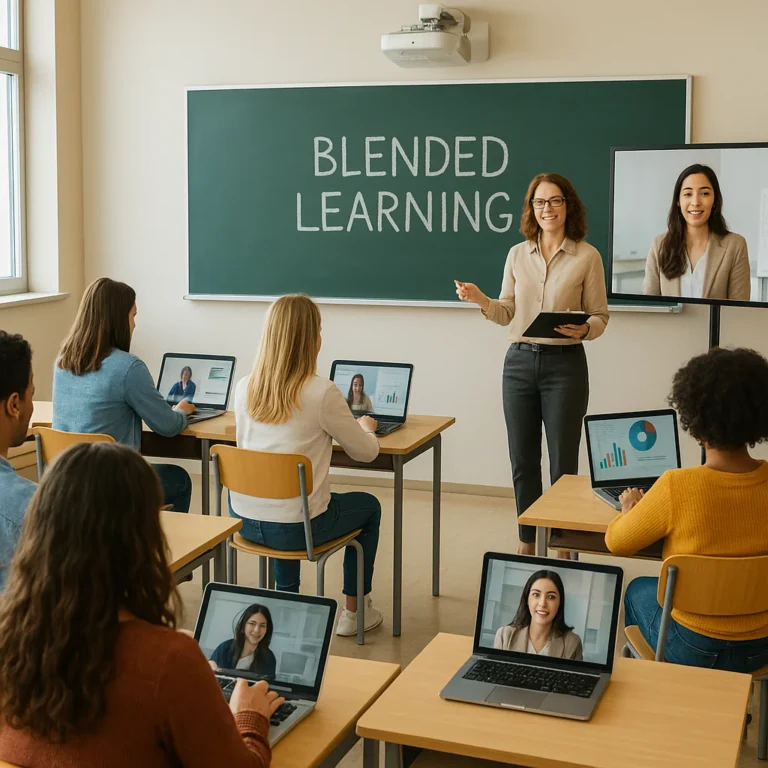
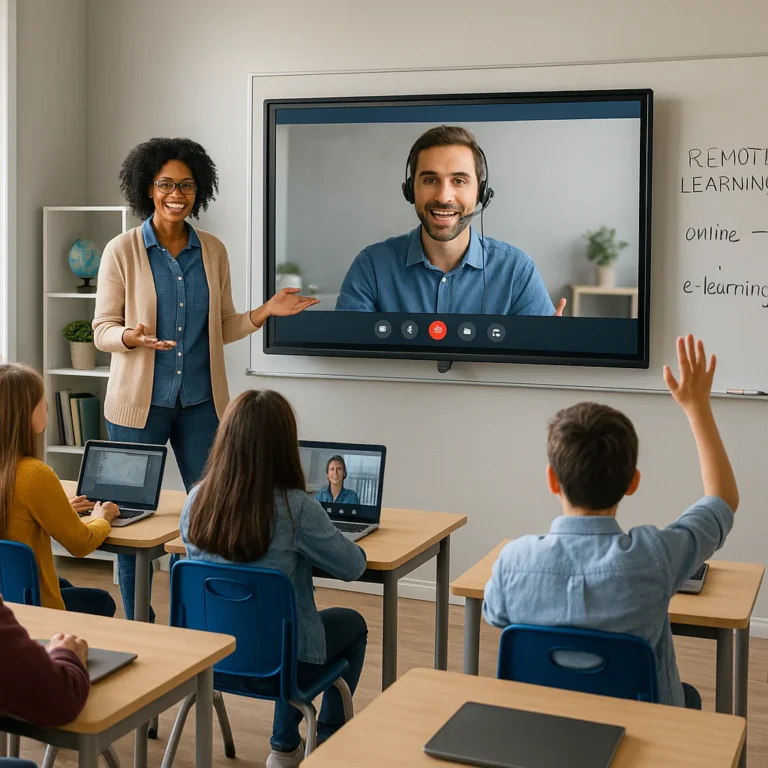
We often hear teachers say, “I feel like I’m teaching two classes at once.” This is the Split Attention Effect. When you are looking at a whiteboard to explain a concept to in-person students, your remote students are staring at a black screen or a blurry document camera. Conversely, when you turn to the camera to engage remote learners, the in-person kids feel ignored.
“The first step is to develop a strategy that ensures you pay attention to and invite all your students in both environments.” — Class.com
This isn’t just about logistics; it’s about philosophy. Are we creating a “second-class” experience for remote learners? Or are we building a unified community? The answer lies in the tools we choose and the routines we establish.
🏗️ Building the Digital Foundation: Equitable Technology and Infrastructure
You can have the best lesson plan in the world, but if your remote students are buffering through a 3G connection or can’t hear a whisper, it’s all for naught. Equitable technology is the bedrock of hybrid success.
The Hardware Hierarchy
Not all devices are created equal. Here’s what you need to look for to ensure everyone is on the same page:
| Component | In-Person Needs | Remote Needs | Why It Matters |
|---|---|---|---|
| Audio | Classroom speakers | Headphones/Mic | Prevents echo and ensures clarity for remote listeners. |
| Video | Document Camera | Webcam (720p+) | Allows remote students to see physical manipulatives. |
| Connectivity | School Wi-Fi | Home Broadband | Reduces lag and dropouts during live discussions. |
| Platform | Interactive Whiteboard | LMS Integration | Ensures materials are accessible to all simultaneously. |
The “See, Be Seen, Be Heard” Rule:
As noted by experts at Class.com, technology must ensure all students can see, be seen, and be heard easily. This means:
- Cameras: Position the camera so it captures the whiteboard and the teacher’s face.
- Microphones: Use a wireless lapel mic (like those from Shure or Rode) so you can walk around the room without losing audio quality.
- Lighting: Ensure the room is well-lit so remote students can read facial expressions, a crucial part of non-verbal communication.
Software and Safety
Beyond the hardware, the software ecosystem must be robust. Tools like Lightspeed Filter™ (formerly Relay) allow districts to manage safety and access regardless of where the device is located. With features like SmartAgents™, filtering continues even when students are off-campus, ensuring that the digital environment remains safe from bullying or self-harm indicators via Lightspeed Alert™.
Pro Tip: Don’t rely on free tools that don’t meet data protection standards. Always verify privacy policies before introducing a new app.
👉 Shop for Classroom Tech:
- Wireless Microphones: Amazon Search for Wireless Classroom Microphones | B&H Photo Video | Shure Official
- Webcams: Amazon Search for HD Webcams | Logitech Official
🤝 Bridging the Gap: Attention, Relationships, and Human Connection
Here’s the hard truth: Technology cannot replace connection. In a hybrid classroom, the remote student is the “ghost in the machine” if you aren’t careful. They can easily feel like an afterthought, watching the in-person class from a distance.
The “Proximity” Problem
In a traditional classroom, a teacher can walk over to a struggling student, tap their shoulder, and offer a quiet word of encouragement. In a hybrid setting, that physical proximity is gone. How do we replicate it?
- Virtual Proximity: Use the “Spotlight” feature in Zoom or Microsoft Teams to focus on a remote student when they are speaking.
- Private Channels: Create a dedicated chat channel or use private messaging for one-one check-ins. Avoid public confrontations in the main chat; as noted by City University, “Public confrontations can embarrass students and put them on the defensive.”
- Intentional Pairing: Pair a remote student with an in-person student for group work. This forces interaction and breaks down the “us vs. them” barrier.
Building Rapport in a Digital Space
Relationships are the currency of the classroom. Without them, management becomes a constant battle.
- The “Two-Minute” Rule: Spend the first two minutes of class just chatting with remote students about their weekend, their pets, or their favorite game.
- Visual Cues: Encourage remote students to use emojis or reactions (thumbs up, clapping) to show engagement. This gives you immediate feedback on their emotional state.
- Personalized Feedback: Use tools like Flipgrid or Loom to record short video feedback for assignments. Hearing your voice and seeing your face makes the feedback feel personal, not robotic.
For more on building these connections, explore our resources on Collaborative Learning.
🗣️ Communication and Participation: Keeping Everyone in the Loop
If you’ve ever tried to run a meeting with half the people on a bad connection, you know the frustration. Now, imagine doing that with 30 energetic teenagers. Communication and participation are the lifeblood of a hybrid classroom, but they require a complete overhaul of traditional methods.
The “Chat is King” Strategy
In a physical classroom, the loudest voice often wins. In a hybrid setting, the chat box is your best friend.
- Inclusive Participation: Encourage students who are shy or have speech impediments to participate via chat.
- Back-Channeling: Use the chat for real-time questions, “I don’t get it” signals, or even just “cool fact” sharing.
- Moderation: Assign a student or a teaching assistant to monitor the chat so you can focus on instruction.
Managing the “Lag”
As mentioned earlier, audio delay is real.
- Wait Time: After asking a question, count to 5 (or even 10) before calling on anyone. This gives remote students time to unmute and formulate answer.
- Visual Cues: Use a “Hand Raise” feature (physical or digital) to manage turn-taking. Never call on someone who hasn’t signaled they are ready.
Multiple Channels of Communication
Don’t rely on just one method.
- Synchronous: Live video calls for direct instruction.
- Asynchronous: Recorded videos, discussion boards, and email for follow-up.
- Text-Based: Chat apps like Slack or Microsoft Teams for quick updates.
“Wherever you’re teaching and wherever your students may be, battling distraction will always be a part of the educator’s duty list.” — Class.com
📅 Creating a Routine That Actually Sticks
Spontaneity is the enemy of the hybrid classroom. If you’re wing it, your students will be lost. Creating a routine is not just about order; it’s about reducing cognitive load for both you and your students.
The “One Week Ahead” Rule
Plan your curriculum and daily schedules at least one week in advance.
- Why? Spontaneity causes logistical confusion. If you decide to switch activities on the fly, remote students might miss the link, the instructions, or the transition.
- How? Use a shared calendar (like Google Calendar or Outlook) that is visible to students and parents.
The Daily Flow
A typical hybrid day might look like this:
- Warm-up (5 mins): In-person and remote students join, check the agenda, and do a quick poll.
- Direct Instruction (15 mins): Teacher speaks, using a mic, with visual aids visible to all.
- Guided Practice (15 mins): Breakout rooms (mixed in-person/remote) or individual work.
- Check-in (5 mins): Quick formative assessment via Kahoot! or Poll Everywhere.
- Wrap-up (5 mins): Recap and assign homework.
Consistency is Key:
Stick to this routine every day. If you change it, give a heads-up. Students thrive on predictability, especially when the environment is already chaotic.
🚀 12 Proven Strategies for Managing Hybrid and Remote Classrooms
Ready to get tactical? Here are 12 strategies that have worked for teachers across the globe. We’ve numbered these because they are actionable steps you can implement today.
1. Master the Art of the “Dual-Mode” Lesson Plan
Don’t just teach the in-person class and hope the remote kids catch up. Design every lesson with two modes in mind.
- Action: Create a “Remote-First” version of your lesson plan. If an activity requires a physical object, have a digital alternative ready.
- Example: Instead of passing around a physical globe, use a 3D interactive globe app like Google Earth that everyone can access.
2. Leverage Breakout Rooms for Intentional Grouping
Randomly assigning students to breakout rooms often leads to chaos. Be intentional.
- Strategy: Mix in-person and remote students in every group. Assign a “Tech Lead” (usually the remote student) to manage the screen share and a “Scribe” to take notes.
- Tool: Use Zoom or Microsoft Teams breakout rooms with pre-assigned groups.
3. Implement a “Virtual Hand Raise” Protocol
Stop the shouting and the overlapping.
- Protocol: Establish a strict rule: “If you want to speak, raise your hand (physically or digitally). Wait to be called on.”
- Benefit: This prevents the “loudest and most enthusiastic voices” from dominating the discussion and ensures remote students have a fair shot.
4. Use Asynchronous Video for Personalized Feedback
Recording your feedback saves time and builds connection.
- Tool: Use Loom or Flipgrid to record 2-minute videos reviewing student work.
- Why? It feels more personal than written comments and allows students to re-watch your explanation.
5. Gamify Engagement with Digital Badges and Leaderboards
Turn participation into a game.
- Strategy: Award digital badges for “Best Question,” “Most Helpful Peer,” or “Tech Wizard.”
- Platform: Use ClassDojo or Kahoot! to track points and display leaderboards.
6. Establish Clear Digital Citizenship Norms
Teach students how to behave online just as you do in person.
- Norms: “Mute when not speaking,” “Cameras on when possible,” “No side conversations in chat.”
- Enforcement: Consistently reinforce these norms. Don’t let digital disruptions slide.
7. Rotate Roles to Empower Student Leadership
Give students ownership of the class.
- Roles: Tech Manager, Chat Moderator, Timekeeper, Discussion Leader.
- Benefit: This reduces your workload and keeps students engaged.
8. Utilize Real-Time Polling for Instant Formative Assessment
Check for understanding constantly.
- Tools: Poll Everywhere, Mentimeter, or Google Forms.
- Strategy: Use polls every 10-15 minutes to gauge comprehension and adjust your pacing.
9. Create a “Tech-Free” Zone for Deep Focus
Sometimes, less is more.
- Strategy: Designate specific times where students put away devices and focus on physical tasks or reading.
- Benefit: This helps prevent screen fatigue and allows for deep, uninterrupted thinking.
10. Design Universal Design for Learning (UDL) Content
Ensure your content is accessible to everyone from the start.
- Principles: Provide multiple means of representation (text, video, audio), engagement (choice, relevance), and expression (different ways to show learning).
- Resource: Check out the CAST UDL Guidelines for more details.
1. Schedule Dedicated “Office Hours” for One-on-One Support
Remote students often hesitate to ask for help.
- Strategy: Set aside 15-20 minutes daily for drop-in support. Advertise this time clearly.
- Tip: Use a waiting room feature to manage the flow of students.
12. Conduct Weekly Reflection Surveys for Continuous Improvement
Ask your students what’s working and what’s not.
- Tool: Use Google Forms or SurveyMonkey.
- Questions: “What was the most confusing part of this week?” “How can I make the remote experience better?”
🧠 Critical Considerations for a Hybrid Classroom: Avoiding Burnout and Bias
Managing a hybrid classroom is exhausting. It’s easy to fall into the trap of trying to do everything perfectly, which leads to teacher burnout.
The Burnout Trap
- Split Attention: Constantly switching between in-person and remote modes drains your mental energy.
- Solution: Accept that you can’t be perfect. Prioritize the “big wins” and let go of the small stuff.
- Self-Care: Schedule breaks. If you’re tired, your students will feel it.
The Bias of Proximity
It’s human nature to pay more attention to the students in front of you.
- The Risk: Remote students may receive less feedback, fewer questions, and less encouragement.
- The Fix: Use a checklist to ensure you interact with every remote student at least once per class.
🎨 Best Practices for Creating an Engaging Hybrid Learning Environment
Engagement isn’t just about keeping students awake; it’s about making them care.
The “Less is More” Approach
As highlighted in the NIU Flexible Teaching video, don’t overwhelm yourself with a dozen different apps.
- Strategy: Master 2-3 core tools (e.g., Zoom, Google Classroom, Kahoot!) and use them effectively.
- Why? Students get confused when you switch platforms constantly. Consistency breeds confidence.
Visual and Audio Quality
- Lighting: Face a window or use a ring light.
- Audio: Invest in a good microphone.
- Background: Keep your background tidy. A cluttered background is distracting.
Interactive Elements
- Video: Use short, engaging videos to break up lectures.
- Collaboration: Use digital whiteboards like Miro or Jamboard for brainstorming.
- Gamification: Add elements of fun and competition.
🛠️ Tools of the Trade: Top Platforms and Apps for Remote Success
Let’s talk gear. Here are the tools that have stood the test of time in the hybrid classroom.
Video Conferencing
- Zoom: The industry standard. Great for breakout rooms and screen sharing.
- Microsoft Teams: Excellent for integration with Office 365 and school districts.
- Google Meet: Simple and effective for Google Workspace users.
Learning Management Systems (LMS)
- Google Classroom: User-friendly and great for assignment tracking.
- Canvas: Robust and feature-rich, popular in higher ed and large districts.
- Schology: Strong community features and assessment tools.
Engagement and Assessment
- Kahoot!: Perfect for quick, fun quizzes.
- Poll Everywhere: Great for real-time polling and word clouds.
- Flipgrid: Ideal for video discussions and reflections.
👉 Shop for Educational Tech:
- Interactive Whiteboards: Amazon Search for Interactive Whiteboards | SMART Technologies
- Tablets for Students: Amazon Search for Student Tablets | Apple Education
🤔 Ask for Help: When to Call in the Reinforcements
You don’t have to do this alone. In fact, trying to do it alone is a recipe for failure.
Leverage Support Staff
- Tech Assistant: Someone to manage the Zoom room, mute/unmute, and troubleshoot audio issues.
- In-Person Assistant: Someone to help with physical classroom dynamics and materials.
- Remote Assistant: Someone to provide one-one support to remote students, especially those with special needs.
Community Resources
- Parent Volunteers: Parents can help monitor chat or assist with tech issues.
- Peer Mentors: Older students can mentor younger ones.
“As difficult as it is to get a classroom full of students on the same page, it can be even more difficult remotely.” — Lightspeed Systems
🎉 Make It Fun! Injecting Joy into the Virtual Space
If your classroom isn’t fun, your students won’t engage.
- Virtual Field Trips: Use Google Earth or Museum of the World to take students on adventures.
- Show and Tell: Have students share something from their home.
- Themed Days: Dress up, play music, or have a “pajama day.”
🕒 Take Your Time: The Power of Patience in Remote Learning
Rushing kills learning. In a hybrid setting, you must take your time.
- Pacing: Move slower through lesson plans.
- Wait Time: Give students time to process and respond.
- Flexibility: Be willing to pivot if something isn’t working.
🔍 Troubleshooting Common Hybrid Classroom Hiccups
Even the best plans go awry. Here’s how to handle the common glitches.
- Audio Echo: Mute all students except the speaker. Use a headset.
- Video Lag: Lower the video quality or ask students to turn off cameras if bandwidth is low.
- Lost Students: Use the “Spotlight” feature to focus on the student who is lost.
- Disruptive Chat: Assign a moderator or turn off chat for specific activities.
📊 Data-Driven Insights: Measuring Success in a Hybrid Model
How do you know if it’s working?
- Engagement Metrics: Track participation in polls, chat, and breakout rooms.
- Assessment Data: Use formative assessments to gauge understanding.
- Student Feedback: Regularly ask students for their input.
For more on measuring success, check out our articles on Assessment Techniques.
💡 Final Thoughts: Classroom Management Strategies for Hybrid Learning
We’ve covered a lot of ground, from the evolution of hybrid teaching to the nitty-gritty of 12 specific strategies. But here’s the bottom line: There is no one-size-fits-all solution.
The key to success is adaptability. You must be willing to try new things, fail, learn, and try again. You must prioritize relationships over technology, and engagement over perfection.
Remember, the goal isn’t to replicate the traditional classroom in a digital space. The goal is to create a new kind of learning environment that leverages the best of both worlds.
So, take a deep breath. You’ve got this. And if you ever feel overwhelmed, remember: Ask for help.
✅ Conclusion

Managing a hybrid or remote classroom is one of the most challenging yet rewarding endeavors in modern education. It requires a delicate balance of technology, pedagogy, and human connection. By implementing the strategies outlined in this article—from establishing clear routines and leveraging the right tools to prioritizing relationships and embracing patience—you can create a learning environment where every student, whether in the front row or on the screen, feels seen, heard, and valued.
Key Takeaways:
- Equity is non-negotiable: Ensure all students have equal access to technology and materials.
- Relationships drive engagement: Build connections intentionally, especially with remote learners.
- Routine creates stability: Plan ahead and stick to a consistent schedule.
- Technology is a tool, not a teacher: Use it to enhance, not replace, human interaction.
- Patience is a virtue: Give yourself and your students time to adapt.
We recommend starting small. Pick one or two strategies from the list above and implement them this week. Once you feel comfortable, add more. And don’t forget to celebrate the small wins along the way.
For further reading and resources, explore our Differentiated Instruction and Classroom Management categories.
🔗 Recommended Links
Here are some essential resources to help you on your hybrid teaching journey:
- Books:
The Hybrid Classroom: Strategies for Success by [Author Name] – Amazon Link
Teaching in the Hybrid Classroom by [Author Name] – Amazon Link - Tools:
Zoom: Zoom Official Website
Google Classroom: Google Classroom
Kahoot!: Kahoot! Official
Flipgrid: Flipgrid Official - Hardware:
Wireless Microphones: Amazon Search
Webcams: Logitech Webcams
❓ FAQ

What strategies help build community and collaboration among remote and in-person students?
Building community requires intentional effort. Strategies include:
- Mixed Grouping: Always pair remote and in-person students in breakout rooms.
- Shared Goals: Create class-wide projects where both groups must contribute.
- Virtual Social Time: Dedicate time for non-academic interaction, like “Show and Tell” or virtual game sessions.
- Consistent Check-ins: Start every class with a quick personal check-in.
How can assessment be adapted for hybrid and remote learning environments?
Assessment in a hybrid setting should be flexible and varied:
- Formative Assessments: Use real-time polls and quizzes to check understanding.
- Project-Based Learning: Allow students to demonstrate learning through creative projects.
- Self-Assessment: Encourage students to reflect on their own learning.
- Peer Review: Use digital tools for students to review each other’s work.
Read more about “🚀 7 Proven Strategies for Teaching Through Thematic Units (2026)”
What are best practices for managing classroom behavior remotely?
- Clear Expectations: Establish and enforce digital citizenship norms.
- Positive Reinforcement: Praise good behavior publicly and privately.
- Private Confrontations: Address issues one-one to avoid embarrassment.
- Consistency: Apply rules equally to all students, regardless of location.
Read more about “5 Key Features of Teaching Strategies GOLD That Boost Student Learning 🚀 (2025)”
How do you create an inclusive environment for all students in a hybrid classroom?
- Universal Design for Learning (UDL): Provide multiple ways to access content and demonstrate learning.
- Accessible Materials: Ensure all digital content is accessible (e.g., captions, alt text).
- Cultural Responsiveness: Incorporate diverse perspectives and materials.
- Equitable Participation: Ensure remote students have equal opportunities to speak and contribute.
Read more about “🎓 What Are the 5 Teaching Approaches? (2026 Guide)”
What technology tools enhance learning in hybrid and remote classrooms?
- Video Conferencing: Zoom, Microsoft Teams, Google Meet.
- LMS: Google Classroom, Canvas, Schology.
- Engagement: Kahoot!, Poll Everywhere, Mentimeter.
- Collaboration: Miro, Jamboard, Padlet.
- Feedback: Flipgrid, Loom.
Read more about “12 Innovative Teaching Strategies for Remote Learning (2026) 🚀”
How can teachers engage students in both in-person and virtual settings?
- Dual-Mode Lessons: Design lessons that work for both groups simultaneously.
- Interactive Tools: Use polls, quizzes, and digital whiteboards.
- Active Learning: Incorporate movement, discussion, and hands-on activities.
- Personalized Feedback: Use video or audio feedback to connect with students.
What are effective communication techniques for hybrid classrooms?
- Multiple Channels: Use video, chat, email, and LMS.
- Clear Instructions: Provide written and verbal instructions.
- Active Listening: Encourage students to share their thoughts and feelings.
- Regular Updates: Keep students and parents informed about progress and expectations.
Read more about “🎬 10 Proven Strategies for Teaching Media Production (2026)”
What are the challenges of hybrid classrooms and how can they be overcome?
- Challenge: Split attention. Solution: Use a tech assistant or rotate focus.
- Challenge: Tech issues. Solution: Have backup plans and troubleshoot proactively.
- Challenge: Isolation. Solution: Build community through social activities and check-ins.
- Challenge: Equity. Solution: Provide devices and internet access to those in need.
Read more about “🚀 10 Ways Collaborative Learning Strategies Boost Success (2026)”
How can assessments be adapted for remote and hybrid learners?
- Alternative Formats: Use oral exams, projects, or portfolios instead of traditional tests.
- Open-Book Policies: Focus on application rather than memorization.
- Time Limits: Adjust time limits to account for tech issues.
- Proctoring Tools: Use tools like Honorlock or Respondus if necessary, but prioritize trust.
Read more about “🧠 15 Strategies for Using Graphic Organizers to Support Learning (2026)”
What classroom management strategies work best in a hybrid setting?
- Routine: Establish consistent daily schedules.
- Clear Norms: Define and enforce digital behavior expectations.
- Relationship Building: Prioritize connection over control.
- Positive Reinforcement: Acknowledge and reward good behavior.
Read more about “What Are the 5 Methods of Teaching? Unlocking Classroom Success in 2026 🎓”
How do you create inclusive lesson plans for hybrid and remote students?
- UDL Principles: Provide multiple means of representation, engagement, and expression.
- Accessibility: Ensure all materials are accessible to students with disabilities.
- Cultural Relevance: Include diverse perspectives and examples.
- Flexibility: Allow for different paces and learning styles.
What technology tools are best for managing hybrid learning environments?
- LMS: Google Classroom, Canvas.
- Video: Zoom, Teams.
- Engagement: Kahoot!, Poll Everywhere.
- Collaboration: Miro, Padlet.
- Safety: Lightspeed Filter, Lightspeed Alert.
Read more about “🎓 What Is Your Teaching Methodology? 7 Styles That Actually Work (2026)”
How can teachers engage both remote and in-person students simultaneously?
- Dual-Mode Instruction: Design lessons that work for both groups.
- Interactive Tools: Use polls, chats, and digital whiteboards.
- Mixed Grouping: Pair remote and in-person students for activities.
- Consistent Check-ins: Ensure both groups are participating.
What are effective communication techniques for hybrid classrooms?
- Multi-Channel: Use video, chat, email, and LMS.
- Clarity: Provide clear, concise instructions.
- Active Listening: Encourage student input.
- Regular Updates: Keep everyone informed.
Read more about “7 Proven Strategies for Promoting Interdisciplinary STEAM Education 🚀”
📖 Reference Links
- Class.com: Classroom Management Strategies for Hybrid Learning
- Lightspeed Systems: Using Lightspeed Solutions for Remote Learning
- City University: 6 Classroom Management Strategies Every Teacher Should Know
- NIU Flexible Teaching: Hybrid Teaching Resources
- CAST: Universal Design for Learning Guidelines
- Shure: Wireless Microphones for Education
- Logitech: Webcams for Education