Support our educational content for free when you buy through links on our site. Learn more
🌍 10 Proven Strategies for Virtual Field Trips (2026)

Strategies, Virtual Field Trips”>
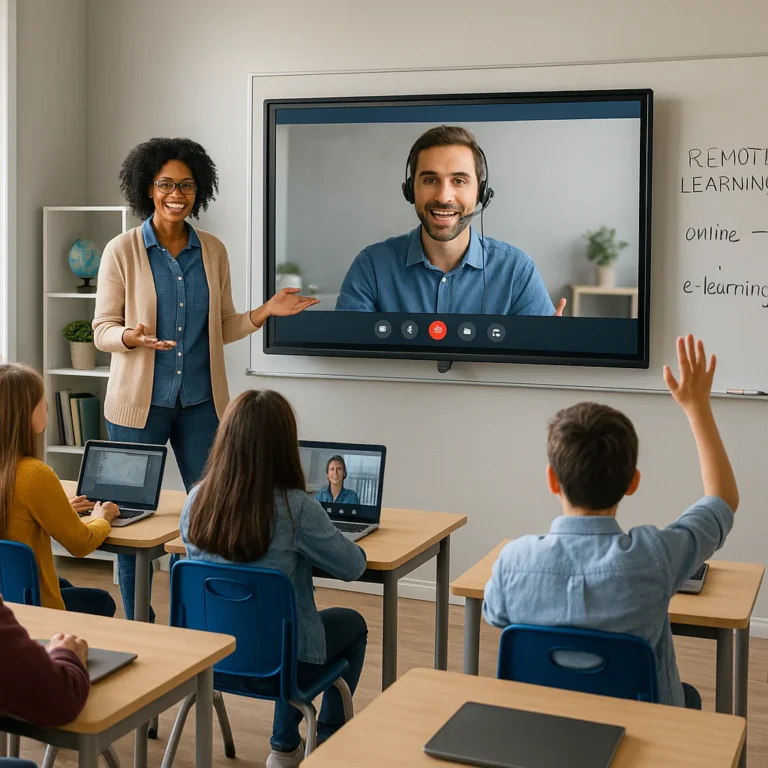
Stop treating virtual field trips as digital babysitting; the most effective strategies for using virtual field trips to enhance curriculum involve embedding them with interactive scavenger hunts and real-time inquiry questions that force active participation. When you shift from passive viewing to active exploration, student retention rates skyrocket, turning a simple screen click into a deep learning experience.
Imagine a classroom where a student in Ohio can debate architecture with a guide in the Colosseum, all before lunch. That isn’t science fiction; it’s the reality of modern place-based STEM and humanities education.
We’ve seen too many teachers drop a YouTube link and hope for the best, only to be met with glazed eyes and distracted scrolling. The difference between a forgetable video and a transformative lesson lies in the pre-trip preparation and post-trip reflection that bookend the experience.
Did you know? Research indicates that students who engage interactive virtual field trips retain up to 75% more information compared to those who simply read a textbook about the same topic.
Key Takeaways
- Active Engagement is Non-Negotiable: Successful strategies for using virtual field trips to enhance curriculum require interactive elements like digital scavenger hunts, live Q&A sessions, and student-led exploration to prevent passive consumption.
- Alignment Drives Impact: VFTs must be tightly woven into lesson plans with clear learning objectives, rather than treated as isolated “fun days” or filler activities.
- Accessibility Matters: True educational equity means ensuring all students, including those with disabilities, can access the experience through Universal Design for Learning (UDL) principles like captions and alternative text.
- The “Pre-During-Post” Framework: Maximize retention by structuring every trip with background building, active observation, and reflective application.
Table of Contents
- ⚡️ Quick Tips and Facts
- 🕰️ From Chalk Dust to Digital Dust: A Brief History of Virtual Field Trips
- 🎯 Why Virtual Field Trips Are the Ultimate Curriculum Booster
- 🛠️ Top 10 Platforms and Tools for Immersive Virtual Excursions
- 1. Google Arts & Culture: The Museum in Your Pocket
- 2. National Geographic Explorer: Wild Adventures at Home
- 3. Discovery Education: The Digital Field Trip Giant
- 4. YouTube VR: 360-Degree Exploration
- 5. Zoom and Microsoft Teams: Live Guided Tours
- 6. Nearpod: Interactive Lessons with Real-Time Engagement
- 7. ThingLink: Anotate Your Virtual World
- 8. ClassTools.net: Create Your Own Scavenger Hunts
- 9. Metaverse: Gamified Learning Experiences
- 10. EduTourist: Connecting Classrooms Globally
- 📚 Integrating Virtual Field Trips into Core Subjects
- 🧪 Science: Exploring Ecosystems and Laboratories Without Leaving the Desk
- 📜 History: Walking Through Ancient Civilizations and War Zones
- 🎨 Art and Literature: Visiting Galleries and Author Homes
- 🌍 Geography and Social Studies: Mapping the World in Real-Time
- 🧩 Designing a Place-Based STEM Virtual Field Trip: A Step-by-Step Guide
- 🚀 Best Practices for Maximizing Student Engagement and Retention
- 🚧 Overcoming Technical Hurdles and Accessibility Challenges
- 📝 Pre-Trip, During-Trip, and Post-Trip Activity Ideas
- 🤝 Join a Community of Educators Reimagining Learning!
- Conclusion
- Recommended Links
- FAQ
- Reference Links
⚡️ Quick Tips and Facts
Before we pack our virtual backpacks, let’s hit the ground running with some non-negotiable truths about Virtual Field Trips (VFTs). We’ve seen too many teachers treat these like a digital “sit back and watch” movie hour, and let’s just say the engagement levels were lower than a hibernating bear.
Here is the Teacher Strategies™ reality check:
- ✅ Interactivity is King: If your students aren’t clicking, typing, or asking questions, they aren’t learning. A passive VFT is just a very expensive YouTube video.
- ✅ Pre-Work is Mandatory: You wouldn’t send a class to the Louvre without telling them who painted the Mona Lisa, right? The same applies digitally. Background knowledge is the fuel for curiosity.
- ✅ Accessibility isn’t Optional: A VFT that doesn’t work for a student with a screen reader or a student prone to motion sickness is a failed VFT. We design for Universal Design for Learning (UDL) from day one.
- ✅ The “Scavenger Hunt” Secret: As noted by experts like Catlin Tucker, pairing a tour with a digital scavenger hunt forces students to read the text, not just stare at the pretty pictures.
- ✅ Logistics are a Breeze: No permission slips, no bus breakdowns, no lost lunch money. You can visit the Great Wall of China before lunch and the bottom of the Mariana Trench before dismissal.
Did you know? Studies show that when VFTs are integrated with critical thinking prompts, student retention rates jump significantly compared to traditional textbook learning. But how do we actually pull this off without turning into a tech-support nightmare? Stick around, because we’re about to break down the how and the why.
🕰️ From Chalk Dust to Digital Dust: A Brief History of Virtual Field Trips

Let’s take a quick trip down memory lane. Remember the days of the filmstrip projector? The smell of burning dust, the teacher fumbling with the reel, and the inevitable “click-whirr” sound that signaled the film had run out? That was the grandfather of the VFT.
In the 1970s and 80s, “virtual” meant a 35mm slide show. It was static, one-way, and often left half the class squinting at a blurry image of a pyramid. Fast forward to the 90s, and we got CD-ROMs and early web tours. They were clunky, required high-speed dial-up (if you were lucky), and often crashed if you blinked too hard.
Then came the Web 2.0 revolution. Suddenly, we had 360-degree panoramas, live video feeds, and interactive maps. The game changed from “looking” to “exploring.”
Today, we are in the era of Imersive Learning. With tools like VR headsets (even the DIY cardboard ones) and AI-driven simulations, students can walk through ancient Rome or dissect a virtual frog without the smell of formaldehyde. The goal has shifted from simply showing a location to experiencing it.
Why does this history matter? Because understanding the evolution helps us appreciate that the technology is just the vehicle. The curiculum is the destination. We aren’t just using new tools; we are fulfilling an old dream: making the world accessible to every child, regardless of their zip code.
🎯 Why Virtual Field Trips Are the Ultimate Curriculum Booster
You might be asking, “Why bother? Can’t we just use a textbook?”
Here’s the thing: Textbooks are static; the world is dynamic.
When you integrate VFTs into your curriculum, you aren’t just adding a “fun activity.” You are fundamentally changing how students process information. Here is why they are the ultimate booster:
- Breaking Geographic Bariers: A student in rural Iowa can explore the coral reefs of the Great Barrier Reef. A student in an urban apartment can walk the halls of the White House. It democratizes access to place-based education.
- Cost-Effectiveness: Let’s be real. Field trips are expensive. Buses, chaperones, tickets, food, insurance. VFTs cost zero dollars (mostly) and take zero hours of travel time.
- Safety and Inclusivity: Some locations are physically inaccessible for students with mobility challenges. Some are too dangerous (active volcanoes, deep ocean trenches). VFTs level the playing field, ensuring equitable access for all learners.
- Real-Time Relevance: Want to see a solar eclipse as it happens? Or watch a live feed of a penguin colony? VFTs allow for synchronous learning that textbooks can never match.
But here is the catch: Alignment. If you just drop a link into a Google Classroom and say “go,” you aren’t teaching; you’re babysitting. The magic happens when the VFT is woven tightly into your lesson plans and learning objectives.
Curiosity Check: We’ve talked about the benefits, but what happens when the tech fails, or the students zone out? How do we keep them engaged when the “wow” factor wears off? We’ll get to the nitty-gritty of engagement strategies in a moment, but first, let’s look at the tools of the trade.
🛠️ Top 10 Platforms and Tools for Immersive Virtual Excursions
Not all virtual field trips are created equal. Some are glorified slide shows; others are fully interactive adventures. We’ve tested dozens of platforms, and here are the top 10 that actually deliver on the promise of immersive learning.
1. Google Arts & Culture: The Museum in Your Pocket
Rating: 9.5/10
Best For: Art, History, and Culture
The Lowdown: This is the gold standard. With partnerships from over 2,0 museums (including the Louvre and the British Museum), it offers “Street View” style navigation inside galleries. You can zoom in on brushstrokes on Van Gogh’s Starry Night so close you can see the texture.
Pros: Free, incredibly high resolution, mobile-friendly, integrates with Google Classroom.
Cons: Can be overwhelming without a guided path; some features require a Google account.
Teacher Tip: Use the “Exhibitions” feature to find curated collections that match your unit.
2. National Geographic Explorer: Wild Adventures at Home
Rating: 9.0/10
Best For: Science, Geography, and Biology
The Lowdown: Nat Geo doesn’t just show you pictures; they tell stories. Their virtual field trips often include live video chats with explorers, 360-degree videos of wildlife, and interactive maps.
Pros: High-quality video production, expert-led content, excellent for STEM integration.
Cons: Some premium content requires a subscription; live events need scheduling.
Teacher Tip: Check their “Live from the Field” series for real-time connections with scientists.
3. Discovery Education: The Digital Field Trip Giant
Rating: 8.5/10
Best For: K-12 Curriculum Alignment
The Lowdown: If you have a school license, this is a powerhouse. They offer “Digital Field Trips” that are pre-packaged with lesson plans, worksheets, and interactive elements.
Pros: Perfectly aligned with standards, includes teacher guides, safe for school networks.
Cons: Requires a paid subscription; less “open exploration” and more “guided tour.”
Teacher Tip: Use their “3D Field Trips” for a more immersive experience if your school has the tech.
4. YouTube VR: 360-Degree Exploration
Rating: 8.0/10
Best For: Visual Learners and Quick Explorations
The Lowdown: YouTube is a treasure trove of 360-degree videos. From walking the streets of Tokyo to diving the Great Barrier Reef, the variety is endless.
Pros: Free, massive library, easy to embed.
Cons: Quality varies wildly; hard to curate; ads can be distracting (use ad-blockers or school filters).
Teacher Tip: Search for “360 virtual field trip [topic]” and preview every video before showing it to the class.
5. Zoom and Microsoft Teams: Live Guided Tours
Rating: 9.0/10
Best For: Interactive Q&A and Real-Time Connection
The Lowdown: Many museums and parks now offer live video sessions via Zoom or Teams. A ranger or curator guides the class live, answering questions in real-time.
Pros: Unmatched interactivity, personal connection, adaptable to class needs.
Cons: Requires scheduling; dependent on internet stability; limited to the host’s schedule.
Teacher Tip: Prepare your students with questions before the call to maximize the Q&A time.
6. Nearpod: Interactive Lessons with Real-Time Engagement
Rating: 9.5/10
Best For: Formative Assessment and Engagement
The Lowdown: Nearpod allows you to embed 360-degree images and videos directly into interactive lessons. You can add polls, quizzes, and drawing activities right on the screen.
Pros: Real-time student data, highly interactive, gamified elements.
Cons: Premium features require a subscription; can be tech-heavy for some students.
Teacher Tip: Use the “Collaborate Board” feature to have students share what they see in the virtual tour.
7. ThingLink: Anotate Your Virtual World
Rating: 8.5/10
Best For: Student-Created Content
The Lowdown: ThingLink lets you turn any image or video into an interactive experience by adding “tags” with text, audio, or video. Teachers can create tours, but students can also build their own!
Pros: Great for project-based learning, highly customizable, supports accessibility features.
Cons: Learning curve for creating complex tags; free version has limitations.
Teacher Tip: Have students create a virtual tour of a historical event they are studying.
8. ClassTools.net: Create Your Own Scavenger Hunts
Rating: 8.0/10
Best For: Gamification and Custom Activities
The Lowdown: This site offers free tools to create virtual escape rooms, scavenger hunts, and interactive timelines. It’s perfect for turning a passive tour into an active quest.
Pros: Free, easy to use, no login required for students.
Cons: Design can look a bit dated; limited multimedia integration compared to Nearpod.
Teacher Tip: Use the “QR Code Generator” to create a physical scavenger hunt that leads to digital content.
9. Metaverse: Gamified Learning Experiences
Rating: 7.5/10
Best For: Advanced Gamification and AR
The Lowdown: Metaverse allows you to create augmented reality (AR) experiences. Students can scan a QR code and see 3D models pop up in their classroom.
Pros: Highly engaging, fosters creativity, supports AR/VR.
Cons: Requires specific devices (tablets/phones); can be complex to design.
Teacher Tip: Start with pre-made “experiences” before trying to build your own.
10. EduTourist: Connecting Classrooms Globally
Rating: 8.5/10
Best For: Cultural Exchange and Language Learning
The Lowdown: EduTourist connects classrooms around the world for live virtual exchanges. It’s not just about seeing a place; it’s about meeting the people who live there.
Pros: Authentic cultural exchange, language practice, global perspective.
Cons: Scheduling across time zones can be tricky; requires coordination.
Teacher Tip: Use this for language arts or social studies units on global citizenship.
👉 Shop for Virtual Field Trip Accessories on:
- VR Headsets: Amazon Search for VR Headsets | Walmart Search for VR Headsets | Google Official Store
- Tablets for AR: Amazon Search for Tablets for Education | Best Buy Search for Tablets
📚 Integrating Virtual Field Trips into Core Subjects
A VFT is only as good as its integration. Let’s break down how to weave these experiences into your daily curriculum across different subjects.
🧪 Science: Exploring Ecosystems and Laboratories Without Leaving the Desk
Science is all about observation and inquiry. VFTs allow students to witness phenomena that are impossible to replicate in a classroom.
- Biology: Use BioDigital Human to explore the human body in 3D. Students can “walk” through the circulatory system or dissect a virtual frog.
- Earth Science: Take a trip to the USGS Earthquake Center or use Google Earth to study tectonic plates.
- Chemistry: Visit virtual labs like Labster (paid) or use PhET Simulations to mix chemicals safely.
Teacher Strategy: Before the trip, ask students to predict what they will see. During the trip, have them record observations. Afterward, compare predictions with reality. This builds critical thinking skills.
📜 History: Walking Through Ancient Civilizations and War Zones
History comes alive when you can stand in the shoes of the people who lived it.
- Ancient Civilizations: Use Google Arts & Culture to explore the ruins of Pompeii or the Pyramids of Giza.
- World War II: Take a virtual tour of the Imperial War Museum or the Anne Frank House.
- Civil Rights: Visit the National Civil Rights Museum in Memphis via their online exhibits.
Teacher Strategy: Pair the tour with a primary source analysis. Have students find an artifact in the virtual museum that supports a specific historical claim.
🎨 Art and Literature: Visiting Galleries and Author Homes
Art and literature are deeply connected to place. VFTs bridge the gap between the text and the environment.
- Art: Explore the Van Gogh Museum or the MoMA. Use the zoom feature to analyze brushwork.
- Literature: Visit the Shakespeare’s Globe or the Mark Twain House.
- Music: Take a virtual tour of the Symphony Hall or watch a live performance from the Metropolitan Opera.
Teacher Strategy: Have students create a “virtual gallery walk” where they curate their own exhibition based on the tour, explaining why they chose specific pieces.
🌍 Geography and Social Studies: Mapping the World in Real-Time
Geography is no longer just about memorizing capitals. It’s about understanding the world.
- Physical Geography: Use Google Earth to fly over the Amazon Rainforest or the Himalayas.
- Cultural Geography: Use EduTourist to connect with a classroom in another country.
- Economics: Visit virtual factories or markets to understand global trade.
Teacher Strategy: Use the “Time Travel” feature in Google Earth to see how a city has changed over the last 50 years. Discuss the causes and effects of urbanization.
🧩 Designing a Place-Based STEM Virtual Field Trip: A Step-by-Step Guide
Inspired by the “Design Case for Virtual Field Trips using Place-Based STEM,” let’s create a framework for building your own Place-Based STEM VFT. This approach connects local context with global concepts, making learning relevant and meaningful.
Step 1: Identify the Local Connection
Start with a local phenomenon. Is there a river near your school? A local bridge? A community garden?
- Example: The Big Four Bridge in Louisville, KY.
Step 2: Define the STEM Standards
What NGSS (Next Generation Science Standards) or Common Core standards will this address?
- Focus: Structure and Function (CCC 6.6-8.3).
Step 3: Create the Virtual Environment
Use tools like Tour It (by NASA) or ThingLink to create a 360-degree tour of the local site.
- Panorama 1: Introduction and navigation.
- Panorama 2: Close-up of truss design and engineering components.
- Panorama 3: Comparison with a nearby bridge (e.g., Abraham Lincoln Bridge).
- Panorama 4: Mathematical modeling and a design challenge.
Step 4: Embed Interactive Elements
Don’t just show; engage.
- Add hotspots with questions.
- Include video clips of local engineers explaining the design.
- Embed a Google Form for students to submit their design solutions.
Step 5: Design the Engineering Challenge
Give students a problem to solve based on what they learned.
- Challenge: “Design a bridge that can support 50 lbs using only popsicle sticks and glue. Test your design and compare it to the Big Four Bridge.”
Step 6: Assess and Reflect
Use a rubric to assess student understanding of the engineering concepts and their ability to apply them.
- Reflection: “How does the local environment influence the design of the bridge?”
Why this works: It grounds abstract STEM concepts in a tangible, local context. Students see the relevance of their learning to their own community.
🚀 Best Practices for Maximizing Student Engagement and Retention
So, you’ve picked the tool, you’ve aligned the standards, and you’ve designed the activity. Now, how do you make sure they actually learn?
1. The “Essential Question” Framework
Start with a question that drives the entire experience.
- Bad: “Let’s look at the pyramids.”
- Good: “How did the geography of Egypt influence the construction of the pyramids?”
2. The Scavenger Hunt Strategy
As mentioned earlier, passive viewing is the enemy. Create a digital scavenger hunt using Google Forms or Nearpod.
- Requirement: Students must find specific details in the text and the visuals to answer the questions.
- Why: This forces them to read the captions and descriptions, not just stare at the images.
3. Pre-Tip, During-Trip, Post-Trip Structure
- Pre-Trip: Activate prior knowledge. Watch a short video, read an article, or discuss the essential question.
- During-Trip: Use “stop and think” moments. Pause the tour and ask students to predict what comes next or to discuss a specific observation.
- Post-Trip: Reflect and extend. Have students create a project, write a reflection, or design a solution based on what they learned.
4. Differentiation is Key
Not all students learn the same way.
- Visual Learners: Focus on the 360-degree images and videos.
- Auditory Learners: Use the audio guides and live Q&A sessions.
- Kinesthetic Learners: Incorporate movement (e.g., “stand up if you see a truss design”).
- Read/Write Learners: Provide text-based scavenger hunts and reflection journals.
5. Leverage Student Voice
Let students lead the tour. Assign roles like “Navigator,” “Recorder,” and “Question Master.” This increases ownership and engagement.
🚧 Overcoming Technical Hurdles and Accessibility Challenges
Let’s be honest: technology fails. Internet goes down, devices break, and firewalls block sites. But a good teacher is prepared.
Technical Hurdles
- The “No Internet” Plan: Always have an offline version. Download videos, print out screenshots, or use a local server.
- Device Limitations: Not every student has a tablet. Use a “station rotation” model where groups share devices.
- Firewalls: Test your links before the class. If a site is blocked, have a backup (e.g., a YouTube video instead of a live tour).
Accessibility Challenges
- Screen Readers: Ensure all images have alt text and all videos have captions.
- Motion Sickness: Some students get dizzy with 360-degree videos. Offer a “motion-safe” mode or a static image alternative.
- Cognitive Load: Don’t overwhelm students with too much information at once. Break the tour into small, manageable chunks.
- Language Bariers: Use translation tools or provide materials in multiple languages.
Remember: The goal is equitable access. If a student can’t access the VFT, the trip has failed. Plan for diversity from the start.
📝 Pre-Trip, During-Trip, and Post-Trip Activity Ideas
Let’s get specific. Here are some actionable ideas for each phase of the VFT.
Pre-Trip: Building the Foundation
- Research Sprint: Have students research the location using a provided list of sources.
- Question Generation: Ask students to write 3 questions they hope to answer during the trip.
- Vocabulary Preview: Introduce key terms they will encounter.
- Prediction Board: Use a whiteboard or digital tool (like Padlet) for students to post their predictions.
During-Trip: Active Engagement
- Digital Scavenger Hunt: Use Google Forms to guide students through the tour.
- Live Q&A: If it’s a live session, have students submit questions in the chat.
- Sketching Station: Have students sketch what they see in a digital notebook or on paper.
- Think-Pair-Share: Pause the tour and have students discuss a specific observation with a partner.
Post-Trip: Extending the Learning
- Reflection Journal: Ask students to write about what surprised them or what they learned.
- Design Challenge: “If you were the architect, how would you improve this?”
- Creative Project: Create a poster, a video, or a presentation about the trip.
- Community Connection: Reach out to a local expert organization related to the topic.
🤝 Join a Community of Educators Reimagining Learning!
You don’t have to do this alone. The world of virtual field trips is vast, and there are thousands of teachers sharing resources, ideas, and support.
- Teacher Strategies™ Community: Connect with other educators who are reimagining learning through technology.
- Social Media: Join the #VirtualFieldTrip hashtag on Twitter and Instagram.
- Professional Learning Networks (PLNs): Look for local or online groups focused on STEM education and digital literacy.
Final Thought: The future of education is not about replacing the teacher; it’s about empowering the teacher to bring the world into the classroom. So, what are you waiting for? Pack your virtual backpack, grab your essential questions, and let’s go explore!
Conclusion

We’ve traveled from the dusty filmstrips of the past to the immersive, interactive worlds of today. We’ve explored the top 10 platforms, designed place-based STEM trips, and tackled the technical and accessibility challenges head-on.
The verdict? Virtual field trips are not just a “nice-to-have”; they are a “must-have” for a modern, equitable, and engaging curriculum.
Positives:
- Unlimited Access: Break down geographic and financial barriers.
- High Engagement: Interactive elements keep students active and curious.
- Curiculum Alignment: Easily integrated into any subject area.
- Safety and Inclusivity: Safe for all students, regardless of physical ability.
Negatives:
- Tech Dependence: Requires reliable internet and devices.
- Preparation Time: Designing effective VFTs takes time and planning.
- Passive Risk: Without proper scaffolding, students can become passive viewers.
Our Confident Recommendation:
Start small. Pick one topic, use one tool (like Google Arts & Culture), and pair it with a simple scavenger hunt. As you get comfortable, expand to live sessions and student-created content. Remember, the technology is just the vehicle; the curiculum is the destination.
Did we answer your questions? We hope so! But if you’re still wondering how to get started, check out our FAQ section below.
Recommended Links
Virtual Field Trip Tools & Resources:
- Google Arts & Culture: Google Arts & Culture Official Site
- National Geographic Explorer: National Geographic Education
- Discovery Education: Discovery Education Digital Field Trips
- Nearpod: Nearpod Interactive Lessons
- ThingLink: ThingLink Educational Solutions
- Tour It (NASA): NASA Infiniscope Tour It
Books on Virtual Learning:
- The Virtual Field Trip: A Guide for Teachers by [Author Name] – Amazon Search
- Imersive Learning: Strategies for the Digital Age – Amazon Search
Accessories:
- VR Headsets: Amazon Search for VR Headsets | Walmart Search
- Tablets for AR: Amazon Search for Tablets
FAQ

How can virtual field trips be integrated into lesson plans?
Virtual field trips should be treated as a core component of the lesson, not an add-on. Start by identifying your learning objectives and finding a VFT that aligns with them. Use the Pre-Trip, During-Trip, Post-Trip framework to structure the lesson. Pre-trip activities build background knowledge, the trip itself provides the experience, and post-trip activities solidify learning through reflection and application.
Read more about “🚀 12 Effective Lesson Plan Strategies for 2026”
What are the best free virtual field trip resources for teachers?
Some of the best free resources include Google Arts & Culture, National Geographic Explorer, YouTube VR, and Smithsonian Learning Lab. These platforms offer high-quality, interactive content without a subscription fee.
Read more about “🚀 10 Ways Tech Supercharges Teaching & Student Outcomes (2026)”
How do virtual field trips improve student engagement?
VFTs improve engagement by providing multimodal learning experiences (visual, auditory, kinesthetic). They also offer interactivity through scavenger hunts, live Q&A, and student-led exploration. When students are active participants rather than passive viewers, their attention and retention increase significantly.
Read more about “🚀 10 Proven Teaching Methods to Promote Student Success (2026)”
What technology is needed to run virtual field trips in the classroom?
At a minimum, you need a device (computer, tablet, or smartphone) with an internet connection and a display (projector or smartboard). For more immersive experiences, VR headsets (like Google Cardboard) or 360-degree cameras can be used. Ensure your school’s firewall allows access to the necessary websites.
Read more about “🚀 4 As Teaching Strategy: Master the 4 Steps (2026)”
How can virtual field trips support differentiated instruction?
VFTs support differentiation by offering multiple means of representation (text, video, audio) and multiple means of action and expression (scavenger hunts, discussions, creative projects). Teachers can tailor the experience to meet the needs of diverse learners, including those with disabilities, by providing alternative formats and scaffolding.
Read more about “🚀 7 Tech Strategies to Supercharge Learning Outcomes (2026)”
What are some examples of virtual field trips for science curriculum?
- Biology: Virtual disection of a frog using BioDigital Human.
- Earth Science: Exploring the USGS Earthquake Center or using Google Earth to study tectonic plates.
- Chemistry: Using PhET Simulations to mix chemicals safely.
- Astronomy: Taking a virtual tour of the NASA Space Center or exploring the solar system with Stellarium.
Read more about “7 Proven Strategies for Promoting Interdisciplinary STEAM Education 🚀”
How do you assess student learning after a virtual field trip?
Assessment can take many forms:
- Formative: Quizzes, polls, and discussion boards during the trip.
- Sumative: Projects, essays, or presentations after the trip.
- Reflective: Journals or exit tickets where students share what they learned.
- Performance: Design challenges or problem-solving tasks based on the trip content.
Read more about “What Are Teaching Learning Strategies? 15 Proven Methods for 2026 🎓”
Reference Links
- EdTech Books: A Design Case for Virtual Field Trips using Place-Based STEM
- National Park Service: Distance Learning Programs
- Google Arts & Culture: Official Site
- National Geographic: Education Resources
- Discovery Education: Digital Field Trips
- Catlin Tucker: Virtual Tours and Scavenger Hunts
- Edutopia: 5 Tips for Creating Effective Virtual Field Trips
- Web Content Accessibility Guidelines (WCAG): W3C WCAG 2.1