Support our educational content for free when you buy through links on our site. Learn more
20 Strategies for Teaching Coding and Computer Science Skills 🚀

The best strategies for teaching coding and computer science skills begin with meaningful problems, hands-on projects, and structured opportunities to test, debug, explain, and improve. Students do not need to memorize endless commands first; they need to understand how computational thinking helps them solve real problems.
A student once spent fifteen minutes trying to make a game character move. The culprit? One event block was attached to the wrong sprite. When she found the mistake, she did not say, “I’m terrible at coding.” She said, “The program was listening to the wrong character.” That small moment captured the real purpose of coding education: turning errors into evidence and curiosity into solutions.
Strong instruction connects coding with mathematics, science, literacy, art, social studies, robotics, data literacy, cybersecurity, and artificial intelligence. It also makes room for collaboration, accessibility, student choice, and the wonderfully untidy process of revision.
Key Takeaways
- Start with computational thinking before programming syntax. Use unpluged activities, everyday algorithms, patterns, and problem decomposition.
- Teach through purposeful projects. Games, interactive stories, simulations, websites, data dashboards, and robotics challenges give students a reason to learn code.
- Make debugging part of the curriculum. Encourage students to predict, test, isolate problems, revise, and document what they discover.
- Differentiate the learning pathway. Combine Scratch, Code.org, Microsoft MakeCode, micro:bit, Python, JavaScript, robotics, and unpluged options to meet varied needs.
- Connect computer science across the curriculum. Coding can strengthen mathematical reasoning, scientific modeling, writing, design, media literacy, and civic understanding.
- Assess more than the final program. Evaluate algorithms, explanations, collaboration, testing strategies, ethical reasoning, and reflection.
- Teach responsible technology use. Include privacy, accessibility, cybersecurity, algorithmic bias, artificial intelligence, and digital citizenship.
- Build an inclusive classroom culture. Every student can contribute as a designer, debugger, communicator, tester, or creator, even when typing speed or prior experience differs.
- Use teacher-friendly routines. Pair programming, gradual release, help ladders, clear roles, and offline alternatives keep lessons productive when technology inevitably decides to develop a personality.
Table of Contents
- ⚡️ Quick Tips and Facts for Teaching Coding and Computer Science
- 🧭 The Evolution of Coding Education: From Computer Labs to Computational Thinking
- 💡 What Are Coding, Computer Science, and Computational Thinking?
- Coding vs. Computer Science: What Students Actually Learn
- Core Concepts: Algorithms, Data, Variables, Lops, and Abstraction
- Digital Literacy, Computer Literacy, and Programming Skills
- 🎯 Why Teach Coding and Computer Science Skills?
- Problem-Solving, Creativity, and Critical Thinking Benefits
- Career Readiness and Future-Ready Learning
- Building Confidence, Collaboration, and Persistence
- Teaching Ethical, Safe, and Responsible Technology Use
- 👩 🏫 Who Should Teach Coding, and How Can Educators Get Started?
- Preparing Teachers With Professional Development
- Teaching Coding Without Being a Computer Science Specialist
- Creating a Supportive Computer Science Learning Community
- 🧒 When Can Students Learn Coding? Age-by-Age Guidance
- Early Childhood: Play-Based Coding and Sequencing
- Elementary School: Visual Programming and Creative Projects
- Middle School: Algorithms, Games, Websites, and Robotics
- High School: Text-Based Programming, Data Science, and AI
- Adult Learners and Community Coding Programs
- 🧠 What Should Students Know Before Learning to Code?
- Prerequisite Math, Logic, and Digital Skills
- Growth Mindset and Productive Struggle
- Making Coding Accessible to Every Learner
- ✅ 20 Evidence-Informed Strategies for Teaching Coding and Computer Science Skills
- 1. Begin With Unpluged Computational Thinking Activities
- 2. Connect Coding Lessons to Students’ Interests
- 3. Teach Algorithms Through Everyday Routines
- 4. Use Block-Based Programming Before Text-Based Code
- 5. Introduce Variables, Lops, and Conditionals With Visual Examples
- 6. Model the Design, Build, Test, and Improve Cycle
- 7. Teach Debuging as Detective Work
- 8. Use Pair Programming and Collaborative Problem-Solving
- 9. Scaffold Lessons With Worked Examples and Gradual Release
- 10. Balance Direct Instruction With Student Exploration
- 11. Teach Through Projects, Stories, Games, and Creative Challenges
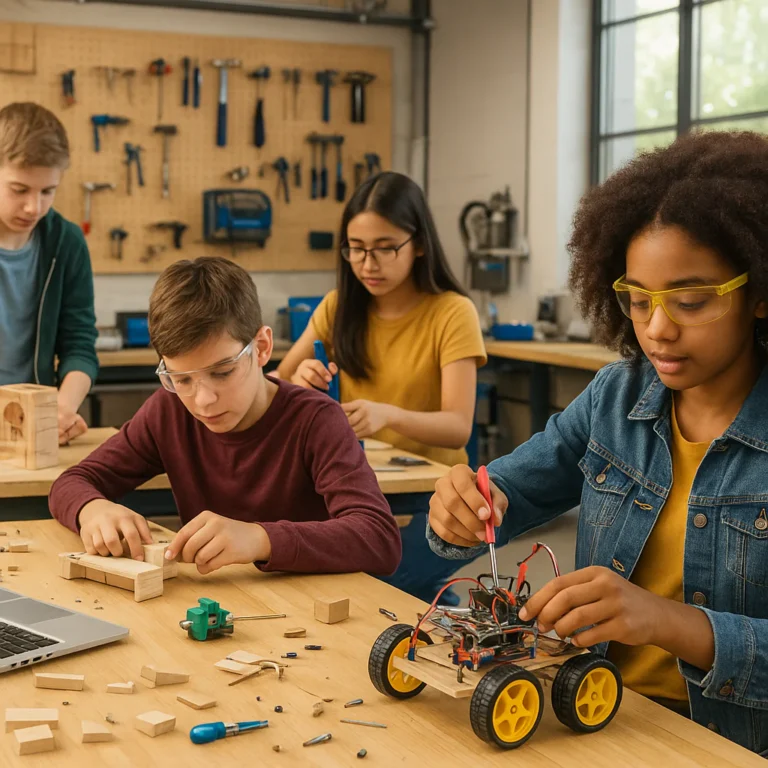
- 12. Integrate Robotics, Physical Computing, and Makerspace Tools
- 13. Use Authentic Data and Real-World Problems
- 14. Connect Coding to Reading, Math, Science, and Social Studies
- 15. Build Culturally Responsive and Inclusive Coding Experiences
- 16. Support English Learners and Students With Disabilities
- 17. Make Cybersecurity, Privacy, and Digital Citizenship Practical
- 18. Introduce Artificial Intelligence and Algorithmic Thinking Responsibly
- 19. Assess Both the Process and the Final Program
- 20. Celebrate Student Voice, Reflection, and Revision
- 🗺️ How to Build a Coding Curriculum and Lesson Sequence
- Setting Learning Objectives and Success Criteria
- Choosing a Scope and Sequence for Computer Science
- Planning a Coding Lesson From Warm-Up to Reflection
- Designing Beginner, Intermediate, and Advanced Pathways
- Aligning Instruction With CSTA Standards and the K–12 Computer Science Framework
- 🛠️ Best Coding Platforms, Programming Languages, and Classroom Tools
- Scratch, ScratchJr, and Blockly for Visual Programming
- Code.org Courses and Hour of Code Activities
- Microsoft MakeCode, Tynker, and CodeHS
- Python, JavaScript, HTML, and CSS for Text-Based Coding
- micro:bit, LEGO Education, Arduino, and Raspberry Pi
- Choosing Tools for Cost, Privacy, Accessibility, and Age Fit
- 🔍 Classroom Management for Coding and Technology Lessons
- Managing Devices, Accounts, and Screen Time
- Supporting Students at Different Skill Levels
- Handling Common Technical Problems
- Building Productive Group Roles and Collaboration Norms
- 📊 Assessing Coding Knowledge and Computer Science Skills
- Formative Assessment Techniques for Programming Lessons
- Coding Rubrics, Portfolios, and Project-Based Assessment
- Evaluating Algorithms, Debuging, Collaboration, and Communication
- Giving Helpful Feedback on Student Code
- 🤖 Teaching Artificial Intelligence, Algorithms, and Data Literacy
- What Is AI? A Classroom-Friendly Explanation
- How Algorithms Learn From Data
- Bias, Fairness, Privacy, and AI Ethics
- Practical Ways for Teachers to Use AI Responsibly
- Teaching Students to Question AI-Generated Answers
- 🌍 Making Coding Relevant Across Subjects and Curricula
- Mathematics: Patterns, Modeling, and Data Visualization
- Science: Simulations, Sensors, and Experimental Data
- Language Arts: Interactive Stories and Media Literacy
- Social Studies: Civic Technology, Mapping, and Digital History
- Art, Music, Design, and Creative Coding
- 🚧 Common Challenges When Teaching Coding and How to Solve Them
- Limited Devices, Internet Access, or Classroom Time
- Student Frustration, Fear of Failure, and Coding Anxiety
- Teacher Confidence and Professional Learning Gaps
- Gender, Racial, and Socioeconomic Participation Gaps
- Avoiding Worksheets, Tutorials, and Tool-First Instruction
- 🏠 Extending Computer Science Learning Beyond the Classroom
- Family Coding Nights and Parent Partnerships
- Coding Clubs, Competitions, and Community Programs
- Career Connections, Mentors, and Industry Partnerships
- Home Learning With Safe, Free Coding Resources
- 📚 Recommended Coding Education Resources for Teachers
- Professional Organizations and Standards
- Lesson Plans, Tutorials, and Curriculum Libraries
- Books, Podcasts, and Communities for Computer Science Educators
- ❓ Frequently Asked Questions About Teaching Coding and Computer Science
- 🏁 Conclusion
- 🔗 Recommended Links
- 📖 FAQ
- 🔎 Reference Links
⚡️ Quick Tips and Facts for Teaching Coding and Computer Science
Teaching coding is not simply asking students to type commands until a cat dances across the screen. It is a structured way to develop problem-solving, creativity, communication, logical reasoning, and persistence.
At Teacher Strategies™, we have found that the strongest coding lessons usually begin with a human problem, not a programming language. Before students meet Python, Scratch, or JavaScript, they need a reason to care. Our broader Teacher Strategies teaching guide explains the same principle across classroom instruction: start with a clear learning goal, then choose the tool.
Here are the essentials:
| Teaching priority | Practical classroom move | Why it works |
|---|---|---|
| Start with thinking | Use unpluged sequencing and sorting activities | Students learn concepts before wrestling with syntax |
| Make it meaningful | Let learners create games, stories, simulations, websites, or data displays | Authentic projects increase ownership |
| Normalize mistakes | Treat debugging as investigation rather than failure | Students become more willing to experiment |
| Differentiate | Offer block-based, hybrid, and text-based pathways | Learners can work at an appropriate challenge level |
| Connect subjects | Link code to mathematics, science, literacy, art, and social studies | Students see computer science as broadly useful |
| Assess the process | Evaluate planning, testing, explaining, and revising | A working program is not the only evidence of learning |
| Teach ethics | Discuss privacy, bias, accessibility, and responsible AI | Students become thoughtful technology creators |
Five facts teachers should know
- Coding can begin early. Common Sense Education notes that coding instruction can begin around age five, especially through play-based and visual activities. Code.org’s elementary courses provide age-appropriate pathways.
- Formal prerequisites are not required. Students need basic device skills, curiosity, and support, not advanced mathematics.
- Computer science is broader than programming. It also includes algorithms, data, networks, cybersecurity, impacts of computing, and computational thinking. The K–12 Computer Science Framework provides a useful overview.
- Debuging is a learning opportunity. Students learn to identify a problem, form a hypothesis, test a change, and interpret evidence.
- Coding belongs to every learner. The Computer Science Teachers Association emphasizes equitable access and meaningful participation for all students.
✅ Best first move: Give students a small, solvable challenge they can explain in their own words.
❌ Common mistake: Opening a coding platform before students understand what problem they are trying to solve.
🧭 The Evolution of Coding Education: From Computer Labs to Computational Thinking
Computer education once meant learning how to operate a desktop computer, format a document, or navigate a spreadsheet. Those skills still matter, but modern computer science education asks students to go further: How do digital systems work? Who designs them? What assumptions are built into them? How can we create better solutions?
The movement from “using computers” to “understanding and creating with computers” has changed classroom practice.
| Earlier computer instruction | Broader computer science education |
|---|---|
| Learning software features | Designing systems and solutions |
| Following step-by-step tutorials | Planning, testing, and revising |
| Consuming digital content | Creating interactive media |
| Memorizing commands | Understanding transferable concepts |
| Treating errors as problems | Using errors as evidence |
| Isolated computer lessons | Integrated, project-based learning |
The International Society for Technology in Education describes students as empowered learners, computational thinkers, creative communicators, and global collaborators. That combination matters. A student who can code but cannot explain a design decision is only halfway there.
From programming syntax to computational thinking
Computational thinking gives learners a repeatable way to approach complexity:
- Decompose a large task into smaller parts.
- Recognize patterns across examples or problems.
- Abstract the important information.
- Design an algorithm or step-by-step method.
- Test and revise the solution.
This is why the LinkedIn article “Teaching Life Skills Using Computer Science Concepts” connects algorithms and debugging to decision-making, adaptability, and resilience. Its memorable framing is that “mistakes aren’t failures—they’re feedback.” We agree, with one teacherly addition: feedback becomes useful only when students know what to do with it.
What changed in the classroom?
Several developments have pushed coding into more classrooms:
- Block-based programming lowered the entry barrier for younger learners.
- Affordable physical computing made invisible code tangible.
- Browser-based platforms reduced software installation headaches.
- Project-based learning connected coding to student interests.
- AI tools created new opportunities for code explanation, critique, and testing.
- Equity-focused initiatives challenged the idea that computer science belongs only to a narrow group of students.
The result is a shift from “Can students write code?” to a more useful question: Can students use computational ideas to understand and improve the world around them?
💡 What Are Coding, Computer Science, and Computational Thinking?
These terms are often blended together, which can make lesson planning unnecessarily fogy. Here is the clean version.
| Term | Meaning | Classroom example |
|---|---|---|
| Coding | Writing instructions in a programming language or visual system | Making a sprite move when a key is pressed |
| Programming | Planning, creating, testing, documenting, and revising a solution | Designing and debugging a quiz game |
| Computer science | The study of computation, information, algorithms, systems, and their impacts | Comparing search algorithms or analyzing data |
| Computational thinking | A problem-solving approach using decomposition, patterns, abstraction, and algorithms | Breaking a school timetable into rules and constraints |
| Digital literacy | Using digital tools effectively, safely, and responsibly | Evaluating an online source or protecting a password |
Coding vs. Computer Science: What Students Actually Learn
Coding is a tool within computer science, much like writing is a tool within language arts. You can teach coding without teaching the full breadth of computer science, but a strong program gradually introduces both.
Coding lessons often emphasize:
- Commands and syntax
- Events and inputs
- Variables
- Lops
- Conditionals
- Functions
- Debuging
- User interaction
Computer science lessons can also include:
- Data representation
- Computer systems
- Networks and the internet
- Cybersecurity
- Artificial intelligence
- Algorithms and efficiency
- Social, ethical, and environmental impacts
- Human-computer interaction
A learner may build animation in Scratch and still be studying computer science if the lesson includes algorithm design, iteration, or analysis of how the program affects the user.
Core Concepts: Algorithms, Data, Variables, Lops, and Abstraction
Algorithms
An algorithm is a finite sequence of steps for accomplishing a task. A recipe, a library search method, and a route-planning system are all algorithmic examples.
Ask students:
- What is the goal?
- What information is needed?
- What steps must happen first?
- What happens if a condition changes?
- How will we know the process worked?
Data
Data can be numbers, text, images, sounds, sensor readings, or student responses. Students should learn that data is collected, represented, stored, analyzed, and interpreted.
A science class might collect plant-growth data. A social studies class might map voting patterns. A language arts class might analyze word frequency. The code is useful because it helps students ask better questions of the evidence.
Variables
A variable stores information that may change. In a game, score can increase. In a simulation, temperature can rise or fall. In a survey, responseCount can track results.
A simple analogy helps:
A variable is a labeled box. The label stays the same, but the contents may change.
Lops
Loops repeat instructions. They are especially useful for animations, data processing, and repeated calculations.
Try this unpluged example:
- Clap once.
- Turn to a partner.
- Repeat steps 1–2 five times.
Then ask: What would be inefficient about writing every clap and turn separately?
Abstraction
Abstraction means focusing on essential details while hiding unnecessary complexity. A student can click a “play” button without understanding every line of code underneath it.
The LinkedIn source describes abstraction as a way to separate essential information from “noise.” In class, students can practice by reducing a complicated school event to the information needed to schedule it: location, time, participants, equipment, and constraints.
Digital Literacy, Computer Literacy, and Programming Skills
Digital literacy and programming overlap but are not interchangeable.
✅ A digitally literate student can evaluate information, communicate responsibly, protect privacy, and use digital tools.
✅ A programming-capable student can create and modify computational solutions.
✅ A computer scientist asks how systems work, how efficiently they work, and what consequences they produce.
The best instruction develops all three.
🎯 Why Teach Coding and Computer Science Skills?
Common Sense Education writes that “most people won’t grow up to become professional computer scientists or programmers,” but still benefit from creative, systematic, and collaborative thinking. That distinction is central to our recommendations. The goal is not to turn every child into a software engineer. The goal is to help every learner reason more clearly in a digital society.
Problem-Solving, Creativity, and Critical Thinking Benefits
Coding gives students a visible environment for testing ideas. They can change one instruction, run the program, observe the result, and revise.
That cycle supports the critical thinking strategies we use across subjects:
- Clarifying the problem
- Identifying relevant information
- Making predictions
- Testing assumptions
- Comparing solutions
- Explaining evidence
- Revising conclusions
A coding project also makes creativity concrete. Students do not merely discuss an idea; they build something other people can interact with.
Career Readiness and Future-Ready Learning
Computing skills appear in healthcare, manufacturing, agriculture, film, finance, education, marketing, architecture, and public service. The U.S. Bureau of Labor Statistics tracks a wide range of computer and information technology occupations in its Occupational Outlook Handbook.
However, career preparation should not narrow the curriculum into “learn this tool because employers want it.” Tools change. Concepts travel.
| Durable skill | How coding develops it |
|---|---|
| Planning | Students sequence tasks and anticipate dependencies |
| Communication | Students explain code and document decisions |
| Collaboration | Students share roles and review one another’s work |
| Adaptability | Students revise solutions when requirements change |
| Systems thinking | Students examine how parts interact |
| Ethical reasoning | Students consider who benefits or may be harmed |
Building Confidence, Collaboration, and Persistence
Coding has an unusually honest feedback system. The program either behaves as intended, or it does not. That can be frustrating, but it can also be liberating.
We once watched a student spend nearly fifteen minutes trying to fix a character that refused to move. The eventual issue was a single event block attached to the wrong sprite. When the student found it, she did not say, “I’m bad at coding.” She said, “The program was listening to the wrong character.” That shift—from personal failure to system analysis—is precisely the habit we want.
Pair programming can reinforce this growth. One student acts as the driver, controlling the keyboard; the other is the navigator, discussing the next step. Switch roles frequently so collaboration does not become one student coding while the other watches.
Teaching Ethical, Safe, and Responsible Technology Use
Students should learn that successful code is not automatically good technology.
Discuss:
- Who has access to the system?
- What data does it collect?
- Could the algorithm produce unfair results?
- Is the interface accessible?
- What happens when the program fails?
- Can a user understand or challenge its decision?
- What environmental resources does the technology require?
The AI Risk Management Framework from NIST offers useful language for discussing trustworthy AI, including validity, reliability, safety, security, transparency, privacy, and fairness.
👩 🏫 Who Should Teach Coding, and How Can Educators Get Started?
The short answer is: any teacher with a clear goal, a manageable first project, and permission to learn alongside students.
A computer science specialist is valuable, but waiting for one can delay worthwhile learning. Classroom teachers, librarians, technology specialists, special educators, and informal educators can all contribute.
Preparing Teachers With Professional Development
Effective professional learning should include more than a tour of buttons. Teachers need opportunities to:
- Experience a learner-sized coding challenge.
- Predict where students may struggle.
- Analyze sample student work.
- Practice debugging without immediately receiving answers.
- Plan differentiation.
- Discuss privacy, accessibility, and ethics.
- Create an assessment aligned to the learning objective.
The CSforAll Teachers community offers professional learning resources, while Code.org’s educator resources provide courses, lesson materials, and classroom support.
Teaching Coding Without Being a Computer Science Specialist
You do not need to know every answer. You do need a response to uncertainty.
Try saying:
- “Let’s form a hypothesis.”
- “What changed since the last test?”
- “Can we isolate the smallest part that is not working?”
- “What does the documentation tell us?”
- “Who has a different idea?”
- “How could we test that safely?”
Students learn that expertise is not instant recall. It is knowing how to investigate.
Creating a Supportive Computer Science Learning Community
Set norms before the first project:
✅ We explain our thinking, not just our answer.
✅ We ask before taking over someone else’s keyboard.
✅ We test ideas respectfully.
✅ We credit borrowed code and resources.
✅ We make space for different approaches.
✅ We treat errors as information.
These norms complement collaborative learning strategies and make coding less socially intimidating.
🧒 When Can Students Learn Coding? Age-by-Age Guidance
Age matters, but readiness is not a single number. Students can engage with computational thinking long before they can type fluently.
Early Childhood: Play-Based Coding and Sequencing
Young learners can practice:
- Giving precise directions
- Ordering picture cards
- Identifying repeated patterns
- Predicting what happens next
- Finding and correcting an incorrect step
- Using body movement to represent commands
A floor-grid activity works beautifully:
- Place a toy one square.
- Put a target on another.
- Ask students to create arrow cards to guide the toy.
- Add an obstacle.
- Ask students to revise the route.
No screens. Plenty of thinking.
Elementary School: Visual Programming and Creative Projects
Tools such as Scratch, ScratchJr, and Code.org allow students to focus on sequence, events, loops, and conditionals without being overwhelmed by punctuation.
Suitable projects include:
- Animated book reports
- Interactive vocabulary games
- Digital storytelling
- Weather simulations
- Virtual museum tours
- Pattern-based art
- Simple quizzes
Common Sense Education highlights coding instruction beginning around age five. We would add a qualification: begin early, but keep the experience playful, concrete, and social.
Middle School: Algorithms, Games, Websites, and Robotics
Middle school learners can manage more abstraction and increasingly complex projects:
- Variables and lists
- Functions
- Conditional logic
- Web design
- Game mechanics
- Robotics
- Data collection
- User testing
- Cybersecurity concepts
Microsoft MakeCode, micro:bit, and LEGO Education are useful bridges between visual programming and physical systems.
High School: Text-Based Programming, Data Science, and AI
High school students may explore:
- Python
- JavaScript
- HTML and CSS
- Databases
- Data visualization
- Software design
- Cybersecurity
- Machine learning concepts
- Algorithms and efficiency
- Human-computer interaction
The transition to text should be purposeful. Moving to Python simply because students have reached a certain grade is less useful than moving when they need features that support their project.
Adult Learners and Community Coding Programs
Adult learners often bring rich domain knowledge. A healthcare worker might build a scheduling prototype; a small-business owner might create a data tracker; a community group might map local resources.
Avoid childish examples when teaching adults. Respect their goals, experiences, and time.
🧠 What Should Students Know Before Learning to Code?
The answer may surprise you: not much formal content is required.
Prerequisite Math, Logic, and Digital Skills
Students benefit from:
- Using a mouse, keyboard, or touchscreen
- Opening and closing applications
- Logging in safely
- Reading short instructions
- Recognizing patterns
- Explaining cause and effect
- Following and creating sequences
Advanced algebra is not necessary for introductory coding. Mathematics becomes increasingly valuable for graphics, simulations, data science, and algorithm analysis, but it should not be used as a gatekeeping device.
Growth Mindset and Productive Struggle
A growth mindset is not telling students to “just try harder.” It is giving them strategies for trying differently.
Teach a debugging routine:
- Describe what should happen.
- Observe what actually happens.
- Identify the smallest mismatch.
- Change one element.
- Test again.
- Record what happened.
- Repeat or revise the hypothesis.
The Education Endowment Foundation provides evidence-informed guidance on metacognition and self-regulation, both of which fit naturally into debugging.
Making Coding Accessible to Every Learner
Accessibility is not an afterthought. Plan for:
- Keyboard alternatives
- Screen-reader compatibility
- Adjustable text size and contrast
- Audio or visual instructions
- Chunked directions
- Collaborative roles beyond typing
- Speech-to-text or alternative input
- Extra processing time
- Multiple ways to demonstrate understanding
Use differentiated instruction strategies to adjust content, process, product, or learning environment.
✅ 20 Evidence-Informed Strategies for Teaching Coding and Computer Science Skills
1. Begin With Unpluged Computational Thinking Activities
Unpluged activities remove interface friction so students can focus on ideas.
Try:
- Human robots
- Sorting objects by hidden rules
- Binary bracelet patterns
- Paper algorithms
- “Spot the bug” directions
- Network role-play
- Classroom search games
The Computer Science Unpluged project offers free activities that introduce computing concepts without computers.
2. Connect Coding Lessons to Students’ Interests
Invite learners to choose a context:
- Sports statistics
- Music playlists
- Animals
- Fashion
- Local history
- Space
- Food
- Animation
- Social causes
Offer constraints, not blank pages. “Build anything” can sound creative but feel paralyzing. “Build an interactive story with three characters, one choice, and one loop” gives students a launchpad.
3. Teach Algorithms Through Everyday Routines
Ask students to write instructions for:
- Making a sandwich
- Packing a backpack
- Finding a book
- Crossing a room
- Preparing for a test
- Planning a bus route
Then deliberately follow the instructions literally. If a student writes “spread the peanut butter,” ask, “With what? On what? How much?” Laughter arrives quickly, and so does precision.
The life-skills perspective in the LinkedIn article is useful here: planning is strategic rather than rigid. Students should learn to adapt algorithms when conditions change.
4. Use Block-Based Programming Before Text-Based Code
Block-based tools such as Scratch reduce syntax errors while preserving programming logic.
✅ Best for introducing concepts
✅ Helpful for multilingual learners and younger students
✅ Encourages quick experimentation
❌ Can hide punctuation and formatting requirements
❌ Students still need a bridge to text when appropriate
Use blocks to teach ideas, not as a permanent ceiling.
5. Introduce Variables, Lops, and Conditionals With Visual Examples
Use concrete representations:
| Concept | Visual analogy | Coding example |
|---|---|---|
| Variable | Labeled container |
score = 0 |
| Loop | Repeat sign | Repeat animation 10 times |
| Conditional | Decision fork | If answer is correct, add a point |
| Function | Named recipe |
drawSquare() |
| List | Numbered shelf | Store quiz questions |
Students should explain what each structure does before combining several at once.
6. Model the Design, Build, Test, and Improve Cycle
Put the cycle on the wall:
- Define the user and goal.
- Sketch the solution.
- Build a small version.
- Test with a partner.
- Record observations.
- Revise one priority.
- Test again.
- Explain the final decisions.
This structure aligns naturally with assessment techniques because it creates evidence at every stage.
7. Teach Debuging as Detective Work
Avoid swoping in to fix code. Instead, ask:
- Which line or block runs first?
- What did you expect?
- What happened?
- Can you add a print statement or message?
- What is the smallest test you can run?
- Did the change solve the problem or merely hide it?
A “bug journal” can include:
| Date | Expected result | Actual result | Hypothesis | Change tested | Result |
|---|
This turns frustration into documentation.
8. Use Pair Programming and Collaborative Problem-Solving
Rotate roles every 10–15 minutes:
- Driver: controls the device
- Navigator: reads the task, predicts, and reviews
- Debugger: checks behavior against the goal
- Reporter: prepares the explanation
Groups of four can rotate all roles. Pair programming is especially helpful for collaborative learning, but teachers should watch for unequal participation.
9. Scaffold Lessons With Worked Examples and Gradual Release
Use the sequence:
- I do: Model a small example while thinking aloud.
- We do: Complete a related example together.
- You do together: Students solve with a partner.
- You do independently: Students adapt the idea to a new challenge.
Gradual release prevents students from drowning in an ocean of open-ended instructions.
10. Balance Direct Instruction With Student Exploration
Too much demonstration turns students into spectators. Too little guidance turns the lesson into digital hide-and-sek.
A useful rhythm is:
- Five minutes: concept introduction
- Ten minutes: guided build
- Fifteen minutes: exploration
- Ten minutes: testing and peer feedback
- Five minutes: reflection
Adjust the timing for age and project complexity.
11. Teach Through Projects, Stories, Games, and Creative Challenges
Project-based learning works best when students have:
- A meaningful question
- A tangible product
- A real or simulated audience
- Iterative checkpoints
- Reflection opportunities
- Clear success criteria
Examples:
- Build a game that teaches a vocabulary concept.
- Create a simulation of a local ecosystem.
- Design a website for a historical figure.
- Program a robot to solve a maze.
- Analyze classroom survey data.
- Create an interactive public-service announcement.
12. Integrate Robotics, Physical Computing, and Makerspace Tools
Physical computing makes code visible and sometimes delightfully noisy.
Consider:
- micro:bit
- LEGO Education SPIKE
- Arduino
- Raspberry Pi
- Makey Makey
- Circuit Playground Express
Use physical tools when they clarify a concept. A robot that moves without purpose is expensive confetti.
13. Use Authentic Data and Real-World Problems
Students can collect and analyze:
- Classroom energy use
- School-lunch preferences
- Local weather
- Traffic patterns
- Plant growth
- Recycling rates
- Library circulation
- Survey responses
Teach students to ask whether the data is complete, representative, accurate, and ethically collected.
14. Connect Coding to Reading, Math, Science, and Social Studies
Coding should not become an isolated island.
- Reading: interactive narratives and character choices
- Mathematics: patterns, variables, coordinates, probability
- Science: models, simulations, sensors, data
- Social studies: maps, timelines, civic technology
- Art: generative designs and animation
- Music: rhythm, loops, and composition
The Common Sense Education guide specifically recommends cross-disciplinary tools such as Blackbird, Elementari, Vidcode, and EarSketch.
15. Build Culturally Responsive and Inclusive Coding Experiences
Students should see themselves as creators, not merely users. Include diverse designers, engineers, artists, and community problems.
Avoid tokenism. Do not add a famous person from an underepresented group to a slide deck and call the curriculum inclusive. Instead:
- Let students select meaningful contexts.
- Use names, images, and scenarios respectfully.
- Invite community knowledge.
- Examine who technology serves.
- Discuss accessibility and representation.
- Audit examples for stereotypes.
Black Girls CODE and Girls Who Code offer resources and programs supporting broader participation.
16. Support English Learners and Students With Disabilities
Reduce unnecessary language load while maintaining cognitive challenge.
Use:
- Picture-based vocabulary
- Color-coded code blocks
- Sentence frames
- Demonstrations
- Partner talk
- Bilingual glossaries
- Captioned tutorials
- Chunked tasks
- Multiple input methods
A student may understand an algorithm deeply but need support explaining it in academic English. Assess the computational idea separately from language mechanics when appropriate.
17. Make Cybersecurity, Privacy, and Digital Citizenship Practical
Instead of a lecture about “online safety,” create scenarios:
- A game requests access to a contact list. Should the user agree?
- A quiz collects birthdays. Does it need that data?
- A password is shared in a group chat. What risks follow?
- A facial-recognition system works less accurately for some groups. What should designers do?
The Federal Trade Commission’s children’s privacy guidance can support age-appropriate conversations about data collection.
18. Introduce Artificial Intelligence and Algorithmic Thinking Responsibly
AI can help students:
- Compare generated explanations
- Identify errors in sample code
- Test whether a chatbot follows constraints
- Discuss training data
- Examine bias
- Improve prompts
- Document when and how AI was used
AI should not replace the thinking students are meant to practice. Ask learners to:
- Predict answer.
- Request an AI-generated response.
- Check it against evidence.
- Test the code.
- Identify limitations.
- Revise or reject the output.
The UNESCO guidance for generative AI in education stresses human-centered, ethical use.
19. Assess Both the Process and the Final Program
A finished program can be impressive and educationaly thin. A partially finished program can reveal excellent planning and reasoning.
Assess:
- Problem definition
- Algorithm design
- Code comprehension
- Testing strategy
- Debuging process
- Collaboration
- Documentation
- User feedback
- Ethical reflection
- Final functionality
20. Celebrate Student Voice, Reflection, and Revision
End projects with a brief showcase:
- What problem did you solve?
- What did you change?
- What bug taught you the most?
- Who is the intended user?
- What would you improve next?
- What ethical question remains?
A gallery walk, demo day, recorded explanation, or portfolio entry gives students an audience beyond the teacher.
🗺️ How to Build a Coding Curriculum and Lesson Sequence
Setting Learning Objectives and Success Criteria
Weak objective: “Students will learn Scratch.”
Stronger objective: “Students will create an interactive story using events, a conditional, and a loop, then explain how each structure supports the user experience.”
A useful objective includes:
- Observable action
- Computer science concept
- Conditions or constraints
- Evidence of success
Choosing a Scope and Sequence for Computer Science
A balanced sequence might look like this:
| Stage | Key concepts | Example project |
|---|---|---|
| Foundations | Sequence, patterns, instructions | Human robot maze |
| Beginner coding | Events, loops, conditionals | Interactive animation |
| Developing | Variables, functions, lists | Quiz game |
| Intermediate | Data, abstraction, decomposition | Survey dashboard |
| Advanced | Efficiency, systems, AI, ethics | Recommendation-system critique |
Use the CSTA standards and K–12 Computer Science Framework to check breadth.
Planning a Coding Lesson From Warm-Up to Reflection
A 50-minute lesson can follow this structure:
- Warm-up, 5 minutes: Predict what a short algorithm will do.
- Mini-lesson, 8 minutes: Introduce one concept.
- Guided practice, 10 minutes: Build a small example.
- Challenge, 15 minutes: Modify or extend the example.
- Testing, 7 minutes: Peer test against criteria.
- Reflection, 5 minutes: Explain one decision and one revision.
The reflection is not decorative. It reveals whether students understand the code or merely produced a lucky result.
Designing Beginner, Intermediate, and Advanced Pathways
Offer a common goal with varied complexity.
Common project: Build a recycling game.
- Beginner: Use events and movement.
- Developing: Add score and conditional logic.
- Intermediate: Add levels and a timer.
- Advanced: Store data, analyze player behavior, and justify design choices.
This keeps the class community together without pretending every learner needs the same route.
Aligning Instruction With CSTA Standards and the K–12 Computer Science Framework
Look for alignment across:
- Algorithms and programming
- Computing systems
- Data and analysis
- Networks and the internet
- Impacts of computing
- Communication and collaboration
- Equity and inclusion
Standards should guide planning, not turn the lesson into a checklist wearing a lanyard.
🛠️ Best Coding Platforms, Programming Languages, and Classroom Tools
Scratch, ScratchJr, and Blockly for Visual Programming
Scratch is excellent for stories, games, animation, and beginner programming. ScratchJr is designed for younger learners. Blockly provides a block-based programming foundation used in several educational tools.
| Tool | Best for | Strength | Limitation |
|---|---|---|---|
| ScratchJr | Early elementary | Simple, visual storytelling | Limited complexity |
| Scratch | Elementary through secondary | Creative projects and community | Can encourage superficial remixing without reflection |
| Blockly-based tools | Concept practice and transitions | Visual logic with adaptable environments | Experience varies by platform |
Code.org Courses and Hour of Code Activities
Code.org offers structured courses, teacher resources, and Hour of Code activities.
Strengths:
- Guided progression
- Teacher dashboards
- Broad range of ages
- Accessible introductory activities
- Offline lesson options
Watch-outs:
- Students may click through without understanding.
- Progress indicators can overshadow reflection.
- Teachers should add discussion, prediction, and explanation.
Microsoft MakeCode, Tynker, and CodeHS
- Microsoft MakeCode works well with micro:bit, Minecraft, and Arcade.
- Tynker offers structured coding pathways and creative activities.
- CodeHS supports more formal middle and high school programming courses.
Compare platforms by learning goal, not popularity:
| Need | Strong candidates |
|---|---|
| Creative elementary projects | Scratch, ScratchJr |
| Structured introductory curriculum | Code.org |
| Physical computing | MakeCode, micro:bit, LEGO Education |
| Python pathway | CodeHS, Replit, Python.org resources |
| Web design | HTML/CSS environments, Code.org Web Lab |
| Teacher-managed high school course | CodeHS |
Python, JavaScript, HTML, and CSS for Text-Based Coding
- Python: readable, versatile, useful for data and introductory programming
- JavaScript: interactive web behavior and browser applications
- HTML: webpage structure
- CSS: visual presentation and layout
Students often confuse HTML and CSS with programming languages. Clarify that HTML structures content and CSS styles it, while JavaScript adds programming behavior in web contexts.
Python’s official beginner resources are useful for teachers planning a text-based transition.
micro:bit, LEGO Education, Arduino, and Raspberry Pi
Physical computing is powerful because students can see code produce light, motion, sound, or sensor data.
Benefits:
- Makes abstraction tangible
- Encourages teamwork
- Supports engineering design
- Creates authentic debugging moments
Drawbacks:
- Hardware can fail
- Devices require management
- Setup time can consume instruction
- Accessibility needs careful planning
- Students may focus on spectacle rather than concepts
Choosing Tools for Cost, Privacy, Accessibility, and Age Fit
Before adopting a platform, ask:
- Does it require student email addresses?
- Is data collected and retained?
- Can families understand the privacy policy?
- Does it work on available devices?
- Is it accessible by keyboard and screen reader?
- Can students export their projects?
- Does it support teacher feedback?
- Are advertisements present?
- Does it work offline?
- Can students explain what they are learning?
For product details and classroom availability, consult official pages rather than relying only on enthusiastic user reviews.
🔍 Classroom Management for Coding and Technology Lessons
Coding classrooms can become wonderfully energetic—or resemble a small airport during a weather delay. Systems help.
Managing Devices, Accounts, and Screen Time
Create a launch routine:
- Enter quietly.
- Collect or open the assigned device.
- Check battery and network.
- Log in using approved credentials.
- Open only the assigned platform.
- Review the objective.
- Begin the warm-up before devices are distributed when possible.
Use classroom management strategies to establish predictable transitions.
Supporting Students at Different Skill Levels
Use a help ladder:
- Read the prompt again.
- Check the vocabulary or example.
- Test the smallest piece.
- Ask a partner.
- Consult the class troubleshooting guide.
- Ask the teacher with evidence of what was tried.
This reduces the “Teacher, it doesn’t work” chorus without making students feel abandoned.
Handling Common Technical Problems
Prepare offline alternatives for:
- Lost internet
- Dead batteries
- Broken links
- Forgotten passwords
- Platform outages
- Incompatible devices
- Missing files
A paper algorithm, code-tracing activity, or peer-review task can preserve the learning goal when technology misbehaves.
Building Productive Group Roles and Collaboration Norms
Post roles where students can see them. Require role changes and individual reflection so group work does not hide individual understanding.
A useful accountability prompt is:
“What did your partner contribute, and what did you contribute that changed the project?”
📊 Assessing Coding Knowledge and Computer Science Skills
Formative Assessment Techniques for Programming Lessons
Use quick checks:
- Predict the output before running code.
- Circle the block causing a likely problem.
- Explain a loop to a partner.
- Write an algorithm without code.
- Compare two solutions.
- Exit ticket: “One change I made and why.”
- Debug a deliberately flawed example.
Coding Rubrics, Portfolios, and Project-Based Assessment
A balanced rubric might include:
| Criterion | Emerging | Developing | Strong |
|---|---|---|---|
| Algorithm | Steps incomplete or unclear | Mostly logical sequence | Clear, efficient, justified |
| Programming concepts | Concepts missing or misused | Some correct use | Concepts used purposefully |
| Debuging | Depends on others | Tests with guidance | Forms hypotheses and documents revisions |
| User experience | Difficult to use | Functional with issues | Clear, accessible, engaging |
| Explanation | Describes product only | Explains some decisions | Connects decisions to goals and evidence |
Evaluating Algorithms, Debuging, Collaboration, and Communication
Ask students to submit:
- A planning sketch
- A code file or link
- A bug journal
- A peer-feedback note
- A short explanation
- A revision comparison
This creates a richer picture than a single “works/doesn’t work” judgment.
Giving Helpful Feedback on Student Code
Effective feedback is specific and actionable:
✅ “Your loop repeats the movement correctly, but the condition never changes, so the program cannot exit.”
✅ “The interface is visually clear. How might a keyboard-only user access the same controls?”
❌ “Good job!”
❌ “Fix your code.”
The assessment techniques category includes broader approaches that can be adapted to programming projects.
🤖 Teaching Artificial Intelligence, Algorithms, and Data Literacy
What Is AI? A Classroom-Friendly Explanation
Artificial intelligence refers to computer systems designed to perform tasks that often require human-like capabilities, such as recognizing patterns, generating language, making predictions, or interpreting images.
Avoid presenting AI as a magical brain. A better explanation is:
AI systems use rules, data, and computational methods to produce outputs; those outputs can be useful, incorrect, biased, or unpredictable.
How Algorithms Learn From Data
Use a simple classification activity:
- Give students pictures of animals.
- Ask them to sort the pictures by a chosen feature.
- Hide one feature from another group.
- Ask the second group to predict the sorting rule.
- Discuss what happens when the examples are incomplete or misleading.
Students learn that a system’s results depend on the data and criteria used.
Bias, Fairness, Privacy, and AI Ethics
Discuss:
- Representation in training data
- False positives and false negatives
- Consent
- Data ownership
- Explainability
- Human oversight
- Accessibility
- Environmental costs
The AI4K12 initiative offers guidance for teaching core AI ideas to K–12 learners.
Practical Ways for Teachers to Use AI Responsibly
Teachers can use AI to:
- Generate multiple examples for critique
- Create intentionally flawed code
- Produce differentiated explanations for teacher review
- Suggest project variations
- Model how to verify claims
- Support brainstorming
Do not upload confidential student information. Follow district policy and use approved tools.
Teaching Students to Question AI-Generated Answers
Ask students to apply a verification checklist:
- Is the answer specific?
- Can we test it?
- Does documentation support it?
- What assumptions does it make?
- Does the code run?
- What information might be missing?
- Who could be harmed by the recommendation?
AI literacy belongs alongside coding literacy, not above it.
🌍 Making Coding Relevant Across Subjects and Curricula
Mathematics: Patterns, Modeling, and Data Visualization
Students can code:
- Multiplication games
- Coordinate-plane art
- Probability simulations
- Geometric patterns
- Graphing tools
- Budget models
Coding makes variables and functions dynamic. Students see mathematics behave, not just sit politely on a worksheet.
Science: Simulations, Sensors, and Experimental Data
Students can model:
- Population growth
- Water cycles
- Ecosystem relationships
- Motion
- Temperature
- Light levels
- Weather data
Emphasize that a model is not reality. It is a representation with assumptions and limits.
Language Arts: Interactive Stories and Media Literacy
Students can build:
- Branching narratives
- Character decision trees
- Vocabulary games
- Digital poetry
- Interactive book reviews
- Automated text analysis
Ask students to explain how a reader’s choice changes the story. That is both programming logic and narrative structure.
Social Studies: Civic Technology, Mapping, and Digital History
Projects might include:
- Interactive timelines
- Historical maps
- Oral-history archives
- Civic issue dashboards
- Election-data visualizations
- Simulations of resource allocation
Require source citations and discussion of whose perspective is represented.
Art, Music, Design, and Creative Coding
Creative coding can generate:
- Patterns
- Digital paintings
- Animations
- Sound loops
- Interactive installations
- Data-driven artwork
Processing and p5.js are popular creative-coding environments for more advanced learners.
🚧 Common Challenges When Teaching Coding and How to Solve Them
Limited Devices, Internet Access, or Classroom Time
Solutions include:
- Pairing students strategically
- Rotating stations
- Using unpluged activities
- Downloading materials
- Printing code blocks
- Scheduling shorter recurring lessons
- Sharing one projected example for group analysis
Consistency often matters more than long, occasional coding marathons.
Student Frustration, Fear of Failure, and Coding Anxiety
Reduce cognitive overload:
- Introduce one new concept at a time.
- Provide partially completed code.
- Celebrate useful failures.
- Ask students to predict before testing.
- Use visual trace tools.
- Offer partner debugging.
- Make revision expected, not remedial.
Teacher Confidence and Professional Learning Gaps
Start with a narrow target. You do not need to master every platform.
Choose:
- One concept
- One tool
- One short project
- One assessment
- One reflection question
Then improve the lesson after seeing student work.
Gender, Racial, and Socioeconomic Participation Gaps
Participation gaps are shaped by access, stereotypes, representation, scheduling, prior opportunity, and classroom culture. Avoid treating them as student deficits.
Build belonging through:
- Multiple entry points
- Visible relevance
- Diverse examples
- Choice
- Community partnerships
- Explicit encouragement
- Equitable talk time
- Accessible tools
Avoiding Worksheets, Tutorials, and Tool-First Instruction
Tutorials have a place, but students should not spend an entire unit copying steps.
Use a tutorial-plus-twist model:
- Follow a short tutorial.
- Explain the key concept.
- Change one feature.
- Add a student-selected feature.
- Test with a user.
- Reflect on the design.
🏠 Extending Computer Science Learning Beyond the Classroom
Family Coding Nights and Parent Partnerships
Families do not need programming experience. Offer activities such as:
- Paper maze algorithms
- Scratch storytelling
- Robot challenges
- Password-strength games
- Family data surveys
- Interactive music projects
Send home conversation prompts rather than homework that requires a particular device.
Coding Clubs, Competitions, and Community Programs
Clubs can provide longer creative cycles than regular classes. Consider:
- Robotics teams
- Game design clubs
- Girls Who Code clubs
- Black Girls CODE programs
- Science fairs
- Hackathons with age-appropriate safeguards
- Community data projects
Competitions can motivate some students but intimidate others. Offer showcases and collaborative exhibitions as alternatives.
Career Connections, Mentors, and Industry Partnerships
Invite professionals to discuss:
- What they actually do
- How they learned
- A project that failed
- Ethical decisions they face
- Skills beyond coding
- How teams collaborate
Ask speakers to avoid turning the session into a résumé parade. Students benefit more from honest stories about revision and uncertainty.
Home Learning With Safe, Free Coding Resources
Good starting points include:
Families should review accounts, chat features, data collection, and community interaction settings before children share projects publicly.
📚 Recommended Coding Education Resources for Teachers
Professional Organizations and Standards
- Computer Science Teachers Association
- K–12 Computer Science Framework
- ISTE Standards
- CSforAll
- Code.org Educator Resources
- National Science Teaching Association
Lesson Plans, Tutorials, and Curriculum Libraries
- Scratch Educator Resources
- Code.org Curriculum
- Microsoft MakeCode Educator Resources
- MIT App Inventor Resources
- CS Unpluged
- TeachEngineering
Books, Podcasts, and Communities for Computer Science Educators
Look for resources that include:
- Complete lesson examples
- Differentiation guidance
- Assessment samples
- Accessibility considerations
- Student work analysis
- Ethical and cultural context
For professional reading, Computer Science Education: Perspectives on Teaching and Learning and publications from the ACM Digital Library can support deeper study. For practical classroom conversation, educator communities connected to CSTA and CSforAll Teachers are more useful than isolated tool reviews.
❓ Frequently Asked Questions About Teaching Coding and Computer Science
What are the challenges of teaching computer science and how can teachers overcome them?
The biggest challenges include limited devices, insufficient teacher training, uneven student experience, technical failures, limited time, and misconceptions that coding is only for “tech students.”
Overcome them by:
- Beginning with unpluged activities
- Selecting one manageable platform
- Using pair programming
- Creating differentiated pathways
- Planning offline alternatives
- Assessing thinking as well as final products
- Connecting projects to familiar subjects and student interests
How can teachers assess coding and programming skills effectively?
Use multiple forms of evidence:
- Code-tracing questions
- Algorithms written in plain language
- Working programs
- Bug journals
- Project rubrics
- Peer feedback
- Oral explanations
- Reflection on revisions
Assess understanding, process, and transfer, not only whether the program runs.
What strategies help engage students in computer science classes?
Engagement improves when students have:
- Choice within clear boundaries
- Authentic audiences
- Creative project formats
- Relevant problems
- Collaborative roles
- Opportunities to test and revise
- Visible progress
- Connections to careers and community issues
A polished platform cannot compensate for a meaningless task.
How do you integrate coding skills into other subjects?
Start with a subject objective, then ask whether code can help students represent, test, communicate, or analyze understanding.
Examples:
- Code a mathematical pattern.
- Simulate a scientific system.
- Build an interactive historical timeline.
- Create a branching narrative.
- Visualize survey data.
- Generate art based on geometric rules.
The content goal should remain visible; coding is the medium, not the entire message.
What tools and resources are best for teaching coding in schools?
For beginners, Scratch, ScratchJr, Code.org, and Blockly-based tools are strong choices. For physical computing, consider micro:bit, MakeCode, and LEGO Education. For older learners, Python, JavaScript, HTML, CSS, CodeHS, and MIT App Inventor can support progression.
Choose based on:
- Age appropriateness
- Learning objective
- Accessibility
- Privacy
- Device compatibility
- Teacher support
- Export options
- Opportunity for creativity
How can project-based learning enhance computer science education?
Projects provide a reason to learn concepts. Students must plan, create, test, communicate, and revise for a real or simulated user.
Project-based learning is strongest when it includes:
- A driving question
- A meaningful product
- Constraints
- Checkpoints
- Peer or user feedback
- Documentation
- Reflection
Without those elements, “projects” can become unstructured screen time.
What are effective methods for teaching coding to beginners?
Use a gradual sequence:
- Begin with everyday algorithms.
- Introduce unpluged computational thinking.
- Use block-based programming.
- Teach one concept at a time.
- Model debugging.
- Provide worked examples.
- Let students modify examples.
- Add choice and creativity.
- Assess explanations and revisions.
- Transition to text only when it serves the learning goal.
How can teachers make computer science engaging for students of all ages?
Match the context to learners’ lives while preserving authentic complexity.
- Young learners: movement, stories, patterns, and play
- Middle school: games, robotics, media, and social challenges
- High school: data, websites, AI, cybersecurity, and community problems
- Adults: workplace, family, civic, and personal projects
Give students a genuine audience whenever possible.
What classroom activities help students develop computational thinking skills?
Effective activities include:
- Human robot mazes
- Sorting by hidden rules
- Recipe debugging
- Pattern generation
- Paper flowcharts
- Binary encoding
- Network role-play
- Data classification
- Code tracing
- Algorithm races
- Real-world decomposition challenges
These activities work because they make abstract processes visible and discussable.
How can coding lessons support different learning styles and abilities?
Avoid rigid “learning-style” labels. Instead, provide multiple ways to access and demonstrate learning:
- Visual blocks and diagrams
- Spoken explanations
- Written pseudocode
- Hands-on robotics
- Pair programming
- Screen-reader-compatible tools
- Keyboard alternatives
- Choice of project format
- Additional processing time
- Extension challenges
Universal Design for Learning guidance from CAST is especially useful.
How can teachers assess student progress in computer science?
Track progress across concepts and practices:
- Can students decompose a problem?
- Can they identify patterns?
- Can they write or interpret an algorithm?
- Can they use programming structures purposefully?
- Can they debug systematically?
- Can they explain trade-offs?
- Can they collaborate responsibly?
- Can they consider ethical impacts?
Use portfolios or recurring project reflections to make growth visible.
How can project-based learning improve coding and computer science outcomes?
It improves outcomes when projects require students to apply concepts in unfamiliar situations. Students move from recalling a loop to deciding when and why a loop is useful.
The most effective projects combine:
- Concept instruction
- Student choice
- Iterative testing
- Peer feedback
- A clear audience
- Reflection and explanation
How should teachers use AI in coding instruction?
Use AI as a tool for critique, comparison, explanation, and testing—not as a shortcut around thinking.
Students should disclose AI assistance, verify generated code, protect personal data, and explain every significant part of their final program.
How can schools build an inclusive computer science program?
Audit access, enrollment, examples, language, scheduling, classroom talk, and assessment. Partner with families and community organizations. Provide introductory experiences before selective advanced courses, and ensure all students encounter computer science—not only those who already identify as “good at technology.”